
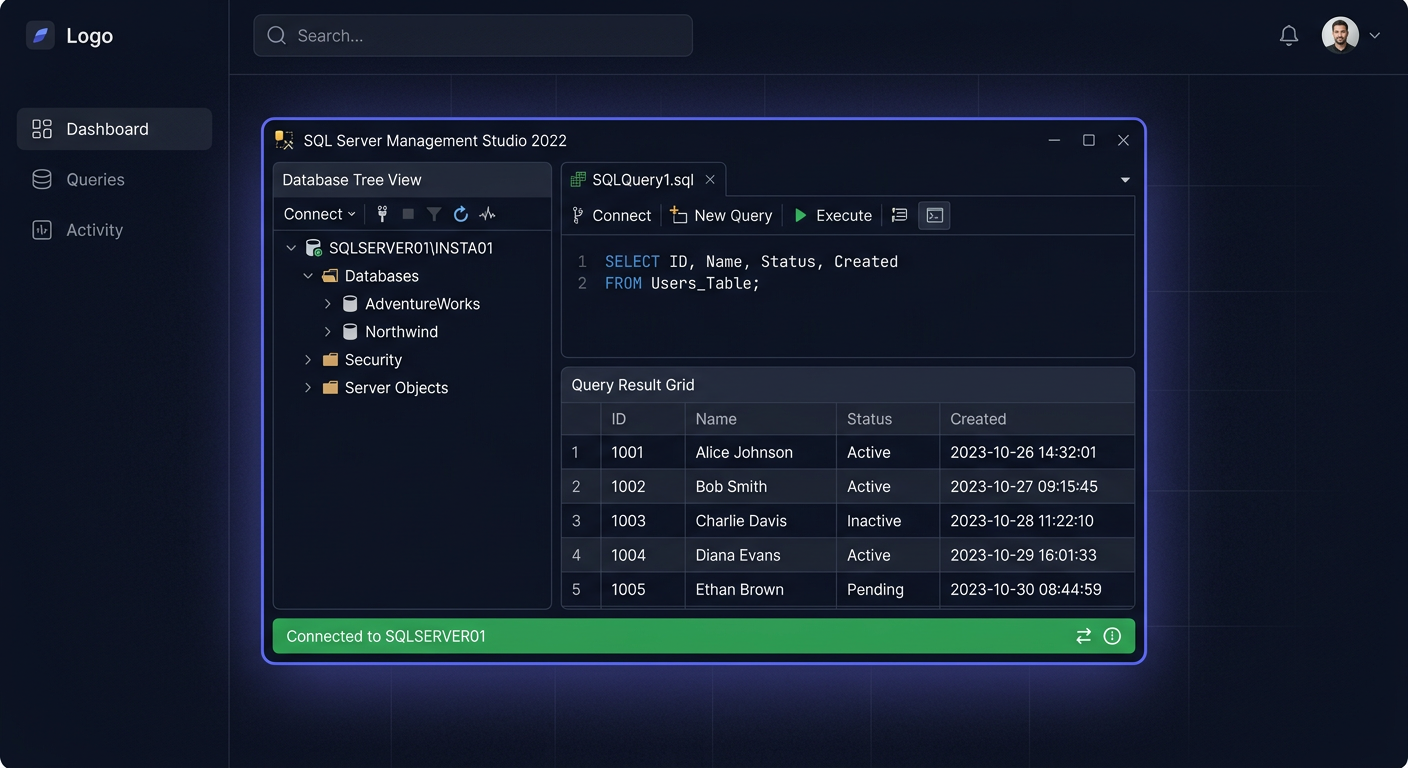
Activating SQL Server 2022 Standard 50 User CAL
To activate SQL Server 2022 Standard 50 User CAL, follow these steps:
- Ensure you have a valid licence key for SQL Server 2022 Standard.
- Download and install SQL Server 2022 Standard from the official Microsoft website.
- Run the installation package and follow the prompts to install SQL Server 2022 Standard.
Note: You may need to restart your computer during the installation process.
Activation
To activate SQL Server 2022 Standard, use the following command:
sqlservr -m -T5090
Then, open SQL Server Management Studio and connect to your SQL Server 2022 Standard instance.
Configuring CAL
To configure 50 User CAL, follow these steps:
- Open SQL Server Management Studio and connect to your SQL Server 2022 Standard instance.
- In the object explorer, right-click on the server name and select Properties.
- In the Server Properties window, click on Licensing.
- Select Per User and enter the number of CALs you have purchased (in this case, 50).
Troubleshooting
If you encounter any issues during activation, contact KluczeSoft support at kontakt@kluczesoft.pl or call 00 800 121 1654 for assistance.
Additional Resources
For more information on SQL Server 2022 Standard, visit the official Microsoft website.
Activation of SQL Server 2022 Standard 50 User CAL
The activation of SQL Server 2022 Standard 50 User CAL is one of the most common topics after purchasing a licence for companies that want to ensure legal access to the database server for a specified number of users. In the User CAL model, the user is licensed, not the device. This means that one person can use the SQL server from multiple computers, laptops, or mobile devices, as long as they are covered by the appropriate CAL access licence.
In practice, the 50 User CAL package means that a maximum of 50 specified users can access the SQL Server 2022 Standard environment. This variant is often chosen by organisations where employees use ERP, CRM, warehouse applications, reporting, or other solutions based on the Microsoft SQL Server database. However, the activation itself does not involve "entering CALs" into the system in the same way as a classic installation key for the server. It is worth understanding this well to avoid incorrect configuration and misunderstandings during deployment.
Step by Step
The first step is to ensure that the correct edition of the server is installed, i.e., Microsoft SQL Server 2022 Standard. CAL licenses do not work independently without a properly licensed server instance. First, there must be an active, legal license for the SQL Server 2022 Standard server itself, and only then can access rights be assigned to it for users in the CAL model.
Next, you should verify the purchase document. In the case of 50 User CAL licenses, the most important things are: proof of purchase, product name, number of licenses, and the details of the entity for which the license was purchased. In Microsoft licensing environments, documentation is very important because CALs are usually the right to access, not a separate technical mechanism activated from the SQL Server installer.
The next stage is to assign licenses to specific users within the organization. In the User CAL model, you should keep an internal record that indicates which users have the right to connect to the SQL Server 2022 server. This list should be up-to-date and consistent with the actual use of the system. You don't need to manually enter each CAL into the SQL Server console, but you must be able to demonstrate that the number of 50 users has not been exceeded.
From a technical point of view, it's also worth checking if only authorized persons have access to the server. Good practice is to organize accounts in Active Directory, access groups, SQL logins, and application accounts. If the database is used by a company system, you should determine whether access is made on behalf of specific employees or through a shared application account. From the licensing point of view, the number of real users using the data or server functions is still important.
If the purchase was made through an authorized sales channel, you should keep all licensing materials, confirmation messages, and order numbers. In case of an audit or control, it is the documentation that confirms the right to use the SQL Server 2022 CAL package. In many cases, there is no separate "CAL activation screen" because activation has a formal-licensing character, not just a system one.
Finally, it's worth preparing a brief administrative note: which server is covered by the license, how many users have access, when the license is used, and who is responsible for supervising compliance. This simple action greatly simplifies later license management. If you have any questions or concerns, please do not hesitate to contact us at kontakt@kluczesoft.pl or call 00 800 121 1654.
Verification
After implementation, it is worth checking several basic elements. Firstly, you should confirm that the SQL Server 2022 Standard instance is working correctly and accepting connections from applications and authorized users. Secondly, you need to compare the actual number of people using the system with the number of licenses purchased, in this case, the 50 User CAL limit.
Additionally, it is a good idea to review the logins and accounts with access to the database. It's not just about how many accounts are on the server, but how many users are actually using the solution. If there are personnel changes in the company, the list of users covered by CAL should be updated in real-time. People who no longer use the system should be removed from the records and technical access.
It is also worth ensuring that the licensing model has been chosen correctly. User CAL works best when one employee uses multiple devices. If, on the other hand, multiple people work on one workstation in shifts, the Device CAL model may be more beneficial.
Problems
The most common problem is assuming that CAL needs to be activated in the same way as the server product key. In reality, in the case of SQL Server 2022 CAL, the most important thing is the legal purchase of licenses and their correct assignment to users. The lack of a separate activation window does not mean that something is wrong.
Another common mistake is confusing server licenses with access licenses. Simply purchasing 50 User CAL is not enough if the organization does not have a properly licensed SQL Server 2022 Standard. Both elements must be present together, unless the environment works in a Server + CAL model.
Too broad access granted to users or applications can also be a problem. If data is accessible to people outside the predicted pool of 50 users, it may lead to a breach of licensing conditions. Therefore, it is worth regularly reviewing permissions and the way the system is used by employees and software.
Another difficulty arises when the company expands. If the number of users exceeds 50, it will be necessary to purchase additional CALs or analyze whether a different licensing model would be more cost-effective. It's better to do this earlier rather than during an audit.
FAQ
Does SQL Server 2022 Standard 50 User CAL require a separate key entry for each user?
No. In the User CAL model, the license is primarily the right of access assigned to the user. The activation key usually applies to the server itself or the method of purchase, while CALs should be properly documented and assigned organizationally.
Does 50 User CAL mean 50 computers?
No. It means 50 users. Each of them can use multiple devices, as long as it is the same user who has been covered by the license.
How to check if my company is using the license correctly?
You should confirm three things: a legitimate license for SQL Server 2022 Standard, the purchased number of CALs, and the actual number of users with access to the system. It's also a good idea to keep an internal record of users covered by the license.
In case of doubts regarding the selection, activation, or licensing compliance of SQL Server 2022 CAL, please contact us: kontakt@kluczesoft.pl or call 00 800 121 1654.
Where to buy the original key
Need a legal key? Check the offers at kluczesoft.pl:
All keys are brand new, delivered electronically with a VAT invoice.