
FAQ: Microsoft Windows 10 Home
Microsoft Windows 10 Home is a licence intended primarily for home use. Below, you will find answers to the most frequently asked questions from customers regarding activation, legality, licence transfer, compatibility, and technical support period.
Is the Windows 10 Home key original and legal?
Yes, provided it comes from a legitimate distribution source. An original product key enables system activation on Microsoft servers and confirms the licence validity for the specified edition, i.e., Windows 10 Home. Legality depends not only on the character string itself but also on the type of licence and how it is resold. Therefore, it is crucial to purchase the key from a verified seller who clearly states the licence type and issues a sales document.
How many computers can I activate with one key?
In the case of Windows 10 Home, a standard key usually applies to one device. This means that one licence allows activating one computer, not multiple computers simultaneously. If you want to run the system on two or more machines, you need a separate licence for each workstation.
Is the licence perpetual?
Mostly yes. The Windows 10 Home licence is usually perpetual, meaning it does not expire after a year or a few months. This means the system remains activated on the assigned device without subscription fees. However, you must distinguish licence perpetuity from Microsoft support period. The licence itself may be valid without time limits, but the manufacturer may stop providing security updates for the given system.
Can I transfer the licence to another computer?
It depends on the type of licence. A Retail licence can usually be transferred to another computer, provided it is no longer used on the previous device. An OEM licence is usually tied to the first motherboard it was activated on, so its transfer is often not possible. In practice, before purchasing, it is worth checking whether the offered key applies to the OEM, Retail, or another licensing model.
What is the difference between Standard, Pro, and PP editions?
For a home user, the most important distinction is between Home and Pro. Windows 10 Home is an edition for everyday use: internet, multimedia, games, office work, and learning. Windows 10 Pro offers additional business features, such as domain joining, BitLocker, Group Policy, Remote Desktop as a host, or more advanced device management.
The PP designation usually means BOX / Full Packaged Product, which refers to the retail packaging of the product. It is not a separate system edition but a form of licence distribution. If you buy Windows 10 Home, the key activates the Home edition, not Pro.
Does this key work on Windows 10, Windows 11, and Mac?
This product is intended to activate Windows 10 Home. A key for the Home edition does not activate the Pro edition. In many cases, the Microsoft ecosystem recognises Windows 10 and Windows 11 keys within the same edition, but purchasing a Windows 10 Home product should be treated primarily as a licence for that specific version of the system. On Mac computers, such a key does not activate the macOS system. It may be applicable only when a Windows system is installed on a Mac in a compatible environment, for example, through Boot Camp or a virtual machine, provided the hardware and licence conditions permit it.
For any further questions or concerns, please do not hesitate to contact us at kontakt@kluczesoft.pl or call us at 00 800 121 1654.
What to do if the key does not work?
First, check if the correct edition of the system is installed, i.e. Windows 10 Home. A very common cause of the error is attempting to activate the Pro version with a Home key or vice versa. Then, make sure that the code has been entered correctly and that the computer has an internet connection. If the problem still occurs, it's worth running the telephone activation or contacting the seller, providing the error message. It's best to attach a screenshot and information about which system version was installed.
How long does Microsoft support Windows 10 Home?
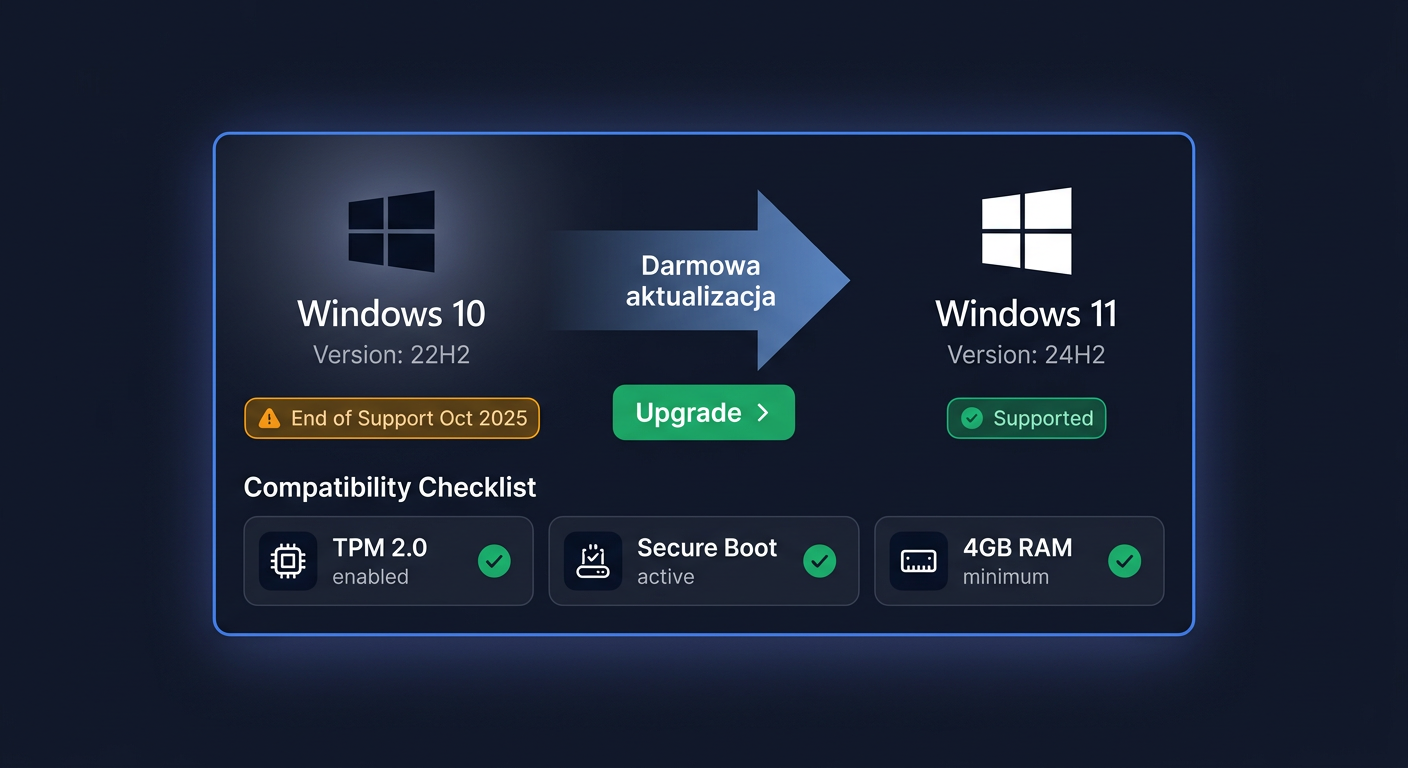
Microsoft ended the basic support for Windows 10 Home on 14 October 2025. This means the lack of standard security updates, fixes, and technical support for this system. For some users, the ESU program is still available, which extends the delivery of selected security updates until 13 October 2026, but this does not change the fact that regular system support has already ended.
Do I receive a VAT invoice?
Yes, when purchasing in a professional online store, the customer should receive a sales document, usually a VAT invoice or a receipt, depending on the form of purchase. This is important not only for accounting purposes but also in case of after-sales contact. The purchase document confirms the product's origin and facilitates the handling of notifications.
How quickly will I receive the key after purchase?
In the case of digital licenses, the key is usually sent very quickly, most often automatically after the payment has been credited. The delivery time depends on the chosen payment method, the store's working hours, and the order fulfillment method, but with electronic products, delivery usually takes from a few minutes to a few hours.
Can I install the system offline?
Yes, the system installation itself can be performed offline from a prepared USB drive or ISO image. However, you should remember that key activation usually requires an internet connection or using the telephone activation procedure provided by Microsoft. In other words: offline installation is possible, but full activation may not always occur without network access.
What does OEM, Retail, and Volume license mean?
OEM is a license usually assigned to one computer, most often without the right to transfer to a new motherboard or another device. Retail is a retail license, more flexible and usually possible to transfer, if it is no longer used on the previous computer. Volume is bulk licensing intended mainly for companies and institutions, and not for a typical individual customer. For a home user buying Windows 10 Home, it's safest to make sure before purchasing which exact type of license is being offered and what rights it grants.
Where to buy the original key
Need a legal key? Check the offers at kluczesoft.pl:
All keys are brand new, delivered electronically with a VAT invoice.