
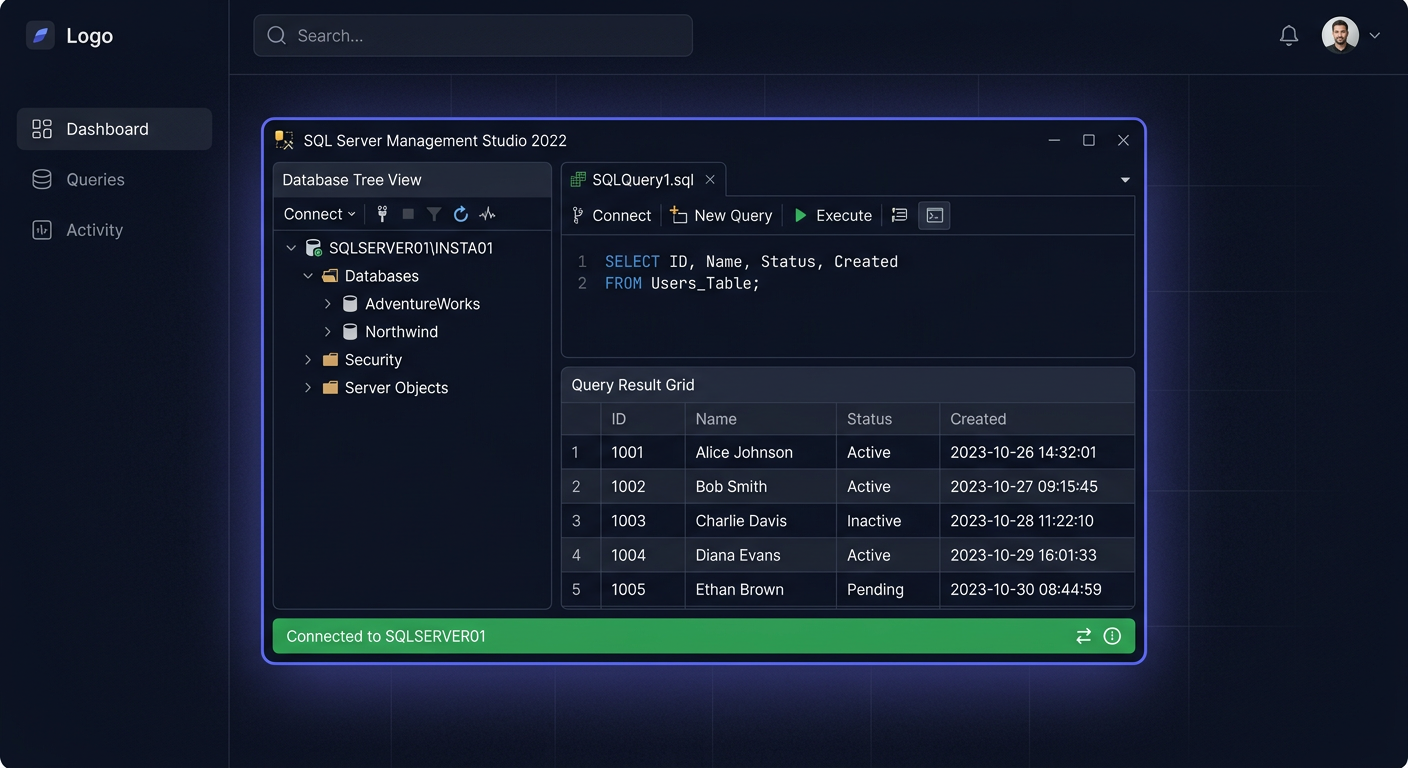
Before You Begin
SQL Server 2017 Standard (code name: vNext) is a groundbreaking version of Microsoft's database — the first SQL Server available on Linux. Released on 2 October 2017, it is still covered by extended support until 12 October 2027.
Support Cycle
| Stage | Date |
|---|---|
| Release Date | 2 October 2017 |
| End of Mainstream Support | 11 October 2022 (ended) |
| End of Extended Support | 12 October 2027 |
System Requirements
| Component | Minimum | Recommended |
|---|---|---|
| Operating System | Windows Server 2012 R2 | Windows Server 2019 |
| Processor | x64, 1.4 GHz | 2.0 GHz+ multi-core |
| RAM | 1 GB (4 GB recommended) | 16-64 GB (Standard max: 128 GB) |
| Disk | 6 GB free | SSD |
| .NET Framework | 4.6+ | 4.8 |
Important: SQL Server 2017 is not officially supported on Windows Server 2022. It supports WS 2012 R2, 2016, and 2019.
Standard vs Enterprise
| Feature | Standard | Enterprise |
|---|---|---|
| Max RAM | 128 GB | Unlimited |
| Max Cores | 24 | Unlimited |
| Databases in AG | 5 (basic) | Unlimited |
| In-Memory OLTP | Limited | Full |
| Price at KluczeSoft | 1349 zł | On request |
Step 1: Download SQL Server 2017
- Microsoft Evaluation Center → SQL Server 2017 → download ISO
- Alternatively: Volume Licensing Service Center (VLSC)
- We recommend downloading the version with CU31 (latest cumulative update)
Step 2: Prerequisites
- Install all Windows Update updates
- .NET Framework 4.8
- PowerShell 5.1+
- Disable antivirus during installation
Step 3: Installation
- Mount the ISO, run setup.exe as Administrator
- Installation → New SQL Server stand-alone installation
- Product Key: enter the key from KluczeSoft or Evaluation
- Feature Selection: Database Engine Services (required), Replication, Full-Text Search
- Instance Configuration: Default or Named Instance
- Database Engine Configuration:
- Authentication: Mixed Mode (Windows + SQL)
- sa password (strong!)
- Data Directories: separate disks for data, logs, TempDB
- Install — 15-30 minutes
Step 4: Activation with Product Key
Method A: During Installation
Enter the key on the Product Key screen.
Method B: SSMS after Installation
- SSMS → connect to server → right-click → Properties → General
- Change next to Edition → enter key → OK
- Restart SQL Server service
Method C: Edition Upgrade
Setup.exe → Maintenance → Edition Upgrade → enter key
Method D: Command Line
setup.exe /q /ACTION=EditionUpgrade /INSTANCENAME=MSSQLSERVER /PID=XXXXX-XXXXX-XXXXX-XXXXX-XXXXX /IACCEPTSQLSERVERLICENSETERMS
Verification
Expected result: Standard Edition (64-bit), Version: 14.0.xxxx.
Step 5: Post-Installation Configuration
Limit Memory
Enable TCP/IP
SQL Server Configuration Manager → Protocols → TCP/IP → Enable. Port: 1433. Restart the service.
Firewall
Open port 1433 (TCP) and 1434 (UDP for Browser).
Enable Query Store
Enable Automatic Tuning
Key New Features of SQL Server 2017
First SQL Server on Linux
Historic change — full SQL Server version on Ubuntu, RHEL, and SUSE.
Graph Databases
Native support for graphs (NODE, EDGE, MATCH) — ideal for social networks and recommendations.
Adaptive Query Processing
- Adaptive Joins — the engine itself chooses the join type
- Memory Grant Feedback — automatic memory allocation correction
- Interleaved Execution — optimization of table functions
Automatic Tuning
SQL Server automatically detects query plan regressions and reverts to previous, better plans.
Python and R Integration
Machine Learning Services — run Python and R scripts directly in SQL queries.
Resumable Online Index Rebuild
Online index rebuild with pause and resume capability — without losing progress.
Licensing
| License | Price at KluczeSoft |
|---|---|
| SQL Server 2017 Standard 24 Core | 1349 zł |
| SQL Server 2017 Standard 50 User CAL | 1690 zł |
| SQL Server 2017 Standard 50 Device CAL | 1690 zł |
Comparison of SQL Server Versions
| Version | Price 24 Core | Support Until | Key New Features |
|---|---|---|---|
| SQL 2016 | 989 zł | Jul. 2026 | Query Store, Always Encrypted |
| SQL 2017 | 1349 zł | Oct. 2027 | Linux, graphs, Adaptive QP |
| SQL 2019 | 2149 zł | Jan. 2030 | Big Data Clusters, IQP |
| SQL 2022 | 2999 zł | Jan. 2033 | Ledger, Synapse Link |
Troubleshooting
Key is Not Accepted
- SQL 2017 key ≠ SQL 2019/2022 key
- Standard ≠ Enterprise
- Format: XXXXX-XXXXX-XXXXX-XXXXX-XXXXX
Cannot Connect Remotely
- Enable TCP/IP in SQL Server Configuration Manager
- Port 1433 in firewall
- Run SQL Server Browser (named instances)
SQL Server Uses All RAM
Normal. Limit: sp_configure max server memory.
How to Check Version?
SELECT @@VERSION
Summary
SQL Server 2017 Standard 24 Core for 1349 zł — a solid database with support until 2027, first on Linux, with Adaptive Query Processing and Automatic Tuning. Key sent immediately via e-mail.
Microsoft Poland Technical Support: 00 800 121 1654 For any questions or concerns, please contact us at kontakt@kluczesoft.pl
Where to buy the original key
Need a legal key? Check the offers at kluczesoft.pl:
All keys are brand new, delivered electronically with a VAT invoice.