
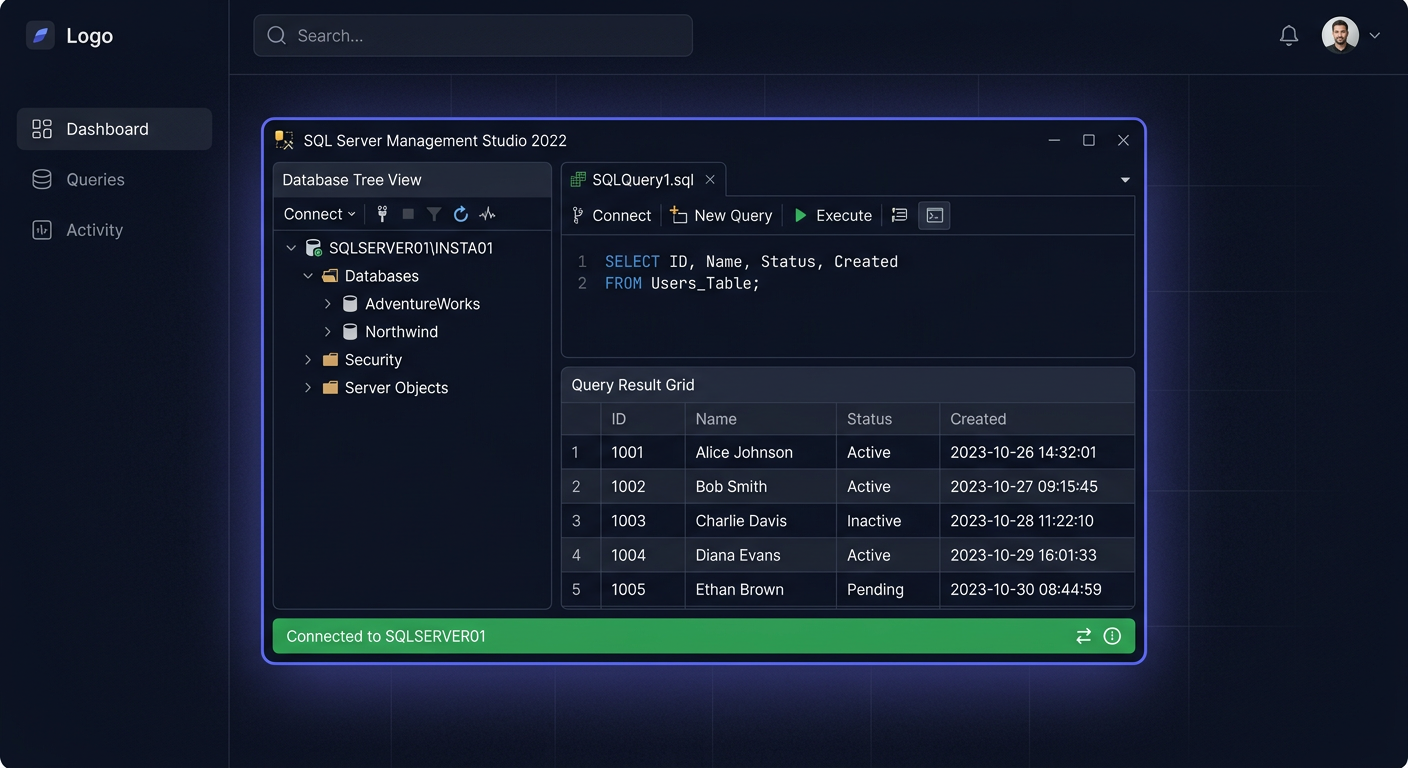
Before You Begin
SQL Server 2019 Standard is an advanced relational database management system designed for businesses that require a reliable, scalable, and secure platform for storing and analyzing data. The Standard edition offers a wide range of features, including high availability support, replication, advanced querying, and integration with analytical tools. The Server + CAL (Client Access License) licensing model is particularly beneficial for organizations that know the number of users or devices accessing the server.
For SQL Server 2019 Standard 10 User CAL, the license includes:
- A license to install SQL Server 2019 Standard on one server.
- 10 User CAL licenses, allowing 10 users to access the server (each user can use any number of devices).
Important: CAL must be the same version or later than the SQL Server being accessed. Multiplexing does not reduce the number of CALs required.
Product Support Table
| Product | Release Date | End of Mainstream Support | End of Extended Support |
|---|---|---|---|
| SQL Server 2019 Standard | 04.11.2019 | 07.01.2025 | 08.01.2030 |
What You Get from KluczeSoft?
- The original product key for SQL Server 2019 Standard 10 User CAL (499 zł for 10 User CAL).
- Access to the SQL Server 2019 Standard ISO installation file.
- Detailed installation, activation, and configuration instructions.
- Technical support and phone support: 00 800 121 1654.
More about CAL licenses: /sql-server-cals-
System Requirements
Before proceeding with the installation of SQL Server 2019 Standard, ensure that your server meets the minimum hardware and software requirements. It is recommended to use the latest versions of operating systems and to regularly update security patches.
Minimum Hardware and Software Requirements
| Requirement | Minimum Specification |
|---|---|
| Processor | x64, min. 1.4 GHz (recommended 2.0 GHz or faster) |
| CPU Cores | Min. 2 cores (recommended 4+) |
| RAM | Min. 2 GB (recommended 4 GB or more) |
| Hard Disk | Min. 6 GB of free space for installation (recommended SSD) |
| Operating System | Windows Server 2016/2019/2022, Windows 10/11 Pro/Enterprise (only x64) |
| Network | 1 Gb/s network card (recommended) |
| .NET Framework | Version 4.6 or later |
| File System | NTFS or ReFS (FAT32 is not supported) |
| Display | Min. 800x600 pixels |
| Permissions | Local administrator account |
Note: SQL Server 2019 does not support 32-bit systems.
Step 1: Downloading the Installation File
- Log in to the KluczeSoft panel and download the SQL Server 2019 Standard ISO file.
- Mount the ISO file:
- Right-click on the ISO file and select Open with > Windows Explorer.
- Alternatively, use an ISO image mounting tool, such as WinCDEmu.
Step 2: Running the Installer
- Go to the mounted drive with the ISO file.
- Run the setup.exe file as an administrator (right-click > Run as administrator).
- After running, the SQL Server Installation Center screen will appear.
Step 3: Selecting the Installation Type
- In the left menu, select Installation.
- Click New SQL Server stand-alone installation or add features to an existing installation.

Step 4: Checking Requirements and Product Key
- The installer will perform a preliminary check of system requirements.
- Enter the product key received from KluczeSoft (e.g., XXXXX-XXXXX-XXXXX-XXXXX-XXXXX).
- Click Next.
Step 5: Accepting the License Terms
- Read and accept the license terms (check the I accept the license terms box).
- Click Next.
Step 6: Installing SQL Server Features
- Select the features to install:
- Database Engine Services (required)
- SQL Server Replication (optional)
- Full-Text and Semantic Extractions for Search (optional)
- Click Next.
If you need help or have questions, please contact us at kontakt@kluczesoft.pl or call 00 800 121 1654.
Step 7: Instance Configuration
- Select the instance type:
- Default instance (default)
- Named instance (custom name, e.g. SQL2019)
- Click Next.
Step 8: Service Configuration
- Set service accounts (recommended: default values).
- Set service startup mode (recommended: Automatic).
- Click Next.
Step 9: Server Configuration
- Choose the authentication mode:
- Windows Authentication mode (recommended)
- Mixed Mode (SQL Server authentication and Windows authentication)
- Add server administrators (e.g. your account).
- Click Next.
Step 10: Directory Selection
- Specify directories for data files, logs, and backups (recommended: SSD disk).
- Click Next.
Step 11: Summary and Installation
- Review the configuration summary.
- Click Install.
- After installation is complete, click Close.
Product Key Activation
SQL Server 2019 Standard is activated during installation by entering the product key. However, if re-activation or key change is required, it can be done through both GUI and command line.
Method 1: Activation through GUI
- Open SQL Server Installation Center (setup.exe from ISO).
- Select Maintenance > Edition Upgrade.
- Enter the new product key and follow the instructions.
Method 2: Activation through Command Line
- Open Command Prompt as administrator.
- Navigate to the SQL Server tools directory:
cd "C:\Program Files\Microsoft SQL Server\150\Setup Bootstrap\SQLServer2019" - Enter the activation command:
setup.exe /q /ACTION=ActivateEdition /Edition=Standard /PID=XXXXX-XXXXX-XXXXX-XXXXX-XXXXX
Note: Replace XXXXX-XXXXX-XXXXX-XXXXX-XXXXX with your product key.
Activation Verification
To check the SQL Server activation status:
- Open SQL Server Management Studio (SSMS).
- Connect to the server instance.
- Execute the query:
SELECT SERVERPROPERTY('Edition'), SERVERPROPERTY('ProductKey'), SERVERPROPERTY('ProductVersion');
Post-Installation Configuration
After completing the installation and activation of SQL Server 2019 Standard, it's worth performing a few basic configuration steps:
- SQL Server Update:
- Download and install the latest cumulative updates (CU) and security fixes.
- Database Creation:
- Create the first database through SSMS: Right-click on "Databases" > New Database...
- User Account Creation:
- Add users and assign them appropriate roles and permissions.
- Backup Configuration:
- Configure a schedule for automatic backups.
- Monitoring and Alerts:
- Configure SQL Server Agent to monitor server status and error notifications.
If you need help or have questions, please contact us at kontakt@kluczesoft.pl or call 00 800 121 1654.
Troubleshooting
Below, we present the most common errors that occur during the installation and activation of SQL Server 2019 Standard, along with their solutions:
1. Error: "The SQL Server setup media does not support the language of the OS"
- Solution: Ensure that the downloaded ISO file matches the language version of the operating system or use the English version of SQL Server.
2. Error: "SQL Server installation failed due to insufficient privileges"
- Solution: Run the installer as an administrator. Check if the account has the necessary permissions to install software.
3. Error: "Invalid product key"
- Solution: Verify the correctness of the entered product key. Ensure that there are no typos and you are using the SQL Server 2019 Standard key.
4. Error: "SQL Server service failed to start"
- Solution: Check if the TCP/IP ports are free and the service is not blocked by the system firewall. Ensure that the service account has the necessary permissions.
5. Error: "Cannot connect to SQL Server instance"
- Solution: Check if the SQL Server instance is running (SQL Server service). Ensure that port 1433 is open and not blocked by the firewall.
6. Error: "Multiplexing does not reduce CAL requirements"
- Solution: Ensure that each person or device accessing the server has the necessary CAL license, even if they use intermediate applications.
Version and Price Comparison at KluczeSoft
| SQL Server Version | Licensing Model | Number of CAL | Price (gross) | Recommended Use |
|---|---|---|---|---|
| SQL Server 2019 Standard | Server + 10 User CAL | 10 | 499 zł | Small and medium-sized businesses, up to 10 users |
| SQL Server 2019 Standard | Server + 20 User CAL | 20 | 899 zł | Medium-sized businesses, up to 20 users |
| SQL Server 2019 Standard | Server + 10 Device CAL | 10 | 499 zł | Workshops, shared devices |
| SQL Server 2019 Standard | Per Core (2 core) | - | 3 499 zł | Large businesses, unlimited number of users |
More about CAL licenses: /sql-server-cals-
Summary
SQL Server 2019 Standard 10 User CAL is a flexible and economical solution for businesses that want to manage access to the server at the user level. Installation and activation proceed smoothly if you follow the above steps and requirements. If you encounter any problems or have questions, please contact our technical support at 00 800 121 1654 or visit our knowledge base at pomoc.kluczesoft.pl.
Remember that choosing the right licensing model (User CAL vs Device CAL vs Per Core) depends on your organization's structure and how you use the SQL server. Regularly update your system and SQL Server to ensure security and performance. If you need further assistance, do not hesitate to contact us at kontakt@kluczesoft.pl.
Where to buy the original key
Need a legal key? Check the offers at kluczesoft.pl:
All keys are brand new, delivered electronically with a VAT invoice.