
Windows 10 Pro + Office 2021 Professional Plus Bundle
The Windows 10 Pro + Office 2021 Professional Plus bundle is a practical solution for individuals who want to equip their computer with an operating system and a full office suite at the same time. With this offer, you receive two separate products and two separate activation keys for a total price of 430.08 zł. It's essential to note that the Windows key and the Office key work independently of each other, so you can activate them even on different computers, in accordance with the intended use and licensing terms.
By purchasing the bundle, you usually save money compared to buying both products separately. This is a convenient option for both home users and companies that want to quickly set up a workstation for daily tasks: documents, spreadsheets, email, online meetings, and administrative work.
What's included in the bundle
As part of the purchase, the customer receives:
- a Windows 10 Pro license
- a Office 2021 Professional Plus license
- two separate product keys: one for the Windows system and one for the Office suite
- installation and activation instructions
- the possibility of using the keys separately, also on two different devices
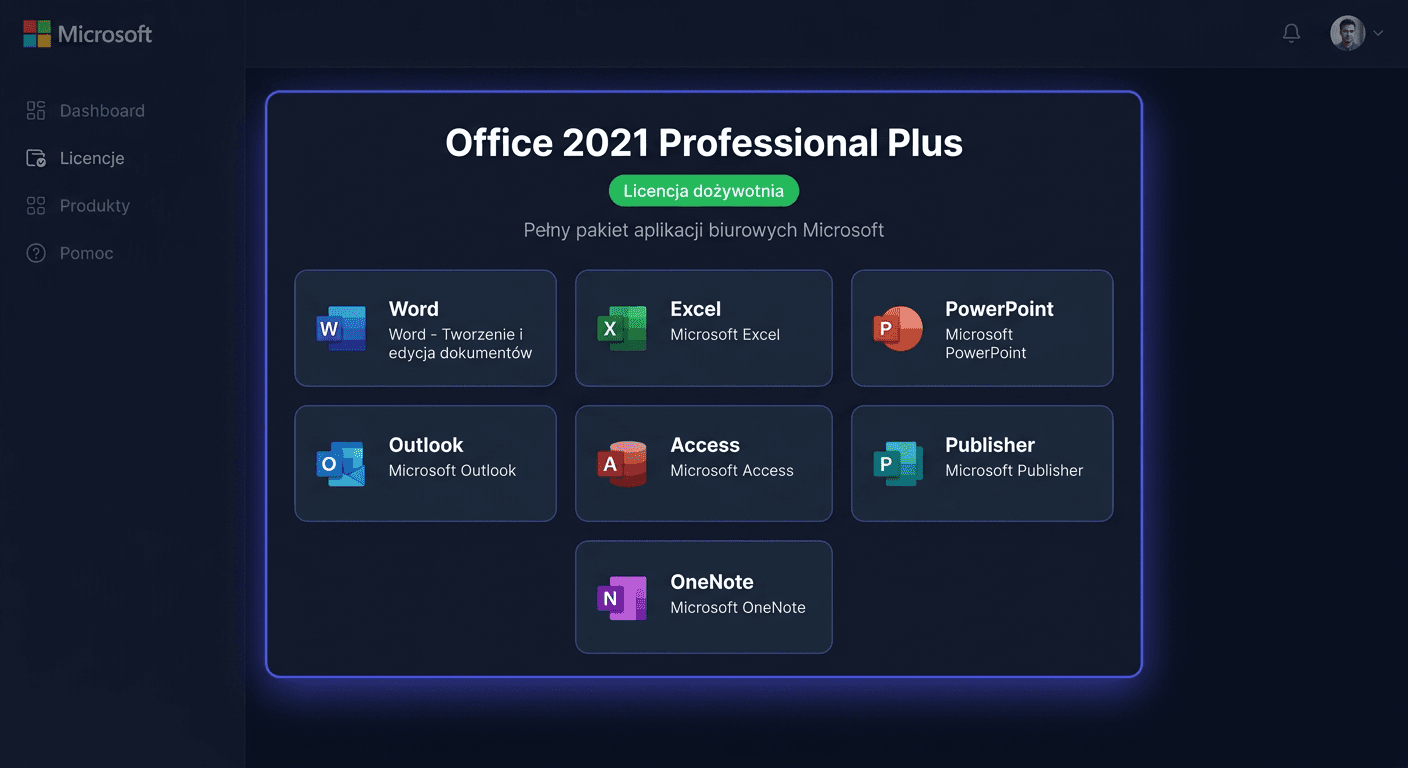
The Office 2021 Professional Plus suite includes the most common applications, such as:
- Word
- Excel
- PowerPoint
- Outlook
- OneNote
- Access
- Publisher
- Teams or related components, depending on the installation version
Windows 10 Pro offers features designed for more demanding users and companies, including:
- domain support
- Remote Desktop
- BitLocker
- Hyper-V
- extended management and security options
Requirements and compatibility
Windows 10 Pro is designed for computers that meet the minimum Microsoft requirements, including the required amount of RAM, disk space, and a compatible processor. The system runs on many older devices, but before installation, it's a good idea to ensure that the computer manufacturer still provides drivers.
Office 2021 Professional Plus is compatible with computers running Windows. In practice, it works best on:
- Windows 10
- Windows 11
Before installing Office 2021, it's recommended to remove older or trial versions of the Office suite to avoid activation conflicts.
Note regarding older systems and legacy environments: if you're using older versions of Windows or solutions that are only covered by extended support (ESU), it's a good idea to plan a migration. Installing new software on an outdated platform increases the risk of security, compatibility, and future activation problems.
Installation and activation
Activating Windows 10 Pro from the graphical interface
- Install Windows 10 Pro.
- Open Settings.
- Go to Update and Security.
- Select Activation.
- Click Change product key.
- Enter the received key for Windows 10 Pro.
- Confirm and wait for activation.
Activating Windows 10 Pro via CMD
Run Command Prompt as administrator and enter:
slmgr.vbs /ipk XXXXX-XXXXX-XXXXX-XXXXX-XXXXX
slmgr.vbs /ato
The first command installs the product key, and the second command starts online activation.
Activating Office 2021 Professional Plus via the Interface
- Install Office 2021 Professional Plus.
- Launch any application, e.g. Word or Excel.
- Go to the Account section.
- Select the option to change or enter the product key.
- Enter the separate key assigned to Office 2021 Professional Plus.
- Complete the process according to the on-screen messages.
Activating Office 2021 Professional Plus via CMD
Run the Command Prompt as administrator, then go to the Office directory, for example:
cd "C:\Program Files\Microsoft Office\Office16"
ospp.vbs /inpkey:XXXXX-XXXXX-XXXXX-XXXXX-XXXXX
ospp.vbs /act
In 32-bit systems on 64-bit Windows, the directory may be located here:
cd "C:\Program Files (x86)\Microsoft Office\Office16"
ospp.vbs /inpkey:XXXXX-XXXXX-XXXXX-XXXXX-XXXXX
ospp.vbs /act
Telephone Activation
If online activation fails, you can use Microsoft's telephone activation at the number:
00 800 121 1654
Prepare the product key and the installation ID displayed by the system or Office package. The consultant or automated system will guide you through the next steps.
Verifying Activation
After completing the process, it's worth checking if both products have been activated correctly.
For Windows 10 Pro:
- go to Settings > Update and Security > Activation
- the status should indicate that the system is activated
For Office 2021 Professional Plus:
- launch Word or Excel
- go to File > Account
- check the product activation status
When activating via the command line, the final message should confirm the operation's success.
Troubleshooting
1. The Key Does Not Match the Installed Edition
This is a common problem when trying to activate a different version than the one purchased. The key for Windows 10 Pro does not activate the Home version, and the key for Office 2021 Professional Plus does not work with another Office edition.
Solution: check if the correct edition of the product is installed.
2. Online Activation Error or No Connection to the Server
The problem may be due to temporary unavailability of activation services, network firewall, or unstable internet.
Solution: try again later, restart the computer, or use telephone activation at 00 800 121 1654.
3. There is Another Version of Office on the Computer
Remnants of previous installations can block the activation of Office 2021 Professional Plus.
Solution: uninstall the older Office, restart the system, and then install and activate the new version.
4. The Wrong Key Was Entered
There are two separate keys, so it's possible to make a mistake by entering the Windows key into Office or vice versa.
Solution: use the correct key assigned to the specific product. If you need help, please contact us at [email protected] or call 00 800 121 1654 for assistance.
Comparison with alternatives
Purchasing Windows 10 Pro alone will be suitable when you already have an active Office package or use web applications. Microsoft Office 2021 Professional Plus will be a good choice if the system is already legalized and does not require replacement.
An alternative may be Microsoft 365, i.e. a subscription model. This solution provides access to cloud services and regular updates, but is associated with renewable fees. On the other hand, the Windows 10 Pro + Office 2021 Professional Plus bundle is an option for those who prefer a one-time purchase and a clear division into two independent products.
It's also worth remembering that some license categories work differently:
- antivirus software is usually activated through the manufacturer's website, not system commands
- CAL licenses are a document authorizing access and are not a standalone program to install
Summary
Windows 10 Pro + Office 2021 Professional Plus is a functional bundle for users who want to quickly launch a complete work environment. You receive two separate keys that you can use independently, even on different computers. This increases flexibility and usually allows you to get a better price than when buying products separately.
If online activation does not complete correctly, use Microsoft's telephone activation: 00 800 121 1654. This allows you to efficiently complete the configuration and confirm the legal activation of both products. If you need further assistance, please contact us at [email protected].