
Windows 11 Pro + Office 2024 Professional Plus Bundle
The Windows 11 Pro + Office 2024 Professional Plus Bundle is a practical package for home users, businesses, and remote workers who want to prepare their computer for daily work and equip it with a complete set of office applications. The bundle price is 503.25 zł, and the most significant benefit is the purchase of two separate products with two separate keys, usually more cost-effective than buying them separately.
In this bundle, the customer receives two independent license keys:
- a key for Windows 11 Pro,
- a key for Office 2024 Professional Plus.
It is very important: each product is activated separately and each has its own key. This means that the bundle is not a single shared code. If needed, you can install both products on the same computer or, according to the terms of the given license, use them on different computers. This solution provides more flexibility than bundles tied to a single activator or account.
What the bundle includes
After purchase, the customer receives:
- an activation key for Windows 11 Pro,
- an activation key for Office 2024 Professional Plus,
- installation and activation instructions,
- the possibility to verify activation after installation is complete.
In practice, this means access to a Pro-class operating system and an office suite that includes the most commonly used programs, such as Word, Excel, PowerPoint, Outlook, and other components available in the Professional Plus edition.
Buying the bundle also allows you to save compared to buying separately. This is a convenient solution, especially when configuring a new computer, modernizing a workstation, or preparing a device for a company.
Requirements and compatibility
Windows 11 Pro
To install Windows 11 Pro, the computer should meet Microsoft's requirements, in particular:
- a 64-bit compatible processor,
- a minimum of 4 GB RAM,
- a minimum of 64 GB of disk space,
- a TPM 2.0 module,
- Secure Boot enabled,
- an internet connection for some configuration and activation stages.
Office 2024 Professional Plus
Office 2024 Professional Plus requires:
- Windows 10 or Windows 11 system,
- a user account with installation privileges,
- an internet connection for activation,
- sufficient free disk space.
The Office 2024 Professional Plus package is designed for the Windows environment. If you are looking for a solution for older platforms, it's worth considering migration. In the case of legacy products or ESU licenses, remember that these are transitional solutions and do not replace the update plan. It is recommended to switch to supported versions of the system and software, rather than staying with an older environment for an extended period.
Installation and activation
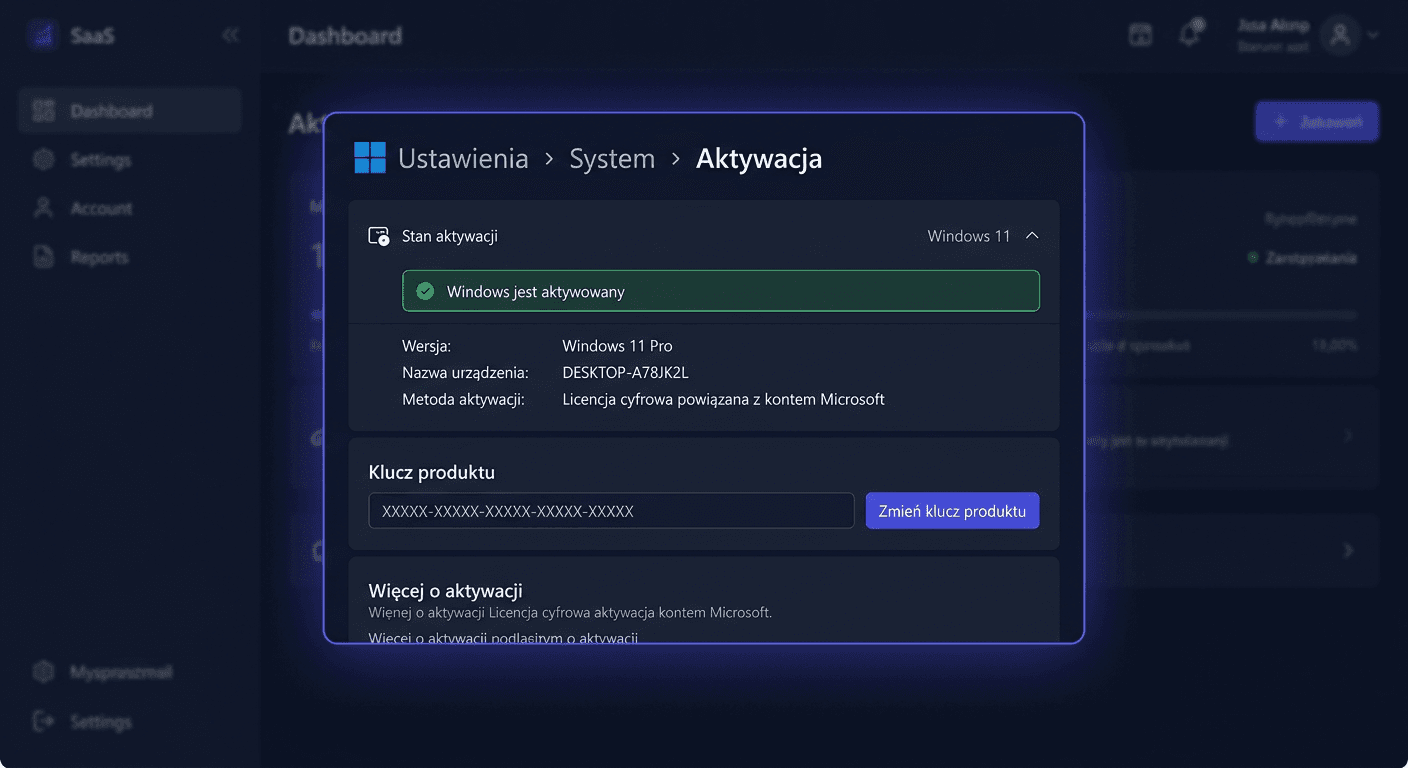
Activating Windows 11 Pro in the GUI interface
After installing the system:
- Open Settings.
- Go to System > Activation.
- Select the option to change the product key.
- Enter the received key for Windows 11 Pro.
- Confirm and wait for activation.
If you have any questions or need assistance, please contact us at [email protected] or call us at 00 800 121 1654.
Activating Windows 11 Pro in the Command Line
Run the Command Prompt as administrator and enter:
slmgr.vbs /ipk XXXXX-XXXXX-XXXXX-XXXXX-XXXXX
slmgr.vbs /ato
The first command installs the key, and the second starts online activation.
Activating Office 2024 Professional Plus in the GUI
After installing Office:
- Run any application, e.g., Word or Excel.
- Go to the Account section.
- Select the option to change or enter the product key.
- Enter the key assigned to Office 2024 Professional Plus.
- Complete the activation according to the on-screen messages.
Activating Office 2024 Professional Plus in CMD
Run the Command Prompt as administrator, go to the Office installation directory, and enter:
cd "C:\Program Files\Microsoft Office\Office16"
ospp.vbs /inpkey:XXXXX-XXXXX-XXXXX-XXXXX-XXXXX
ospp.vbs /act
If Office is installed in 32-bit version on a 64-bit system, the directory may be located here:
cd "C:\Program Files (x86)\Microsoft Office\Office16"
Telephone Activation
If online activation fails, you can use telephone activation by calling:
00 800 121 1654
This solution is often helpful, especially after changing hardware, reinstallation, or activation error messages.
Verification
After completing the activation, it's a good idea to check the status of both products.
For Windows:
- go to Settings > System > Activation,
- make sure the system shows an active status.
For Office:
- open Word or Excel,
- go to Account,
- check if the product is listed as activated.
In the case of activation from the command line, you can also confirm the correct operation after closing and restarting the application or system.
Troubleshooting
1. Error: key does not match this product version
Most often, this means an edition mismatch. The key for Windows 11 Pro does not activate the Home version, and the key for Office 2024 Professional Plus does not work with another Office edition. You should check if the correct version is installed.
2. Online activation error
The cause may be a temporary problem with the internet connection, network firewall, or system blockage. It's worth retrying after a few minutes, restarting the system, or using telephone activation: 00 800 121 1654.
3. Message that the key has already been used
This message may appear after reinstallation or hardware change. In such a situation, you should check the installation history and, if necessary, use telephone activation.
4. Office does not accept the ospp.vbs command
This usually means an incorrect path to the Office folder or running CMD without administrator privileges. You should confirm the location of the Office16 directory and retry.
If you need help or have questions, please contact us at [email protected] or visit our website for more information.
Comparison with Alternatives
Purchasing this bundle is worth comparing with several alternatives:
- Individual purchase: usually more expensive than the bundle, and the set allows for a better final price.
- Microsoft 365 subscription: suitable for those who need cloud services and periodic updates, but comes with a subscription.
- Cheaper editions of the system or Office: may not offer business features available in Pro and Professional Plus versions.
- Older versions or legacy/ESU solutions: may be tempting with a lower initial cost, but increase the risk of compatibility issues and support limitations. In the long run, migrating to the current platform is a better choice.
It's also worth remembering that some products work differently than installation software. For example:
- antivirus is usually activated through the manufacturer's website,
- CAL is a license document, not a program to install.
Summary
Windows 11 Pro + Office 2024 Professional Plus is a bundle for those who want to quickly prepare a complete, modern work environment. The customer receives two separate products and two separate keys, which provides installation flexibility and the possibility of using them on different computers, in accordance with the license terms. An additional benefit is savings compared to purchasing each product separately.
If difficulties arise during installation or activation, especially with online activation, it's worth using phone activation by calling 00 800 121 1654. You can also contact us at [email protected] for assistance.