
Zanim zaczniesz
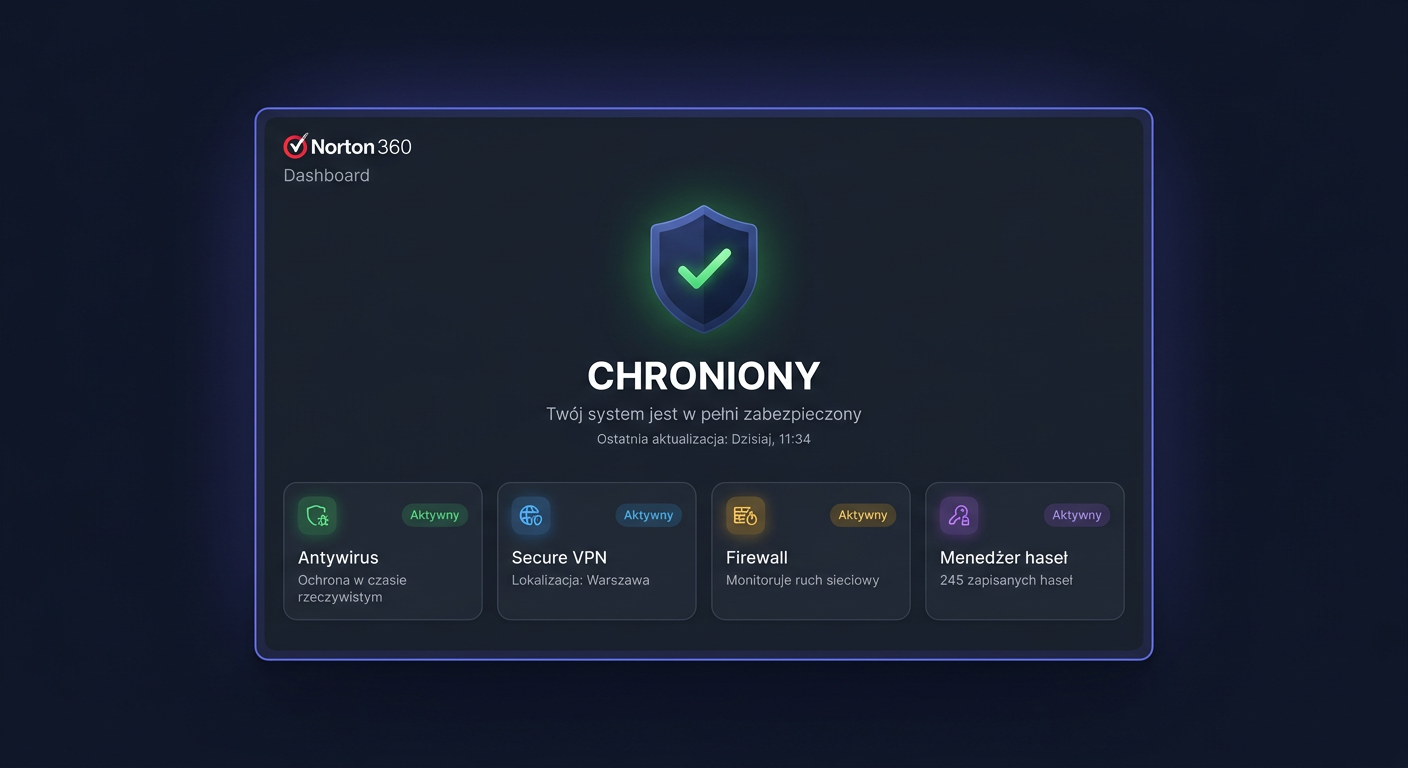
Norton 360 Advanced — 10 urządzeń, 12 miesięcy w KluczeSoft to rozbudowany pakiet bezpieczeństwa dla maksymalnie 10 urządzeń na 12 miesięcy. W jednej subskrypcji otrzymujesz antywirusa, ochronę przed phishingiem i ransomware, VPN, menedżer haseł oraz dodatkowe funkcje prywatności. To rozwiązanie dla domu, małej firmy i rodzin, które chcą zabezpieczyć kilka komputerów oraz telefonów jednym kluczem.
Okres ochrony liczy się od momentu aktywacji klucza w koncie Norton, nie od daty zakupu. Aktualizacje baz sygnatur, modułów ochronnych i usług online działają przez cały czas aktywnej subskrypcji. Warto też pamiętać o datach wsparcia systemów Microsoft: Windows 8.1 zakończył wsparcie 10 stycznia 2023 r., a Windows 7 14 stycznia 2020 r. Sam Norton nadal uruchamia się na części starszych systemów, ale do codziennej pracy zalecamy Windows 10 lub 11. Szczegółową checklistę przed instalacją znajdziesz także w poradniku Wymagania systemowe: Norton 360 Advanced — 10 Urządzeń, 12 Miesięcy.
Po zakupie w KluczeSoft klucz licencyjny trafia elektronicznie na e-mail. Otrzymujesz także instrukcję aktywacji, link do pobrania oraz dokument zakupu. To oznacza, że nie czekasz na kuriera i możesz przejść do instalacji od razu po opłaceniu zamówienia. Jeśli chcesz sprawdzić cały proces przypisania licencji krok po kroku, zobacz też Aktywacja Norton Advanced.
Wymagania systemowe
| Platforma | Minimalna wersja | Ważne uwagi |
|---|---|---|
| Windows | Windows 11, 10, 8.1, 8, 7 SP1+ | Pełna funkcjonalność najlepiej na Windows 10/11; część funkcji nie działa w trybie S |
| macOS | macOS 10.13 lub nowszy | Na Macu nie wszystkie moduły są dostępne, np. kopia zapasowa w chmurze |
| Android | Android 10.0 lub nowszy | Wymagany Google Play |
| iPhone / iPad | Bieżąca i dwie poprzednie wersje iOS / iPadOS | Zakres funkcji może zależeć od wersji systemu |
| Internet | Stałe połączenie | Niezbędne do aktywacji, aktualizacji i VPN |
| Konto Norton | Wymagane | Aktywacja odbywa się przez konto producenta |
Pobieranie instalatora
Najbezpieczniej pobrać instalator bezpośrednio z panelu Norton. Jeśli klucz został kupiony w KluczeSoft, wejdź na norton.com/setup, wpisz kod produktu i zaloguj się lub utwórz konto Norton. Po przypisaniu licencji do konta system wyświetli przycisk pobierania.
Jeśli subskrypcja jest już dodana do Twojego konta, wejdź na my.norton.com, otwórz sekcję subskrypcji i wybierz Download. Na telefonach aplikację pobierzesz z Google Play lub App Store, a następnie zalogujesz się tym samym kontem.
Instalacja krok po kroku
Windows i macOS
Pobierz instalator z konta Norton, uruchom plik i zaakceptuj kontrolę konta użytkownika. Kreator sam pobierze najnowsze komponenty. Po zakończeniu instalacji zaloguj się do konta Norton i poczekaj na pierwszą aktualizację programu. Na końcu uruchom pełne skanowanie oraz włącz VPN.
Android i iPhone
Zainstaluj aplikację Norton 360 z oficjalnego sklepu, zaloguj się na konto z aktywną subskrypcją i nadaj wymagane uprawnienia. W systemie iOS lub Android aplikacja może poprosić o zgodę na konfigurację VPN i powiadomień bezpieczeństwa.
Aktywacja
Aktywacja w interfejsie graficznym
Otwórz przeglądarkę i przejdź do norton.com/setup. Wpisz 25-znakowy klucz, zaloguj się do konta Norton i potwierdź przypisanie subskrypcji. Następnie pobierz program lub otwórz już zainstalowaną aplikację Norton i zaloguj się tym samym kontem. Jeżeli system zapyta o plan automatycznego odnawiania, przeczytaj komunikat uważnie i wybierz odpowiednią opcję. Dodatkowe odpowiedzi na najczęstsze pytania znajdziesz w materiale FAQ: Norton 360 Advanced — 10 Urządzeń, 12 Miesięcy.
Aktywacja z poziomu CMD
W przypadku produktów antywirusowych Norton aktywacja nie odbywa się przez ospp.vbs, slmgr.vbs ani inne skrypty systemowe. Poprawna metoda to konto producenta. Z wiersza polecenia możesz jedynie otworzyć właściwe strony i sprawdzić łączność:
start "" "https://norton.com/setup"
start "" "https://my.norton.com"
start "" "https://support.norton.com"
ping my.norton.com
Jeżeli aktywacja nie powiedzie się online, skontaktuj się z pomocą Norton pod numerem 00 800 121 1654.
Weryfikacja aktywacji
Po poprawnej aktywacji w oknie My Norton powinien pojawić się status ochrony bez ostrzeżeń oraz data wygaśnięcia subskrypcji. Dodatkowo w My Subscriptions na koncie Norton zobaczysz aktywny plan przypisany do konta. Warto też sprawdzić, czy działa moduł VPN oraz czy LiveUpdate kończy się komunikatem o aktualnych definicjach.
Rozwiązywanie problemów
„Invalid Product Key”
Najczęściej oznacza literówkę, użycie klucza do innego produktu albo próbę aktywacji w niewłaściwym koncie. Sprawdź, czy wpisujesz pełne 25 znaków bez spacji.
„Revoked Product Key”
To komunikat o cofniętym kluczu. Taki kod nie zostanie aktywowany i wymaga wyjaśnienia u sprzedawcy lub pomocy Norton.
„We are in the process of activating this product key”
Aktywacja jest w toku po stronie serwera. Odczekaj kilka minut, wyloguj się i zaloguj ponownie.
„Enrollment Temporarily Unavailable”
To chwilowy problem usługi rejestracji. Spróbuj ponownie później, odśwież przeglądarkę lub użyj innej.
„You already have an existing membership…”
Pojawia się zwykle wtedy, gdy konto ma już aktywną subskrypcję z usługami tożsamości. W takiej sytuacji najlepiej skontaktować się z pomocą Norton.
Błąd LiveUpdate 8921,250
Program nie może połączyć się z serwerem aktualizacji. Sprawdź internet, ustawienia proxy, firewall i uruchom ponownie komputer. Jeżeli problem dotyczy też innych aktywacji lub uprawnień systemowych, pomocny może być poradnik Błąd 0x80070005.
VPN nie łączy się z serwerem
Zmień region VPN, wyłącz i włącz aplikację, sprawdź połączenie bez VPN albo przełącz się na inną sieć Wi‑Fi. Gdy problem nie ustępuje i potrzebujesz kontaktu z obsługą, możesz od razu wysłać zgłoszenie.
Porównanie wersji
Ceny poniżej pochodzą z oferty KluczeSoft widocznej 13 kwietnia 2026 r.
| Wersja | Urządzenia | Okres | VPN | Cena w KluczeSoft |
|---|---|---|---|---|
| Norton 360 Standard | 1 | 12 miesięcy | Tak | 49 zł |
| Norton 360 Deluxe | 3 | 12 miesięcy | Tak | 62 zł |
| Norton 360 Deluxe | 5 | 12 miesięcy | Tak | 79 zł |
| Norton 360 Premium | 10 | 12 miesięcy | Tak | 104 zł |
| Norton 360 Advanced | 10 | 12 miesięcy | Tak | 159 zł |
Norton 360 Advanced opłaca się wtedy, gdy chcesz chronić dużo urządzeń i zależy Ci na możliwie najszerszym pakiecie usług. Trzeba jednak pamiętać, że dokładny zestaw funkcji dodatkowych może zależeć od kraju i typu konta Norton. Jeśli porównujesz pakiety przed zakupem, sprawdź też wszystkie wersje Norton w sklepie oraz model Norton 360 Deluxe — 3 Urządzenia, 12 Miesięcy - kup w KluczeSoft.
Podsumowanie
Norton 360 Advanced to wygodny pakiet typu all-in-one: jeden klucz, do 10 urządzeń, 12 miesięcy ochrony, antywirus i VPN w ramach jednej subskrypcji. Aktywacja odbywa się przez konto Norton na my.norton.com lub norton.com/setup, a nie przez skrypty systemowe. Jeśli chcesz od razu przejść do zakupu, skorzystaj z oferty Kup Norton 360 Advanced — 10 Urządzeń, 12 Miesięcy w KluczeSoft. Jeśli po zakupie w KluczeSoft pojawi się problem z kodem, logowaniem albo przypisaniem licencji, najszybszą drogą do rozwiązania jest wsparcie Norton pod numerem 00 800 121 1654.
Gdzie kupić oryginalny klucz
Potrzebujesz legalnego klucza? Sprawdź oferty w sklepie kluczesoft.pl:
Wszystkie klucze są fabrycznie nowe, dostarczane elektronicznie z fakturą VAT.
<!-- IL-V1 -->Powiązane artykuły
- Jak aktywować i zainstalować Norton 360 Deluxe — kompletna instrukcja — Norton 360 Deluxe — aktywacja klucza, instalacja na PC/Mac/telefon.
- Jak aktywować i zainstalować Norton 360 Premium — kompletna instrukcja — Norton 360 Premium — 10 urządzeń, 75 GB backup, VPN, kontrola rodzicielska.
- Jak aktywować i zainstalować Norton 360 Standard — kompletna instrukcja — Norton 360 Standard — aktywacja, instalacja.
- Jak aktywować i zainstalować Norton 360 Deluxe (5 urządzeń) — kompletna instrukcja — Norton 360 Deluxe 5 urządzeń — antywirus, VPN, Dark Web monitoring.
- Jak aktywować i zainstalować Avast Ultimate — kompletna instrukcja — Avast Ultimate — antywirus, VPN, Cleanup, AntiTrack.