Windows 10 Home vs Pro – którą wersję kupić? Pełne porównanie 2026
Wybór między <a href="https://kluczesoft.pl/klucz-windows-10/microsoft-windows-10-home">Windows 10 Home</a> a <a href="https://kluczesoft.pl/klucz-windows-10/microsoft-windows-10-professional">Windows 10 Pro</a> to jedna z najczęstszych decyzji przy zakupie systemu operacyjnego Microsoft. Mimo że na rynku dostępny jest już Windows 11 (w wersjach 24H2 i nadchodzącej 25H2), Windows 10 wciąż pozostaje najpopularniejszym systemem na świecie – szczególnie w polskich firmach i instytucjach, które cenią stabilność i przewidywalność. W tym przewodniku porównujemy obie edycje szczegółowo, uwzględniając realne scenariusze użycia, ceny w PLN oraz polski kontekst prawny i biznesowy.
Szybkie porównanie – tabela najważniejszych różnic
Zanim przejdziemy do szczegółów, zobaczmy kluczowe różnice między edycjami w jednym miejscu.
| Obszar | Windows 10 Home | Windows 10 Pro |
|---|---|---|
| Grupa docelowa | Użytkownicy domowi, gaming, multimedia | Firmy, IT, zaawansowani użytkownicy |
| Maksymalna pamięć RAM | 128 GB | 2 TB |
| Maksymalna liczba rdzeni CPU | 64 rdzenie | 128 rdzeni (2 sockety) |
| Szyfrowanie dysku | Szyfrowanie urządzenia (Device Encryption) | BitLocker (pełna kontrola, klucze odzyskiwania) |
| Zdalny pulpit (RDP) | Tylko klient (łączysz się z innymi) | Serwer + klient (łączysz się na komputer) |
| Group Policy (GPO) | Nieobsługiwane | Pełne wsparcie |
| Dołączanie do domeny | Nieobsługiwane | Tak (Active Directory, Azure AD) |
| Windows Sandbox | Nie | Tak |
| Hyper-V | Nie | Tak |
| Assigned Access (kiosk) | Nie | Tak |
| Windows Update for Business | Nie | Tak |
Funkcje administracyjne i zarządzanie systemem – gdzie Pro wygrywa
Największą przewagą Windows 10 Pro nad Home jest zestaw narzędzi do zarządzania systemem w środowisku sieciowym. Group Policy (Edytor zasad grupy lokalnej) pozwala administratorom IT kontrolować setki ustawień – od wymuszenia ekranu blokady po ograniczenie dostępu do Panelu sterowania. W Windows 10 Home tych opcji po prostu nie ma.
Dołączanie do domeny Active Directory lub Azure AD to funkcja absolutnie kluczowa w każdej firmie zatrudniającej więcej niż kilka osób. Windows 10 Home może jedynie logować się kontem Microsoft lub lokalnym – nie ma możliwości centralnego zarządzania kontami użytkowników.
Dodatkowo Pro oferuje:
- Windows Sandbox – izolowane środowisko do testowania podejrzanego oprogramowania bez ryzyka dla głównego systemu. Idealne dla działów IT i użytkowników często pobierających pliki z niepewnych źródeł.
- Hyper-V – natywny hypervisor Microsoftu. Jeśli potrzebujesz uruchomić maszyny wirtualne z Windows Server, Linux czy starszymi wersjami Windows bez instalowania VirtualBoxa – Pro jest niezbędne.
- Assigned Access – tryb kiosku, w którym system uruchamia tylko jedną aplikację (np. terminal sprzedażowy, ekran informacyjny na recepcji).
Bezpieczeństwo – BitLocker i nie tylko
| Funkcja bezpieczeństwa | Windows 10 Home | Windows 10 Pro |
|---|---|---|
| Windows Defender Antivirus | Tak | Tak |
| Windows Hello (biometria) | Tak | Tak |
| Szyfrowanie urządzenia | Tak (automatyczne, ograniczona kontrola) | Tak |
| BitLocker Drive Encryption | Nie | Tak |
| BitLocker To Go (dyski USB) | Nie | Tak |
| Windows Information Protection (WIP) | Nie | Tak |
| Microsoft Defender for Endpoint | Nie (wymaga licencji subskrypcyjnej) | Tak (z subskrypcją) |
Różnica między szyfrowaniem urządzenia w Home a pełnym BitLockerem w Pro jest znacząca. W Home szyfrowanie działa automatycznie pod pewnymi warunkami (nowoczesny sprzęt, logowanie kontem Microsoft, TPM 2.0), ale nie masz kontroli nad kluczami odzyskiwania ani nie możesz zaszyfrować zewnętrznych nośników USB. BitLocker w Pro daje pełną kontrolę nad algorytmami (AES 128/256-bit, XTS), kluczami odzyskiwania zapisywanymi w Active Directory i możliwość szyfrowania całych woluminów, nie tylko dysku systemowego.
Dla polskich firm przetwarzających dane osobowe (RODO) lub planujących wdrożenie KSeF (Krajowy System e-Faktur), pełne szyfrowanie dysku z BitLockerem może być wymagane przez audyt bezpieczeństwa lub politykę ochrony danych. Home w takim scenariuszu nie przejdzie testu zgodności.
Zdalny dostęp i praca zdalna – Remote Desktop w praktyce
Remote Desktop Protocol (RDP) to jedna z najczęściej pomijanych, a jednocześnie kluczowych różnic. W Windows 10 Home możesz jedynie inicjować połączenia wychodzące (jako klient RDP), ale nie przyjmować połączeń przychodzących. W praktyce oznacza to, że nie połączysz się zdalnie z komputerem z Home stojącym w biurze, by pracować na nim z domu.
Windows 10 Pro umożliwia pełną funkcjonalność serwera RDP – możesz zdalnie zalogować się do swojego komputera z dowolnego urządzenia (innego PC, tabletu, telefonu z aplikacją Microsoft Remote Desktop). To szczególnie istotne w erze pracy hybrydowej, gdzie dostęp do firmowej stacji roboczej z domu stał się standardem.
| Scenariusz pracy zdalnej | Home | Pro |
|---|---|---|
| Łączenie się z biurowego PC z domu | ❌ | ✅ |
| Łączenie się z domowego PC z biura | ❌ | ✅ |
| Praca jako klient RDP (łączysz się na serwer) | ✅ | ✅ |
| Wiele jednoczesnych sesji RDP | ❌ | ❌ (wymaga Windows Server) |
| Quick Assist (pomoc zdalna dla rodziny) | ✅ | ✅ |
Wydajność i skalowalność sprzętowa
Windows 10 Pro obsługuje do 2 TB pamięci RAM i do 128 rdzeni CPU na dwóch fizycznych procesorach. Windows 10 Home ogranicza RAM do 128 GB i jeden procesor. Dla typowego użytkownika domowego 128 GB RAM to więcej niż potrzeba – nawet gamingowy pecet rzadko przekracza 64 GB. Jednak dla stacji roboczych CAD, obróbki wideo 4K/8K czy maszyn wirtualnych, Pro staje się koniecznością.
W kontekście roku 2026 warto też wspomnieć o kompatybilności z Windows 11 24H2 i nadchodzącą 25H2. Microsoft potwierdził, że polityka aktualizacji z Windows 10 na Windows 11 pozostaje taka sama: Home → Home, Pro → Pro. Jeśli planujesz migrację na Windows 11 w przyszłości, wybór edycji Windows 10 determinuje edycję Windows 11 po aktualizacji. Nie ma oficjalnej ścieżki Home → Pro w ramach darmowej aktualizacji – wymagałoby to osobnego zakupu licencji Pro.
Polskie realia biznesowe – Faktura VAT, KSeF i zgodność
Kupując licencję Windows 10 w Polsce, masz prawo do otrzymania faktury VAT ze stawką 23%. Licencje OEM i retail (BOX) podlegają standardowym zasadom opodatkowania. Dla firm będących płatnikami VAT faktura stanowi podstawę do odliczenia podatku naliczonego.
KSeF (Krajowy System e-Faktur), którego obligatoryjne wdrożenie dla wszystkich firm planowane jest na 2026 rok, nie narzuca bezpośrednich wymagań co do edycji systemu operacyjnego – system działa przez przeglądarkę lub API. Jednak integracja z systemami ERP (jak Symfonia, Comarch ERP Optima, Enova) często wymaga środowiska domenowego, które działa wyłącznie na Windows 10/11 Pro.
Przykład 1: Mała kancelaria prawna (5 stanowisk)
Kancelaria potrzebuje centralnie zarządzać kontami użytkowników, wymusić politykę haseł i szyfrować dokumenty klientów. Każde stanowisko musi być w domenie, a dane na dyskach chronione BitLockerem.
Wybór: Windows 10 Pro. Home nie obsługuje domeny ani BitLockera. Oszczędność ~40 zł na licencji to 200 zł na 5 stanowiskach – mniej niż godzina pracy administratora przy ręcznej konfiguracji każdego komputera osobno.
Przykład 2: Grafik-freelancer (1 stanowisko)
Pracuje na jednym komputerze, używa Adobe Creative Cloud, zapisuje pliki w chmurze OneDrive. Nie potrzebuje domeny, RDP ani Group Policy. Komputer ma 32 GB RAM i jeden procesor.
Wybór: Windows 10 Home. Wszystkie potrzebne funkcje są dostępne. Pro byłoby nadpłatą za funkcje, których nigdy nie użyje.
Przykład 3: Firma produkcyjna (20 stanowisk + 3 terminale kioskowe)
Linia produkcyjna używa terminali z trybem kiosku do skanowania kodów i raportowania postępów. Biuro korzysta z domeny Active Directory. Księgowość używa Comarch ERP Optima na serwerze terminalowym.
Wybór: Windows 10 Pro na wszystkich stanowiskach. Kioski wymagają Assigned Access (tylko Pro), biuro potrzebuje domeny (tylko Pro), a księgowość łączy się przez RDP z serwerem (klient RDP działa na Home, ale jednolita flota na Pro upraszcza zarządzanie).
Windows 10 a Windows 11 w 2026 roku – co wybrać?
W 2026 roku wybór między Windows 10 a Windows 11 nie jest już tak oczywisty jak kilka lat temu. Oto kluczowe czynniki:
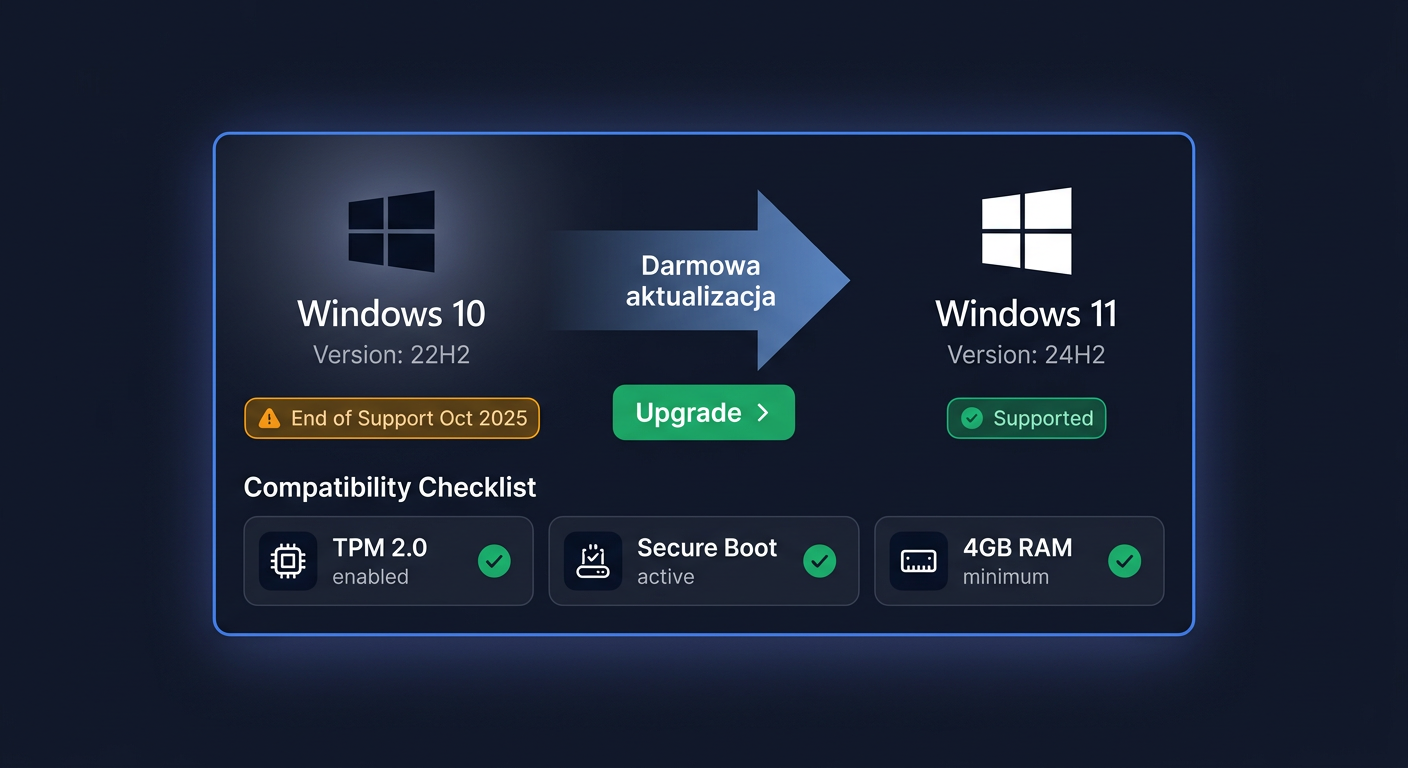
- Koniec wsparcia Windows 10: Microsoft oficjalnie kończy wsparcie głównego nurtu Windows 10 14 października 2025 roku. Program Extended Security Updates (ESU) jest dostępny odpłatnie do października 2028, ale tylko dla edycji Pro i Enterprise. Oznacza to, że Windows 10 Home po 2025 roku nie otrzymuje już żadnych aktualizacji zabezpieczeń – chyba że Microsoft ogłosi dodatkowe przedłużenie.
- Windows 11 24H2: Aktualna wersja wprowadziła znaczące ulepszenia wydajności na procesorach Intel Core Ultra (Meteor Lake) i AMD Ryzen 8000, lepszą obsługę Wi-Fi 7 oraz natywne wsparcie dla formatów kompresji 7-Zip i TAR. Funkcje AI (Copilot+) wymagają jednak sprzętu z NPU (Neural Processing Unit), co dotyczy głównie nowych laptopów z serii Snapdragon X.
- Windows 11 25H2: Zapowiedziana na jesień 2026, ma przynieść głębszą integrację z Microsoft 365 Copilot, nowe funkcje bezpieczeństwa oparte na Pluton TPM oraz ulepszony interfejs dla użytkowników biznesowych.
- Office 2024: Najnowsza wersja perpetuityjna (jednorazowy zakup) pakietu Office współpracuje zarówno z Windows 10, jak i 11, bez różnicy w funkcjonalności między edycjami systemu. Subskrypcja Microsoft 365 (z Copilotem w wyższych planach) również działa identycznie na obu systemach.
| Kryterium | Windows 10 | Windows 11 |
|---|---|---|
| Wsparcie bezpieczeństwa (2026) | Tylko Pro/Enterprise z ESU (płatne) | Pełne, bezpłatne |
| Wymagania sprzętowe | Niższe (TPM 1.2 opcjonalnie) | TPM 2.0 + Secure Boot (wymagane) |
| Office 2024 | Pełna kompatybilność | Pełna kompatybilność |
| M365 Copilot | Ograniczony (brak integracji systemowej) | Pełna integracja (Copilot+) |
| Exchange SE | Pełna kompatybilność Outlook | Pełna kompatybilność Outlook |
| Cena licencji | Niższa | Wyższa |
Exchange Server SE (Subscription Edition) – następca Exchange 2019, planowany na trzeci kwartał 2025 – będzie wymagał subskrypcji i działa wyłącznie z klientami Outlook na Windows 10 (wersja 22H2 lub nowsza) oraz Windows 11. Nie ma tu różnicy między Home a Pro – obie edycje obsługują Outlook.
Częste pytania
Czy Windows 10 Home wystarczy do gier?
Tak. Wszystkie gry działające na Windows 10 Pro działają identycznie na Home. DirectX 12 Ultimate, Auto HDR (na kompatybilnych monitorach), Game Mode i Xbox Game Bar są dostępne w obu edycjach. Pro nie oferuje żadnej przewagi wydajnościowej w grach. Jedynym wyjątkiem jest sytuacja, gdy potrzebujesz Hyper-V do uruchomienia maszyny wirtualnej z serwerem gier – wtedy Pro staje się koniecznością.
Czy mogę uaktualnić Windows 10 Home do Pro po zakupie?
Tak. Możesz kupić klucz Windows 10 Pro i uaktualnić system przez Ustawienia → Aktualizacja i zabezpieczenia → Aktywacja → Zmień klucz produktu. Wszystkie pliki, aplikacje i ustawienia pozostaną nienaruszone. Proces trwa kilka minut i nie wymaga ponownej instalacji.
Czy Windows 10 Home nadal dostaje aktualizacje bezpieczeństwa w 2026?
Nie w ramach darmowego wsparcia. Główne wsparcie Windows 10 zakończyło się 14 października 2025. Windows 10 Home nie kwalifikuje się do płatnego programu ESU (Extended Security Updates). Oznacza to, że komputery z Home po tej dacie nie otrzymują łatek bezpieczeństwa, co stanowi poważne ryzyko. Dla Pro i Enterprise ESU jest dostępne odpłatnie.
Czy BitLocker w Windows 10 Pro jest wymagany przez RODO?
RODO nie narzuca konkretnej technologii szyfrowania, ale wymaga wdrożenia odpowiednich środków technicznych i organizacyjnych chroniących dane osobowe. BitLocker jest uznawany za jeden z takich środków i jest powszechnie rekomendowany przez polskich audytorów bezpieczeństwa. W przypadku utraty lub kradzieży służbowego laptopa, zaszyfrowany dysk stanowi kluczowy argument wykazujący należytą staranność przed UODO.
Czy potrzebuję Windows 10 Pro do pracy z Exchange SE?
Nie. Outlook na Windows 10 Home łączy się z Exchange Server SE (Subscription Edition) dokładnie tak samo jak na Pro. Różnica pojawia się dopiero przy integracji z Active Directory i Group Policy, które mogą być używane do wymuszania ustawień Outlooka – ale to już funkcje zarządzania infrastrukturą, a nie samego klienta poczty.
Co z Windows 10 Pro for Workstations?
To osobna, wyższa edycja systemu, której nie obejmuje to porównanie. Oferuje wsparcie dla ReFS (Resilient File System), Persistent Memory (NVDIMM-N), 4 procesorów i 6 TB RAM. Jest przeznaczona wyłącznie dla serwerowych stacji roboczych i centrów danych – nie ma zastosowania w typowych scenariuszach biurowych ani domowych.
Czy mogę zainstalować Windows 10 Home na kilku komputerach z jednym kluczem?
Nie. Każda licencja Windows 10 (Home i Pro) jest przypisana do jednego urządzenia. Licencje detaliczne (BOX) można przenieść na nowy komputer po odinstalowaniu z poprzedniego, ale nie można ich używać jednocześnie na wielu maszynach. Do zarządzania wieloma stanowiskami służy licencjonowanie zbiorowe (Volume Licensing), dostępne tylko dla Windows 10 Pro i Enterprise.
Czy faktura VAT na Windows 10 zawsze ma stawkę 23%?
W Polsce tak. Licencje na oprogramowanie Microsoft podlegają podstawowej stawce VAT 23%. Faktura VAT jest obowiązkowa przy zakupie przez firmę i umożliwia odliczenie podatku naliczonego. Przy zakupie jako osoba prywatna faktura również może być wystawiona na życzenie.
Jak sprawdzić, którą wersję Windows 10 mam zainstalowaną?
Naciśnij Windows + Pauza lub przejdź do Ustawienia → System → Informacje. W sekcji "Specyfikacja systemu Windows" znajdziesz informację o edycji (Home, Pro, Education, Enterprise). Ta sama ścieżka pokazuje również wersję (np. 22H2) i build systemu.
Rekomendacja końcowa
Po szczegółowej analizie rekomendacja jest jasna i zależna od profilu użytkownika:
-
Użytkownik domowy (gaming, multimedia, internet): Windows 10 Home. Wszystkie niezbędne funkcje są dostępne, a oszczędność 40–70 zł względem Pro realnie wpływa na budżet, szczególnie przy budowie komputera. Jeśli planujesz z czasem przejść na Windows 11, Home w zupełności wystarczy.
-
Firma, freelancer IT, zaawansowany użytkownik: Windows 10 Pro. BitLocker, Remote Desktop, Group Policy i możliwość dołączenia do domeny to funkcje, które zwracają się przy pierwszej potrzebie ich użycia. W kontekście RODO i audytów bezpieczeństwa Pro to nie luksus, a konieczność.
-
Każdy, kto planuje korzystać z Windows 10 po 2025 roku: tylko Pro z ESU. Home nie dostaje już aktualizacji zabezpieczeń, co dyskwalifikuje go z jakiegokolwiek odpowiedzialnego użytku podłączonego do internetu.
Jeśli szukasz legalnego klucza w dobrej cenie, sprawdź dostępne licencje Windows 10 w sklepie z dostawą e-mailem w 1–3 min i fakturą VAT – zobacz ofertę na kluczesoft.pl.
Potrzebujesz więcej? Zobacz pełną ofertę:
Wszystkie klucze są fabrycznie nowe, dostarczane elektronicznie z fakturą VAT.
<!-- IL-V1 -->Powiązane artykuły
- Visio 2021 vs Visio 2024 - którą wersję kupić? — Porównanie Visio 2021 i Visio 2024 dla osób kupujących licencję wieczystą.
- Aktywacja Windows 10 Home — Aktywacja systemu Microsoft Windows 10 Home polega na przypisaniu ważnego klucza produktu lub licencji cyfrowej do konkretnego urządzenia.
- Aktywacja Windows 10 Pro — Aktywacja systemu Microsoft Windows 10 Professional polega na przypisaniu ważnego klucza produktu do zainstalowanego systemu i potwierdzeniu l.
- Office 2019 vs 2021 vs 2024 - którą wersję wybrać? — Porównanie trzech generacji pakietu Office w wersjach wieczystych.
- Windows Server 2022 vs 2025 - którą wersję wdrożyć? — Porównanie Windows Server 2022 i Windows Server 2025 dla nowych środowisk serwerowych.
Powiązane produkty
- Windows 10 Pro OEM — sprawdź dostępność i cenę w naszym sklepie