Microsoft Windows 11 Enterprise FAQ
Poniżej znajdziesz odpowiedzi na najczęściej zadawane pytania dotyczące systemu Microsoft Windows 11 Enterprise: legalności klucza, liczby stanowisk, przenoszenia licencji, zgodności, instalacji offline, terminu dostawy i dokumentów sprzedażowych.
1. Czy klucz do Windows 11 Enterprise jest legalny?
Tak, pod warunkiem że pochodzi z legalnej dystrybucji i jest przeznaczony do aktywacji odpowiedniej edycji systemu. Legalny klucz powinien umożliwiać aktywację zgodnie z warunkami licencji Microsoft i być dostarczony wraz z informacją handlową od sprzedawcy. W praktyce warto zwrócić uwagę, czy oferta jasno określa wersję produktu, typ licencji oraz zasady aktywacji.
2. Na ilu komputerach można użyć jednej licencji?
Standardowo jedna licencja dotyczy jednego komputera, chyba że warunki konkretnego programu licencjonowania stanowią inaczej. Nie należy zakładać, że jeden klucz można legalnie aktywować na wielu urządzeniach jednocześnie. Jeśli potrzebujesz systemu dla większej liczby stanowisk, najlepiej kupić odpowiednią liczbę licencji lub wdrożyć rozwiązanie przewidziane dla środowisk firmowych.
3. Czy Windows 11 Enterprise to licencja wieczysta?
To zależy od modelu licencjonowania. W praktyce klienci najczęściej pytają o możliwość bezterminowego korzystania z aktywowanego systemu na danym urządzeniu, a nie o subskrypcję miesięczną. Warto jednak pamiętać, że samo prawo do używania produktu zależy od rodzaju licencji i warunków przypisanych do danej oferty. Przed zakupem należy sprawdzić, czy sprzedawany wariant ma charakter stały, czy jest częścią rozwiązania subskrypcyjnego Microsoft 365 lub licencjonowania zbiorowego.
4. Czy licencję można przenieść na inny komputer?
Możliwość przeniesienia zależy od typu licencji. Nie każda licencja Windows 11 Enterprise pozwala na dowolne przenoszenie między urządzeniami. Jeżeli planujesz wymianę sprzętu, najlepiej przyjąć ostrożne założenie: najpierw sprawdź zasady przypisania licencji do urządzenia lub organizacji. W razie wątpliwości bezpieczniej traktować licencję jako przeznaczoną dla jednego komputera, chyba że dokumentacja produktu wskazuje inaczej.
5. Czym Windows 11 Enterprise różni się od innych edycji?
Windows 11 Enterprise to edycja kierowana do firm i organizacji, które potrzebują rozszerzonego zarządzania, bezpieczeństwa i kontroli aktualizacji. W porównaniu z wersją Home lub Pro oferuje funkcje biznesowe i administracyjne przydatne w środowiskach domenowych, sieciach firmowych oraz przy centralnym zarządzaniu urządzeniami. Najważniejsze jest jednak to, aby klucz był zgodny dokładnie z tą edycją, ponieważ klucz do innej wersji systemu zwykle nie aktywuje Enterprise.
6. Czy klucz będzie działał z moim komputerem?
Klucz zadziała tylko wtedy, gdy komputer spełnia wymagania systemu Windows 11 oraz instalowana jest właściwa edycja. Znaczenie mają między innymi zgodny procesor, TPM 2.0, Secure Boot oraz odpowiednia ilość pamięci i miejsca na dysku. Jeśli urządzenie nie obsługuje Windows 11, sam legalny klucz nie rozwiąże problemu. Przed zakupem warto sprawdzić zgodność sprzętu, szczególnie w starszych komputerach firmowych.
7. Czy można zainstalować Windows 11 Enterprise offline?
Tak. Instalację można przygotować offline, na przykład z bootowalnego nośnika USB lub obrazu ISO. Trzeba jednak pamiętać, że sama aktywacja może wymagać połączenia z internetem, zależnie od sposobu wdrożenia i typu licencji. Dla wielu firm to wygodna opcja przy reinstalacji systemu na odizolowanych stanowiskach lub podczas wdrożeń w sieci lokalnej.
8. Co zrobić, jeśli klucz nie chce się aktywować?
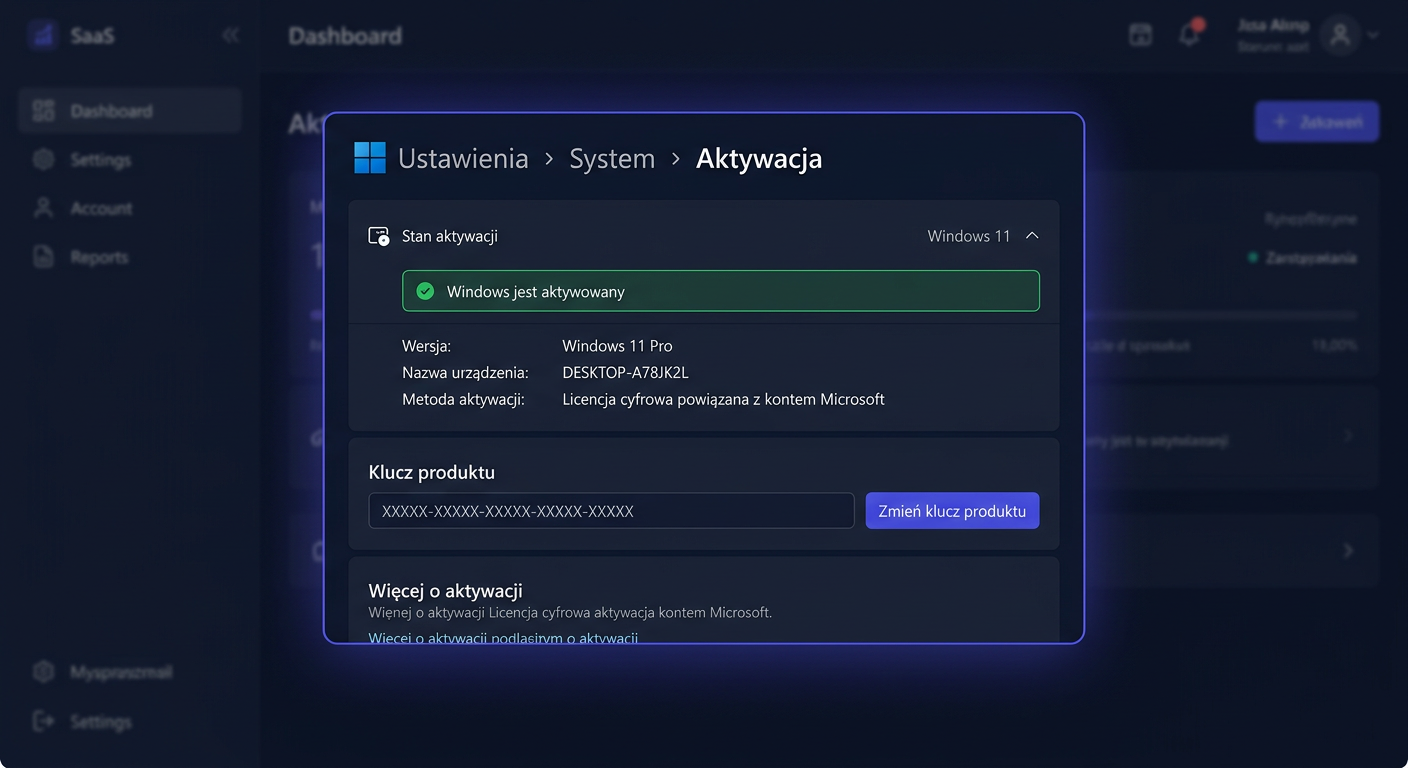
Najpierw sprawdź trzy rzeczy: czy instalowana jest właściwa edycja Enterprise, czy klucz został wpisany bez błędów oraz czy komputer ma połączenie z internetem, jeśli aktywacja go wymaga. Częstą przyczyną problemu jest próba aktywacji innej wersji systemu, na przykład Pro zamiast Enterprise. Jeśli w zamówieniu znajduje się dodatkowe oprogramowanie antywirusowe, jego aktywację wykonuje się przez stronę producenta, a nie przez ustawienia Windows. Gdy problem nadal występuje, potrzebna jest weryfikacja danych zamówienia i sposobu aktywacji.
9. Do kiedy Microsoft wspiera Windows 11 Enterprise?
Windows 11 Enterprise pozostaje objęty wsparciem Microsoft, ale daty końca wsparcia zależą od konkretnej wersji systemu. Zgodnie z aktualnym cyklem życia Microsoft, edycje Enterprise otrzymują zwykle 36 miesięcy wsparcia od daty wydania danej wersji. Przykładowo:
- wersja 24H2 ma wsparcie do 12 października 2027 r.
- wersja 25H2 ma wsparcie do 10 października 2028 r.
- wersja 26H1 ma wsparcie do 13 marca 2029 r.
Dlatego przy zakupie i wdrożeniu warto zwracać uwagę nie tylko na nazwę systemu, ale również na jego aktualną wersję.
10. Czy otrzymam fakturę VAT?
Tak, dla zakupu firmowego standardem jest faktura VAT. To podstawowy dokument księgowy potwierdzający transakcję i pochodzenie licencji. Przy zamówieniu należy podać poprawne dane firmy, w tym NIP, aby dokument został wystawiony prawidłowo.
11. Jak szybko otrzymam klucz lub dane do instalacji?
W większości przypadków dostawa ma formę elektroniczną, więc realizacja jest znacznie szybsza niż przy produktach fizycznych. Dokładny czas zależy od sposobu obsługi zamówienia, godzin pracy sklepu oraz ewentualnej ręcznej weryfikacji płatności. Najczęściej klient otrzymuje dane do realizacji zamówienia mailowo, bez oczekiwania na przesyłkę kurierską.
12. Czy mogę przejść z Windows Pro do Enterprise?
Tak, ale tylko wtedy, gdy posiadasz odpowiednią, zgodną licencję i wdrażasz właściwą ścieżkę aktywacji dla środowiska firmowego. W praktyce Windows 11 Enterprise często funkcjonuje jako rozszerzenie możliwości wersji Pro w organizacji, ale sposób aktywacji zależy od modelu licencjonowania. Jeśli celem jest szybkie uruchomienie systemu na pojedynczym stanowisku, najważniejsze pozostaje dopasowanie klucza do konkretnej edycji oraz legalnego źródła zakupu.
Jeśli potrzebujesz licencji do większej liczby stanowisk, warto od razu zaplanować zakup pod kątem całego środowiska firmowego, aby uniknąć problemów z aktywacją, zgodnością i późniejszym zarządzaniem urządzeniami. W przypadku zakupu pojedynczej licencji warto sprawdzić aktualną ofertę: Windows 11.
Gdzie kupić oryginalny klucz
Potrzebujesz legalnego klucza? Sprawdź oferty w sklepie kluczesoft.pl:
Wszystkie klucze są fabrycznie nowe, dostarczane elektronicznie z fakturą VAT.
<!-- IL-V1 -->Powiązane artykuły
- FAQ: Microsoft Windows 11 Home - licencja i aktywacja — Sprawdź FAQ o Microsoft Windows 11 Home: legalność klucza, aktywację, liczbę stanowisk, bezterminową licencję i przenoszenie między PC.
- FAQ: Microsoft Windows 11 Enterprise — 11 Enterprise — FAQ: Microsoft Windows 11 Enterprise - cena, dostawa, aktywacja, legalność, wsparcie.
- FAQ: Microsoft Access 2024 - licencja i aktywacja — Sprawdź FAQ o Microsoft Access 2024: rodzaje licencji, aktywację, kompatybilność, dostawę i przenoszenie.
- FAQ: Microsoft PowerPoint 2024 - licencja i aktywacja — Sprawdź FAQ o Microsoft PowerPoint 2024: poznaj zasady aktywacji, rodzaje licencji, przenoszenie klucza oraz dostępne wersje na Windows i Ma.
- FAQ: Microsoft Windows 11 Enterprise — Win11ent — Sprawdź FAQ o Microsoft Windows 11 Enterprise: licencja, aktywacja, oryginalność klucza, przenoszenie i użytkowanie.