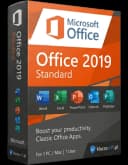
Czy klucz do Microsoft <a href="https://kluczesoft.pl/klucze-office/microsoft-office-2019-standard">Office 2019 Standard</a> jest oryginalny i legalny?
Tak, pod warunkiem że kupujesz go od sprawdzonego sprzedawcy, który oferuje legalne pochodzenie licencji oraz dokument zakupu. Jeśli interesuje Cię Microsoft Office 2019 Standard w KluczeSoft, zwróć uwagę na opis licencji, sposób aktywacji oraz warunki zakupu. Oryginalny klucz produktu Microsoft służy do aktywacji pakietu Office zgodnie z warunkami danej licencji. W praktyce warto sprawdzić, czy sprzedawca jasno informuje o typie licencji, sposobie aktywacji oraz czy wystawia dokument sprzedaży, a także jak wygląda otrzymanie faktury VAT za zakup klucza licencyjnego w KluczeSoft. To właśnie te elementy najczęściej budują zaufanie i potwierdzają profesjonalną sprzedaż.
Warto pamiętać, że legalność nie zależy wyłącznie od samego ciągu znaków, ale także od źródła pochodzenia licencji oraz zgodności z zasadami użytkowania Microsoft. Jeśli oferta jest podejrzanie tania i nie zawiera żadnych informacji o pochodzeniu, lepiej zachować ostrożność.
Ile komputerów mogę aktywować jednym kluczem?
Microsoft Office 2019 Standard najczęściej jest przeznaczony do aktywacji na 1 komputerze. Oznacza to, że jedna licencja odpowiada jednemu stanowisku, chyba że opis oferty wyraźnie wskazuje inny model licencjonowania. Dla użytkownika końcowego najbezpieczniej przyjąć zasadę: 1 klucz = 1 urządzenie.
Jeżeli potrzebujesz pakietu na kilka komputerów w firmie, zwykle lepszym rozwiązaniem jest zakup kilku oddzielnych licencji albo odpowiedniego modelu zbiorczego. Przed zakupem warto sprawdzić szczegóły konkretnej oferty, bo sposób przypisania licencji może zależeć od jej rodzaju.
Czy licencja na Office 2019 Standard jest bezterminowa?
Tak, Office 2019 Standard to zazwyczaj licencja wieczysta, czyli bez abonamentu i bez konieczności odnawiania co miesiąc lub co rok. Po jednorazowym zakupie możesz korzystać z pakietu tak długo, jak długo wspierany jest system i samo oprogramowanie działa na komputerze.
Trzeba jednak odróżnić bezterminowość licencji od wsparcia technicznego i aktualizacji. Licencja pozostaje Twoja, ale Microsoft z czasem kończy wsparcie dla starszych wersji Office, co oznacza brak nowych funkcji i brak poprawek bezpieczeństwa po określonej dacie.
Czy mogę przenieść licencję Office 2019 Standard na inny komputer?
To zależy od rodzaju licencji. W przypadku licencji przenoszalnych taka operacja bywa możliwa po odinstalowaniu pakietu z poprzedniego urządzenia. Natomiast licencje przypisane do konkretnego sprzętu, zwłaszcza niektóre warianty OEM, z reguły nie są przeznaczone do swobodnego przenoszenia.
Dlatego przed zakupem warto sprawdzić, czy dana oferta dotyczy licencji przenoszalnej, czy przypisanej do jednego komputera na stałe. To jedno z najczęściej zadawanych pytań przez firmy, które planują wymianę sprzętu w przyszłości. Jeśli chcesz lepiej zrozumieć ten temat, zobacz poradnik: jak przenieść licencję Office na nowy komputer.
Jaka jest różnica między Office 2019 Standard, Professional i Professional Plus?
Najważniejsza różnica dotyczy zestawu aplikacji oraz przeznaczenia. Office 2019 Standard jest bardzo dobrym wyborem dla firm i użytkowników, którzy potrzebują klasycznych programów biurowych do codziennej pracy. Zwykle obejmuje podstawowe i najczęściej używane narzędzia biurowe Microsoft.
Professional lub Professional Plus to z reguły bardziej rozbudowane edycje, które mogą zawierać dodatkowe aplikacje i funkcje przydatne w bardziej zaawansowanym środowisku firmowym. Jeśli nie potrzebujesz maksymalnie szerokiego pakietu, wersja Standard często okazuje się najbardziej opłacalna. Dla porównania możesz sprawdzić wszystkie wersje Office 2019 w sklepie albo zobaczyć Microsoft Office 2024 Professional Plus - kup w KluczeSoft.
Czy Office 2019 Standard działa na Windows 10, Windows 11 i Mac?
Microsoft Office 2019 Standard jest kojarzony przede wszystkim z platformą Windows. Najczęściej działa poprawnie na Windows 10 oraz Windows 11, o ile komputer spełnia wymagania systemowe i instalowana jest właściwa wersja pakietu. Przed zakupem zawsze warto sprawdzić zgodność w opisie produktu oraz wymagania systemowe Microsoft Office 2019 Standard.
W przypadku komputerów Mac sytuacja wygląda inaczej. Nie każda licencja Office 2019 Standard przeznaczona dla Windows będzie działała na macOS. Jeśli używasz Maca, trzeba wybierać wersję wyraźnie przeznaczoną dla systemu Apple, a nie standardową edycję windowsową.
Co zrobić, gdy klucz nie działa podczas aktywacji?
Najpierw sprawdź, czy klucz został wpisany bez literówek oraz czy instalujesz właściwą edycję pakietu, czyli dokładnie Office 2019 Standard. Częstym powodem problemu jest próba aktywacji innej wersji, na przykład Professional Plus, przy użyciu klucza przeznaczonego do Standard. Pomocna może być też instrukcja aktywacja Microsoft Office 2019 Standard.
Jeżeli problem nadal występuje, warto wykonać kilka kroków: usunąć wcześniejsze wersje Office, ponownie uruchomić komputer, sprawdzić połączenie z internetem i spróbować aktywacji jeszcze raz. Jeśli to nie pomoże, najlepiej skontaktować się ze sprzedawcą i przygotować zrzut ekranu z komunikatem błędu. To zwykle znacznie przyspiesza pomoc. W razie potrzeby możesz też wysłać zgłoszenie.
Jak długo Microsoft wspiera Office 2019 Standard?
Wsparcie Microsoft dla starszych wersji Office jest ograniczone czasowo. Dla użytkownika oznacza to, że przez pewien okres otrzymuje poprawki bezpieczeństwa i wsparcie techniczne, ale po zakończeniu cyklu życia produktu nie są już dostarczane nowe aktualizacje zabezpieczeń.
Z punktu widzenia zakupu ważne jest to, że Office 2019 nadal może działać po zakończeniu wsparcia, jednak używanie niewspieranej wersji w środowisku firmowym może wiązać się z większym ryzykiem. Dlatego przed zakupem warto sprawdzić aktualny harmonogram wsparcia Microsoft.
Czy otrzymam fakturę VAT?
W profesjonalnym sklepie internetowym tak, klient powinien mieć możliwość otrzymania faktury VAT na dane firmowe lub prywatne. To ważne zarówno dla firm rozliczających koszty, jak i dla osób, które chcą mieć pełne potwierdzenie zakupu.
Faktura jest również istotna z punktu widzenia bezpieczeństwa transakcji. Potwierdza zakup, ułatwia kontakt posprzedażowy i może być potrzebna w przypadku reklamacji lub pytań dotyczących licencji.
Jak szybko otrzymam klucz po zakupie?
W przypadku licencji elektronicznych klucz jest zwykle wysyłany bardzo szybko, często automatycznie po zaksięgowaniu płatności. W praktyce wiele zamówień realizowanych jest w ciągu kilku minut, choć dokładny czas może zależeć od metody płatności oraz godzin pracy obsługi.
Najczęściej klucz trafia na adres e-mail podany podczas składania zamówienia. Jeśli wiadomość nie dotrze od razu, warto sprawdzić także folder SPAM lub Oferty.
Czy mogę zainstalować Office 2019 Standard offline?
Sama instalacja może wymagać wcześniej pobrania plików instalacyjnych, ale po ich przygotowaniu wiele etapów da się przeprowadzić lokalnie. W praktyce najważniejsze jest rozróżnienie między instalacją a aktywacją. Instalacja może być wykonana z nośnika lub wcześniej pobranych plików, natomiast aktywacja często wymaga połączenia z internetem albo zastosowania przewidzianej metody aktywacji. Jeśli potrzebujesz pomocy krok po kroku, sprawdź jak zainstalować Microsoft Office 2019 Standard — kompletna instrukcja.
Jeśli planujesz wdrożenie na komputerze bez stałego dostępu do sieci, najlepiej wcześniej upewnić się, jaki sposób aktywacji dotyczy danej licencji.
Co oznacza licencja OEM, Retail i Volume w przypadku Office 2019 Standard?
To trzy różne modele licencjonowania. OEM najczęściej jest przypisywana do konkretnego urządzenia i zwykle nie jest przeznaczona do swobodnego przenoszenia na inny komputer. Retail to klasyczna licencja detaliczna, która zazwyczaj oferuje większą elastyczność dla użytkownika końcowego. Volume dotyczy licencjonowania zbiorczego, spotykanego przede wszystkim w firmach i organizacjach.
Dla kupującego najważniejsze jest, aby wiedzieć, jaki typ licencji wybiera, ponieważ wpływa to na sposób aktywacji, możliwość przeniesienia oraz zasady użytkowania. Jeśli zależy Ci na konkretnym scenariuszu użycia, na przykład wymianie komputera w przyszłości, typ licencji ma kluczowe znaczenie. Jeśli chcesz od razu wybrać odpowiednią wersję do firmy lub pracy biurowej, sprawdź Microsoft Office 2019 dla Użytkowników Domowych i Małych Firm - kup w KluczeSoft albo zobacz wszystkie wersje Office 2019 w sklepie.
Gdzie kupić oryginalny klucz
Potrzebujesz legalnego klucza? Sprawdź oferty w sklepie kluczesoft.pl:
Wszystkie klucze są fabrycznie nowe, dostarczane elektronicznie z fakturą VAT.
<!-- IL-V1 -->Powiązane artykuły
- FAQ: Microsoft Office 2019 Standard MAC — FAQ: Microsoft Office 2019 Standard MAC - cena, dostawa, aktywacja, legalność, wsparcie.
- FAQ: Microsoft Project 2019 Standard — FAQ: Microsoft Project 2019 Standard - cena, dostawa, aktywacja, legalność, wsparcie.
- FAQ: Microsoft Visio 2019 Standard — Visio 2019 — FAQ: Microsoft Visio 2019 Standard - cena, dostawa, aktywacja, legalność, wsparcie.
- FAQ: Microsoft Office 2019 Standard i licencja — Sprawdź FAQ o Microsoft Office 2019 Standard: legalność klucza, aktywację, liczbę stanowisk, licencję wieczystą i przenoszenie pakietu.
- FAQ: Microsoft Access 2019 — FAQ: Microsoft Access 2019 - cena, dostawa, aktywacja, legalność, wsparcie.