FAQ: <a href="https://kluczesoft.pl/sql-server-2019/microsoft-sql-server-2019-standard-16-core">SQL Server 2019 Standard</a> 10 Device CAL
1. Czym jest SQL Server 2019 Standard 10 Device CAL?
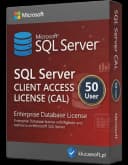
SQL Server 2019 Standard 10 Device CAL to licencja dostępowa typu Client Access License przeznaczona dla 10 urządzeń, które łączą się z serwerem Microsoft SQL Server 2019 Standard. Nie jest to program instalacyjny ani fizyczne oprogramowanie, ale dokument licencyjny potwierdzający prawo dostępu do środowiska serwerowego zgodnie z zasadami licencjonowania Microsoft.
W praktyce oznacza to, że serwer SQL Server może być zainstalowany osobno, natomiast CAL reguluje, kto lub co ma prawo z niego korzystać. Wariant Device CAL przypisuje uprawnienie do konkretnego urządzenia, a nie do konkretnej osoby. To rozwiązanie jest często wybierane tam, gdzie z jednego komputera korzysta kilku pracowników, np. w recepcji, magazynie, hali produkcyjnej lub punkcie sprzedaży.
Jeśli chcesz sprawdzić proces wdrożenia krok po kroku, zobacz także poradnik SQL Server 2019 Standard – 10 Device CAL: instalacja, aktywacja i zarządzanie licencjami.
2. Co dokładnie oznacza skrót CAL?
Skrót CAL oznacza Client Access License, czyli licencję dostępową klienta. Taka licencja nie zastępuje samej licencji serwerowej SQL Server, lecz działa obok niej. Aby korzystanie z Microsoft SQL Server było zgodne z zasadami licencyjnymi, potrzebna jest zwykle:
- licencja na serwer,
- odpowiednia liczba licencji CAL dla użytkowników lub urządzeń.
CAL daje więc prawo do uzyskiwania dostępu do usług serwera. W przypadku produktu SQL Server 2019 Standard 10 Device CAL mowa o pakiecie dla 10 urządzeń. Jest to ważne zwłaszcza podczas audytu licencyjnego, ponieważ brak właściwych CAL może oznaczać niezgodność z warunkami użytkowania.
3. Jaka jest różnica między User CAL a Device CAL?
To jedno z najczęstszych pytań klientów. Różnica polega na sposobie przypisania licencji:
- User CAL przypisuje się do konkretnego użytkownika.
- Device CAL przypisuje się do konkretnego urządzenia.
Jeśli jeden pracownik korzysta z wielu urządzeń, np. komputera biurowego, laptopa i terminala, bardziej opłacalna bywa User CAL. Jeśli natomiast z jednego stanowiska korzysta kilka osób zmianowo, lepszym wyborem zazwyczaj będzie Device CAL.
W przypadku 10 Device CAL licencjonowanych jest 10 konkretnych urządzeń mających dostęp do serwera SQL Server. Niezależnie od tego, ilu pracowników używa danego komputera, urządzenie pozostaje objęte licencją. To właśnie dlatego firmy z rotacyjnymi stanowiskami pracy często wybierają model Device.
4. Ile licencji CAL potrzebuję w firmie?
Liczba potrzebnych licencji zależy od tego, ile urządzeń lub ilu użytkowników faktycznie łączy się z serwerem SQL Server. Nie liczy się wyłącznie liczba zatrudnionych osób, ale realny sposób dostępu do systemu.
Przykład:
- jeśli 10 komputerów w firmie łączy się z bazą SQL, potrzebujesz co najmniej 10 Device CAL,
- jeśli z serwera korzysta 15 użytkowników z 5 współdzielonych stanowisk, Device CAL może być korzystniejsze,
- jeśli 5 handlowców korzysta z wielu urządzeń każdy, bardziej praktyczne mogą być User CAL.
Produkt SQL Server 2019 Standard 10 Device CAL pokrywa dostęp dokładnie 10 urządzeń. Jeżeli liczba urządzeń wzrośnie, należy dokupić kolejne licencje. W razie wątpliwości najlepiej przyjąć zasadę ostrożności i policzyć wszystkie urządzenia mające bezpośredni lub pośredni dostęp do serwera.
Aby dobrać właściwy model licencjonowania lub porównać dostępne edycje, możesz sprawdzić wszystkie wersje SQL Server w sklepie.
5. Czy ta licencja jest obowiązkowa z punktu widzenia zgodności?
Tak, jeżeli środowisko SQL Server jest licencjonowane w modelu serwer + CAL, odpowiednie licencje dostępowe są niezbędne do zachowania zgodności. Sama instalacja serwera nie daje jeszcze prawa do korzystania z niego przez użytkowników lub urządzenia.
Podczas kontroli licencyjnej firma powinna być w stanie wykazać:
- podstawę prawną do używania serwera,
- liczbę wymaganych CAL,
- zgodność liczby licencji z rzeczywistym sposobem korzystania.
Brak odpowiedniej liczby CAL może zostać uznany za niezgodne użytkowanie. Dlatego ten produkt należy traktować jako istotny dokument formalno-prawny, a nie dodatek techniczny. W środowiskach firmowych poprawne licencjonowanie ma znaczenie zarówno organizacyjne, jak i księgowe oraz audytowe.
Jeżeli chcesz upewnić się, jak wygląda sam proces uruchomienia licencji, pomocny będzie poradnik Aktywacja SQL Server 2019 Standard 10 Device CAL.
6. Czy można przenosić licencję Device CAL na inne urządzenie?
Co do zasady licencja Device CAL jest przypisywana do konkretnego urządzenia i nie powinna być przenoszona dowolnie z dnia na dzień tylko dla wygody operacyjnej. Zmiana przypisania jest dopuszczalna wyłącznie zgodnie z zasadami licencjonowania, najczęściej w uzasadnionych przypadkach organizacyjnych, np. trwałej wymiany sprzętu, awarii lub wycofania urządzenia z użycia.
W praktyce warto prowadzić wewnętrzną ewidencję:
- numeru stanowiska lub nazwy urządzenia,
- daty przypisania licencji,
- przyczyny ewentualnej zmiany.
Takie uporządkowanie pomaga wykazać zgodność podczas audytu. Licencja nie powinna być traktowana jak zasób „pływający”, który można swobodnie przepinać między wieloma komputerami zależnie od bieżących potrzeb.
7. Czy otrzymuję klucz produktu i czy jest on legalny?
Klienci często pytają, czy przy takim zakupie otrzymują klasyczny klucz instalacyjny. W przypadku licencji typu CAL najważniejsze jest to, że nabywany jest legalny tytuł licencyjny, czyli uprawnienie do dostępu zgodnie z warunkami producenta. To przede wszystkim dokument licencyjny, a nie sam program.
Klucz, jeśli występuje w danym modelu dystrybucji, musi pochodzić z legalnego źródła i odpowiadać sprzedawanej licencji. Najważniejsze dla klienta są:
- legalność pochodzenia licencji,
- zgodność dokumentów sprzedażowych,
- możliwość wykazania zakupu w razie kontroli,
- poprawna specyfikacja produktu na dokumencie zakupu.
Dla wielu firm kluczowe jest właśnie potwierdzenie legalności i kompletności dokumentacji, a nie nośnik czy opakowanie. W przypadku problemów z aktywacją innych produktów Microsoft warto znać również typowe rozwiązania, takie jak błąd 0x80070005 lub błąd 0x8007007B.
8. Jak wygląda dostawa licencji i co otrzymuję po zakupie?
Ponieważ jest to licencja dostępowa i dokument formalny, dostawa najczęściej odbywa się w formie elektronicznej. Klient otrzymuje komplet informacji potrzebnych do potwierdzenia zakupu i użytkowania licencji zgodnie z przeznaczeniem.
W zależności od modelu sprzedaży obejmuje to zwykle:
- potwierdzenie zakupu,
- dane licencyjne,
- specyfikację zamówienia,
- dokument sprzedaży.
To rozwiązanie jest wygodne dla firm, które potrzebują szybkiej realizacji zamówienia bez oczekiwania na fizyczną przesyłkę. Warto pamiętać, że w przypadku CAL najważniejsze jest nie pudełko, lecz prawo do legalnego dostępu i poprawna dokumentacja transakcji.
9. Czy otrzymam fakturę VAT i gdzie mogę uzyskać pomoc przed zakupem?
Tak, zakup licencji dla firmy powinien być potwierdzony fakturą VAT, która stanowi ważny element dokumentacji księgowej i licencyjnej. Faktura VAT potwierdza nabycie konkretnego produktu i pomaga wykazać legalność zakupu podczas ewentualnej weryfikacji. Więcej informacji na ten temat znajdziesz w poradniku Jak otrzymać fakturę VAT za zakup klucza licencyjnego w KluczeSoft.
Jeżeli nie masz pewności:
- czy wybrać User CAL czy Device CAL,
- ile licencji potrzebujesz,
- czy obecna infrastruktura jest zgodna,
- jak interpretować zasady przypisania i przenoszenia,
warto skonsultować zakup przed finalizacją. W sprawie doboru licencji, legalności, dokumentów i zasad zgodności można skontaktować się z KluczeSoft przez czat na https://kluczesoft.pl/pomoc lub formularz https://kluczesoft.pl/pomoc/zgloszenia/nowe.
Jeśli chcesz od razu zamówić licencję dla 10 urządzeń, przejdź do oferty Kup SQL Server 2019 Standard 10 Device CAL w KluczeSoft. Jeśli potrzebujesz indywidualnej pomocy przed zakupem, możesz też wysłać zgłoszenie.
Gdzie kupić oryginalny klucz
Potrzebujesz legalnego klucza? Sprawdź oferty w sklepie kluczesoft.pl:
Wszystkie klucze są fabrycznie nowe, dostarczane elektronicznie z fakturą VAT.
<!-- IL-V1 -->Powiązane artykuły
- FAQ: SQL Server 2019 Standard 10 User CAL — Poznaj FAQ o SQL Server 2019 Standard 10 User CAL: czym jest, jak działa model Server + CAL, czym różni się User CAL od Device CAL i ile lic.
- FAQ: SQL Server 2019 Standard 50 Device CAL — Sprawdź FAQ o SQL Server 2019 Standard 50 Device CAL: poznaj różnice CAL, dobierz licencje i wybierz właściwy model dostępu dla firmy.
- Aktywacja SQL Server 2019 Standard 10 Device CAL — Jak aktywowac SQL Server 2019 Standard 10 Device CAL.
- FAQ: Windows Server 2019 RDS 10 Device CAL — Poznaj FAQ o Microsoft Windows Server 2019 RDS 10 Device CAL: czym jest licencja, jak działa Device CAL i jak wybrać właściwy model dostępu.
- FAQ: SQL Server 2014 Standard 50 Device CAL — Sprawdź FAQ o SQL Server 2014 Standard 50 Device CAL: poznaj zasady Device CAL, różnice względem User CAL i dobierz licencje do firmy świado.
Powiązane produkty
- Zobacz wszystkie microsoft sql server 2019 — pełna oferta w kategorii