Jak zainstalować i aktywować Microsoft SQL Server 2017 Standard — kompletny przewodnik (2026)
Zanim zaczniesz
SQL Server 2017 Standard (nazwa kodowa: vNext) to przełomowa wersja bazy danych Microsoftu — pierwszy SQL Server dostępny na Linux. Wydany 2 października 2017, nadal objęty rozszerzonym wsparciem do 12 października 2027. Jeśli planujesz wdrożenie tej edycji w firmie, możesz od razu sprawdzić ofertę Kup Microsoft SQL Server 2017 Standard 24 Core w KluczeSoft, a przed instalacją warto też przejrzeć wymagania systemowe.
Cykl wsparcia
| Etap | Data |
|---|---|
| Data wydania | 2 października 2017 |
| Koniec wsparcia głównego | 11 października 2022 (zakończony) |
| Koniec wsparcia rozszerzonego | 12 października 2027 |
Wymagania systemowe
| Komponent | Minimum | Zalecane |
|---|---|---|
| System operacyjny | Windows Server 2012 R2 | Windows Server 2019 |
| Procesor | x64, 1.4 GHz | 2.0 GHz+ wielordzeniowy |
| Pamięć RAM | 1 GB (4 GB zalecane) | 16-64 GB (Standard max: 128 GB) |
| Dysk | 6 GB wolnego | SSD |
| .NET Framework | 4.6+ | 4.8 |
Ważne: SQL Server 2017 nie jest oficjalnie wspierany na Windows Server 2022. Obsługuje WS 2012 R2, 2016 i 2019.
Kontekst 2026 — dlaczego SQL Server 2017 wciąż ma sens?
Mamy połowę 2026 roku. Windows 11 24H2 jest standardem na stacjach roboczych, a 25H2 wchodzi do kanału Release Preview. M365 Copilot stał się codziennością — analitycy łączą go z SQL Server przez konektory Power BI. Exchange Server SE (Subscription Edition) jest już w produkcji, a polskie firmy szykują się na obowiązkowy KSeF (Krajowy System e-Faktur), który wymaga stabilnej bazy do przechowywania i archiwizacji ustrukturyzowanych faktur XML. SQL Server 2017 — z rozszerzonym wsparciem do października 2027 — idealnie wpisuje się w to okno: firma wdraża go dziś, przechodzi przez wdrożenie KSeF, a migrację do nowszej wersji planuje na 2027 rok ze spokojem.
Dla zespołów korzystających z Office 2024 LTSC (wydany jesienią 2024) integracja przez SSMS 20.x i sterowniki ODBC 18 działa bezproblemowo — Microsoft zapewnił kompatybilność wsteczną z SQL Server 2017 we wszystkich nowych składnikach ekosystemu.
Wybór edycji — Standard vs Enterprise vs nowsze wersje
SQL Server 2017 Standard vs Enterprise
| Cecha | Standard | Enterprise |
|---|---|---|
| Max RAM | 128 GB | Bez limitu |
| Max rdzeni | 24 | Bez limitu |
| Bazy w AG | 5 (podstawowe grupy dostępności) | Bez limitu |
| In-Memory OLTP | Ograniczone (max 32 GB na bazę) | Pełne |
| Transparent Data Encryption | Tak | Tak |
| Always Encrypted | Tak | Tak |
| Query Store | Tak | Tak |
| Automatic Tuning | Tak | Tak |
Porównanie wersji SQL Server — co wybrać w 2026?
| Wersja | Wsparcie do | Kluczowe nowości | Dla kogo? |
|---|---|---|---|
| SQL 2016 | lip. 2026 | Query Store, Always Encrypted | Firmy z aktywnym planem migracji w tym roku |
| SQL 2017 | paź. 2027 | Linux, grafy, Adaptive QP | Optymalny wybór na 2026 — 18 miesięcy spokoju |
| SQL 2019 | sty. 2030 | Big Data Clusters, IQP | Firmy potrzebujące kontenerów i Spark |
| SQL 2022 | sty. 2033 | Ledger, Synapse Link, Azure ARC | Organizacje wymagające nienaruszalnych rejestrów |
Przykład z życia: Firma X wybiera SQL 2017
Firma X to polski producent mebli z trzema oddziałami. Korzysta z systemu ERP Comarch XL, który generuje 200-400 faktur dziennie. W związku z nadchodzącym KSeF musi przechowywać ustrukturyzowane faktury XML z podpisem kwalifikowanym w bazie przez 5 lat.
Decyzja: SQL Server 2017 Standard 24 Core. Firma X kupuje ją za 1349 zł brutto (1097 zł netto + 252 zł VAT 23%). Otrzymuje 18 miesięcy wsparcia, Query Store do monitorowania wydajności zapytań ERP, a w 2027 migruje do SQL 2022 lub nowszej wersji. Inwestycja zwraca się przy pierwszej kontroli skarbowej, gdy księgowe generują raport z archiwum KSeF w 8 sekund zamiast 3 minut z plików PDF.
Krok 1: Pobierz SQL Server 2017
- Microsoft Evaluation Center → SQL Server 2017 → pobierz ISO
- Alternatywnie: Volume Licensing Service Center (VLSC) — dla firm z umową Volume Licensing
- Zalecamy pobranie wersji z CU31 (ostatnia aktualizacja zbiorcza, wydana w styczniu 2023)
- Dla instalacji na Linux — pobierz odpowiedni pakiet RPM/DEB z repozytorium Microsoft
Jeżeli po pobraniu chcesz od razu przejść do aktywacji, zapoznaj się z instrukcją aktywacji SQL Server 2017.
Krok 2: Prerekvizity — przygotowanie środowiska
- Zainstaluj wszystkie aktualizacje Windows Update (w tym poprawki zabezpieczeń z 2025/2026)
- .NET Framework 4.8 (lub 4.8.1 dla Windows 11 24H2)
- PowerShell 5.1+ (Windows 11 24H2 ma wbudowany PowerShell 5.1 i PowerShell 7)
- Wyłącz antywirus na czas instalacji — defender Windows 11 potrafi wstrzymać zapis do katalogu MSSQL
- Sprawdź, czy Twój Windows Server 2019 nie jest kontrolerem domeny (SQL Server na DC wymaga specjalnych uprawnień, a Standard nie wspiera wszystkich scenariuszy)
Kompatybilność z Windows 11 24H2 (2026)
SQL Server 2017 działa jako serwer bazy danych — nie instaluje się go jako pełnego serwera na Windows 11 (tylko Developer Edition). Natomiast narzędzia klienckie — SSMS 20.x, Azure Data Studio, sqlcmd — działają na Windows 11 24H2 i 25H2 bez problemów. W scenariuszu deweloperskim używaj SQL Server 2017 Developer Edition, który jest funkcjonalnie identyczny z Enterprise, ale darmowy do celów nieprodukcyjnych.
Krok 3: Instalacja krok po kroku
- Zamontuj ISO, uruchom setup.exe jako Administrator (prawy przycisk → Uruchom jako administrator)
- Installation → New SQL Server stand-alone installation or add features to an existing installation
- Product Key: wpisz klucz 24-cyfrowy z KluczeSoft (format: XXXXX-XXXXX-XXXXX-XXXXX-XXXXX) lub wybierz Evaluation
- Feature Selection: zaznacz minimum:
- Database Engine Services (obowiązkowe)
- SQL Server Replication (jeśli planujesz replikację)
- Full-Text and Semantic Extractions for Search
- Client Tools Connectivity (dla sqlcmd i sterowników)
- Instance Configuration: wybierz Default Instance (MSSQLSERVER) jeśli to jedyna instancja SQL na serwerze, lub Named Instance gdy masz już inne wersje SQL
- Server Configuration: ustaw konta usług — zalecane osobne konto domenowe (nie LocalSystem) dla produkcji
- Database Engine Configuration:
- Server Configuration → Authentication Mode: Mixed Mode (SQL Server authentication + Windows authentication)
- Specify SQL Server administrators: dodaj swoje konto domenowe i grupę administratorów
- Data Directories: rozdziel na osobne dyski:
- Data root: D:\MSSQL\Data
- User database: D:\MSSQL\Data
- User database log: E:\MSSQL\Logs
- TempDB: F:\TempDB (osobny szybki dysk SSD)
- Backup: G:\Backup
- TempDB: ustaw liczbę plików równą liczbie rdzeni (maksymalnie 8)
- FILESTREAM: włącz jeśli aplikacja wymaga (rzadko)
- Install — proces trwa 15-30 minut w zależności od wydajności dysku
Instalacja na Linux (Ubuntu 22.04/24.04 LTS)
SQL Server 2017 był przełomem — pierwsza wersja dostępna na Linux. Do dziś działa stabilnie na Ubuntu, RHEL i SUSE. Oto szybka instalacja:
# Import klucza GPG Microsoft
curl https://packages.microsoft.com/keys/microsoft.asc | sudo apt-key add -

# Dodanie repozytorium
sudo add-apt-repository "$(curl https://packages.microsoft.com/config/ubuntu/22.04/mssql-server-2017.list)"

# Instalacja
sudo apt-get update
sudo apt-get install -y mssql-server

# Konfiguracja (wybierz edycję Standard i podaj klucz)
sudo /opt/mssql/bin/mssql-conf setup
Krok 4: Aktywacja kluczem produktu
Metoda A: Podczas instalacji
Wpisz 24-cyfrowy klucz na ekranie Product Key instalatora. System automatycznie rozpozna edycję Standard.
Metoda B: SSMS po instalacji
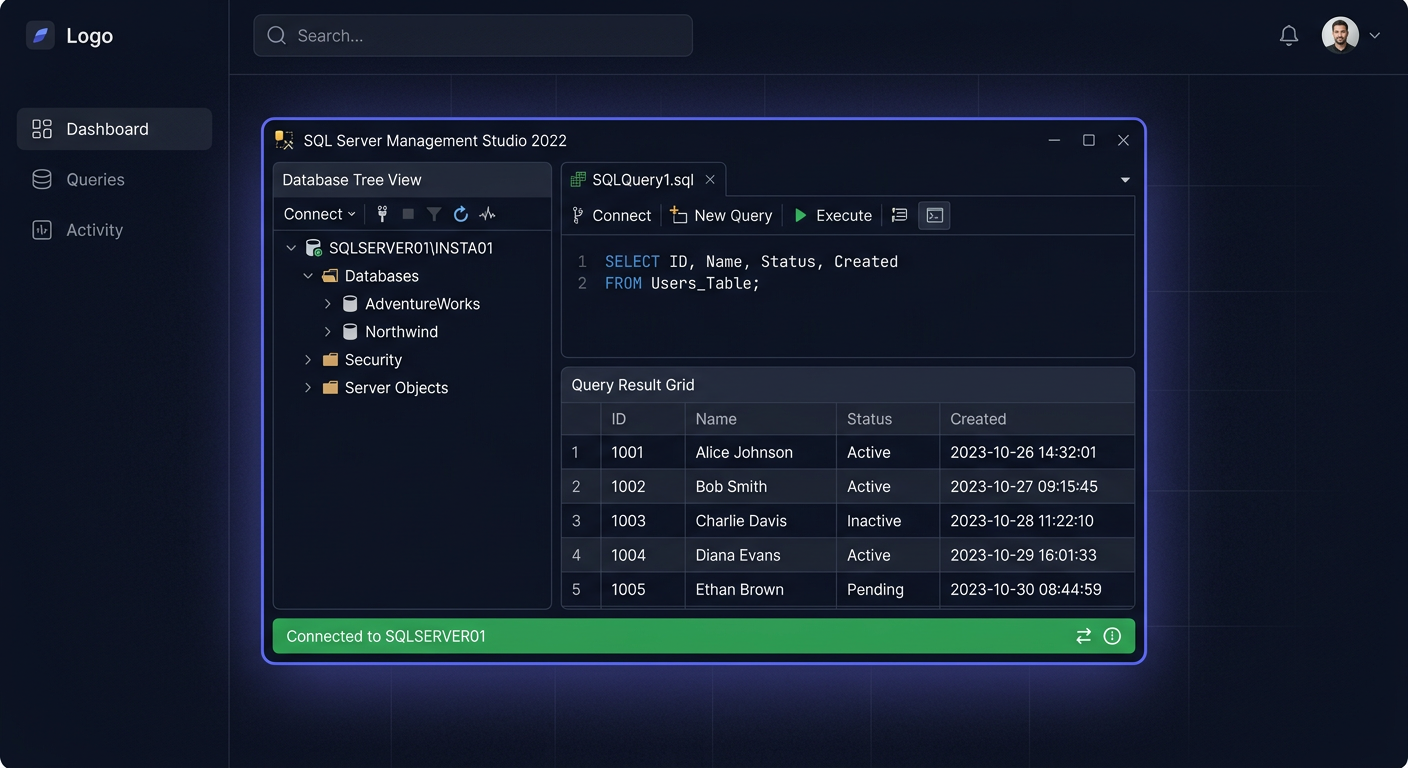
- SSMS → połącz z serwerem → kliknij prawym na nazwę serwera → Properties → General
- Znajdź pole Product — kliknij Change obok Edition
- Wpisz klucz → OK
- Zrestartuj usługę SQL Server (services.msc lub
Restart-Service MSSQLSERVER)
Metoda C: Edition Upgrade przez setup.exe
Setup.exe → Maintenance → Edition Upgrade → wpisz klucz → kontynuuj kreator
Metoda D: Wiersz poleceń (cicha aktywacja)
setup.exe /q /ACTION=EditionUpgrade /INSTANCENAME=MSSQLSERVER /PID=XXXXX-XXXXX-XXXXX-XXXXX-XXXXX /IACCEPTSQLSERVERLICENSETERMS
Weryfikacja aktywacji
Po restarcie usługi sprawdź wersję:
SELECT @@VERSION
Oczekiwany wynik: Microsoft SQL Server 2017 (RTM-CU31) Standard Edition (64-bit), Version: 14.0.3460.9 lub nowszy w zależności od zainstalowanych CU.
Jeśli masz pytania o licencję, aktywację lub najczęstsze ograniczenia tej edycji, sprawdź FAQ do Microsoft SQL Server 2017 Standard 24 Core.
Krok 5: Konfiguracja po instalacji
Ogranicz pamięć RAM
SQL Server domyślnie alokuje całą dostępną pamięć. W Standard Edition limit to 128 GB, ale i tak warto ustawić konkretną wartość:
EXEC sp_configure 'show advanced options', 1 RECONFIGURE;
EXEC sp_configure 'max server memory (MB)', 98304; -- 96 GB z dostępnych 128 GB
RECONFIGURE;
Zostaw 10-20% RAM dla systemu operacyjnego i innych usług.
Włącz TCP/IP
SQL Server Configuration Manager → SQL Server Network Configuration → Protocols for MSSQLSERVER → TCP/IP → Enable. W zakładce IP Addresses ustaw port: 1433. Zrestartuj usługę SQL Server.
Firewall — reguły przychodzące
New-NetFirewallRule -DisplayName "SQL Server TCP 1433" -Direction Inbound -Protocol TCP -LocalPort 1433 -Action Allow
New-NetFirewallRule -DisplayName "SQL Browser UDP 1434" -Direction Inbound -Protocol UDP -LocalPort 1434 -Action Allow
Włącz Query Store
Query Store przechowuje historię zapytań i planów wykonania — bezcenne narzędzie do debugowania regresji wydajności:
ALTER DATABASE [TwojaBaza] SET QUERY_STORE = ON;
ALTER DATABASE [TwojaBaza] SET QUERY_STORE (OPERATION_MODE = READ_WRITE);
Włącz Automatic Tuning
SQL Server 2017 potrafi automatycznie wykrywać regresje planów i przywracać poprzednie, lepsze plany. W Standard Edition funkcja jest dostępna w pełni:
ALTER DATABASE [TwojaBaza] SET AUTOMATIC_TUNING (FORCE_LAST_GOOD_PLAN = ON);
Skonfiguruj kopie zapasowe
-- Pełna kopia co niedzielę o 2:00, różnicowa codziennie o 3:00, log co 15 min
-- Użyj Maintenance Plan lub skryptu Ola Hallengren
Konfiguracja TempDB
Rozmieść pliki TempDB na szybkim dysku SSD. Liczba plików = liczba rdzeni (max 8). Każdy plik o tym samym rozmiarze początkowym:
ALTER DATABASE tempdb MODIFY FILE (NAME = tempdev, SIZE = 1024MB, FILEGROWTH = 512MB);
-- Dodaj kolejne pliki: tempdev2, tempdev3... do tempdev8
Kluczowe nowości SQL Server 2017
Pierwszy SQL Server na Linux
Historyczna zmiana — pełna funkcjonalność silnika bazy danych na Ubuntu, RHEL i SUSE. Ta sama wydajność, te same zapytania, te same narzędzia. Środowisko Linuxowe nie wymaga licencji Windows Server, co obniża całkowity koszt wdrożenia.
Grafowe bazy danych (Graph Database)
Natywne wsparcie dla grafów — nowe typy tabel NODE i EDGE oraz funkcja MATCH. Idealne do modelowania sieci społecznościowych, systemów rekomendacji i analizy zależności.
CREATE TABLE Osoba (ID INTEGER PRIMARY KEY, Imie VARCHAR(50)) AS NODE;
CREATE TABLE Znajomy AS EDGE;

INSERT INTO Osoba VALUES (1, 'Anna');
INSERT INTO Osoba VALUES (2, 'Tomasz');
INSERT INTO Znajomy VALUES ((SELECT $node_id FROM Osoba WHERE ID = 1),
                             (SELECT $node_id FROM Osoba WHERE ID = 2));

-- Znajdź znajomych Anny
SELECT Osoba2.Imie
FROM Osoba Osoba1, Znajomy, Osoba Osoba2
WHERE MATCH(Osoba1-(Znajomy)->Osoba2)
AND Osoba1.Imie = 'Anna';
Adaptive Query Processing
- Adaptive Joins — silnik sam wybiera między Hash Join a Nested Loops na podstawie rzeczywistej liczby wierszy
- Memory Grant Feedback — automatyczna korekta przydziałów pamięci dla zapytań na podstawie poprzednich wykonań
- Interleaved Execution — optymalizacja wieloetapowych funkcji tabelarycznych (MSTVF)
Automatic Tuning
SQL Server automatycznie wykrywa regresje planów zapytań i przywraca poprzednie, lepsze plany. Mechanizm analizuje wydajność po każdej zmianie planu i podejmuje decyzję w ciągu kilku minut. W Standard Edition funkcja obejmuje FORCE_LAST_GOOD_PLAN.
Python i R Integration (Machine Learning Services)
Uruchamiaj skrypty Python i R bezpośrednio w zapytaniach T-SQL. Przykład — predykcja sprzedaży z poziomu zapytania:
EXEC sp_execute_external_script
  @language = N'Python',
  @script = N'
import pandas as pd
from sklearn.linear_model import LinearRegression
model = LinearRegression()
model.fit(InputDataSet[["Miesiac"]], InputDataSet[["Sprzedaz"]])
OutputDataSet = pd.DataFrame(model.predict([[13]]), columns=["Prognoza"])
',
  @input_data_1 = N'SELECT Miesiac, Sprzedaz FROM SprzedazMiesieczna';
Resumable Online Index Rebuild
Przebudowa indeksów online z możliwością wstrzymania i wznowienia — bez utraty postępu. Idealne dla baz 24/7, gdzie okno serwisowe jest ograniczone:
ALTER INDEX IX_Sprzedaz_Data ON Sprzedaz REBUILD WITH (ONLINE = ON, RESUMABLE = ON, MAX_DURATION = 120);
-- Po przerwaniu, wznowienie:
ALTER INDEX IX_Sprzedaz_Data ON Sprzedaz RESUME;
Licencjonowanie SQL Server 2017 — modele i ceny
Dostępne licencje w KluczeSoft
| Licencja | Dla kogo? |
|---|---|
| SQL Server 2017 Standard 24 Core | Średnie firmy, ERP, CRM, do 128 GB RAM |
| SQL Server 2017 Standard 50 User CAL | Firmy z wieloma pracownikami dostępowymi |
| SQL Server 2017 Standard 50 Device CAL | Terminale, magazyny, produkcja |
Model Core vs CAL — który wybrać?
| Kryterium | Core-based | CAL (User/Device) |
|---|---|---|
| Sposób liczenia | Fizyczne rdzenie serwera (min. 4 na CPU) | Każdy użytkownik lub urządzenie |
| Limit | 24 rdzenie w Standard | Bez limitu (koszt rośnie liniowo) |
| Zewnętrzni użytkownicy | Wliczeni | Potrzebują osobnych CAL |
| Nieznana liczba użytkowników | Idealne (jak portal WWW) | Ryzyko niedoszacowania |
| Faktura VAT | Tak, standardowa 23% VAT | Tak, standardowa 23% VAT |
Przykład: Firma Y potrzebuje bazy dla intranetu
Firma Y zatrudnia 300 pracowników korzystających z intranetowego systemu obiegu dokumentów. Każdy pracownik ma dostęp pośredni przez aplikację webową (jeden pulpit zdalny).
Decyzja: Core-based 24 Core. Licencja CAL wymagałaby 300 User CAL lub analizy urządzeń — koszt byłby znacznie wyższy. Model core-based daje nieograniczoną liczbę użytkowników wewnętrznych.
Częste pytania
Czy SQL Server 2017 działa na Windows Server 2022?
Nie, SQL Server 2017 nie jest oficjalnie wspierany na Windows Server 2022. Microsoft testował go wyłącznie z WS 2012 R2, 2016 i 2019. Instalacja na WS 2022 może działać, ale nie otrzymasz pomocy technicznej, a ewentualne problemy z kompatybilnością pozostaną nierozwiązane.
Czy mogę używać SQL Server 2017 po 12 października 2027?
Technicznie tak — baza będzie działać bezterminowo. Jednak po 12 października 2027 Microsoft zakończy rozszerzone wsparcie, co oznacza brak poprawek zabezpieczeń, brak pomocy technicznej i brak aktualizacji zgodności. Dla firm objętych audytem KSeF lub RODO dalsze używanie niewspieranej wersji może skutkować niezgodnością.
Czy SQL Server 2017 Standard ma wszystkie funkcje Enterprise?
Nie, Standard ma ograniczenia: maksymalnie 128 GB RAM, 24 rdzenie, do 5 baz w podstawowych grupach dostępności (Basic Availability Groups) i ograniczone In-Memory OLTP (max 32 GB na bazę). Nie ma też partycjonowania tabel, online page/segment repair ani pełnej transparentnej enkrypcji danych równoległych.
Ile kosztuje SQL Server 2017 Standard 24 Core na fakturę VAT?
Aktualną cenę brutto sprawdzisz na stronie produktu w sklepie KluczeSoft.pl. Jest to jednorazowa opłata za licencję wieczystą — nie ma abonamentu ani opłat rocznych. Faktura VAT jest wystawiana standardowo, z odliczeniem dla firm.
Czy muszę kupować CAL-e osobno do licencji 24 Core?
Nie. Licencja 24 Core (core-based) obejmuje nieograniczoną liczbę użytkowników wewnętrznych i zewnętrznych. CAL-e (User/Device) to alternatywny model licencjonowania dla mniejszych wdrożeń, gdzie znasz dokładną liczbę użytkowników lub urządzeń — nie dokupujesz ich do licencji core-based.
Czy SQL Server 2017 integruje się z Microsoft 365 Copilot?
Tak, ale pośrednio. M365 Copilot nie łączy się bezpośrednio z SQL Server, natomiast Power BI może łączyć się z SQL Server 2017 przez standardowe konektory ODBC, a następnie raporty Power BI stają się dostępne w Copilot for M365 przez integrację z Microsoft Graph i odpytywanie języka naturalnego.
Czy mogę aktywować SQL Server 2017 po ponownej instalacji tym samym kluczem?
Tak, jeśli licencja jest przypisana do tego samego fizycznego serwera. Klucz 24 Core jest przypisany do konkretnej maszyny. Przy reinstalacji systemu lub awarii sprzętu możesz ponownie użyć tego samego klucza na tym samym serwerze. W przypadku migracji na nowy sprzęt skontaktuj się ze sprzedawcą.
Czy opłaca się kupować SQL Server 2017 zamiast 2022, skoro różnica w cenie to?
To zależy od horyzontu planowania. Jeśli planujesz modernizację infrastruktury przed 2028 rokiem — 2017 jest optymalny. Jeśli budujesz system na 6-7 lat — dopłać do 2022.
Jak długo trwa instalacja SQL Server 2017 Standard?
Typowa instalacja Database Engine na SSD NVMe trwa 12-18 minut. Na dysku HDD 7200 RPM — 25-35 minut. Instalacja z CU31 (aktualizacją zbiorczą) dodaje kolejne 10-15 minut. Łączny czas: 25-50 minut w zależności od sprzętu.
Czy SQL Server 2017 obsługuje faktury ustrukturyzowane KSeF?
Tak i jest to jeden z najczęstszych scenariuszy wdrożeniowych w Polsce na 2026 rok. SQL Server 2017 natywnie obsługuje XML przez typ danych XML z indeksowaniem i walidacją schematu KSeF. Query Store pomaga optymalizować zapytania o faktury, a kompresja danych PAGE redukuje rozmiar archiwum o 40-60%.
Podsumowanie — czy warto kupić SQL Server 2017 Standard w 2026?
SQL Server 2017 Standard to dojrzała, stabilna i przewidywalna platforma bazodanowa. Dla polskich firm średniej wielkości, które potrzebują bazy pod ERP, CRM lub archiwum faktur, jest to najrozsądniejszy wybór przed planowaną migracją na SQL Server 2022 lub nowszą wersję w latach 2027-2028.
Jeśli Twoja firma planuje wdrożenie bazy danych w tym roku, sprawdź ofertę Microsoft SQL Server 2017 Standard 24 Core w KluczeSoft — licencja wieczysta z fakturą VAT 23%, dostawa e-mailem w 1–3 min.
<!-- IL-V1 -->Sklep KluczeSoft
Potrzebujesz licencji? KluczeSoft.pl oferuje legalne klucze z gwarancją autentyczności i wysyłką w 1-3 minuty na e-mail:
Powiązane artykuły
- Jak zainstalować i aktywować Microsoft SQL Server 2016 Standard — kompletna instrukcja — Najtańszy SQL Server: 989 zł.
- Jak zainstalować i aktywować Microsoft SQL Server 2019 Standard — kompletna instrukcja — Jak zainstalować SQL Server 2019 Standard 24 Core.
- Jak zainstalować i aktywować Microsoft SQL Server 2022 Standard — kompletna instrukcja — Jak zainstalować SQL Server 2022 Standard.
- Jak zainstalować i aktywować Microsoft Exchange Server 2016 Standard — kompletna instrukcja — Jak zainstalować Exchange Server 2016 Standard.
- Jak zainstalować i aktywować Microsoft Exchange Server 2019 Standard — kompletna instrukcja — Jak zainstalować Exchange Server 2019 Standard.
Powiązane produkty
- Zobacz wszystkie microsoft sql server 2017 — pełna oferta w kategorii