 Dostawa w 1 min
 100% Oryginalne
 TrustedShops 4.81 · 3 783 opinii



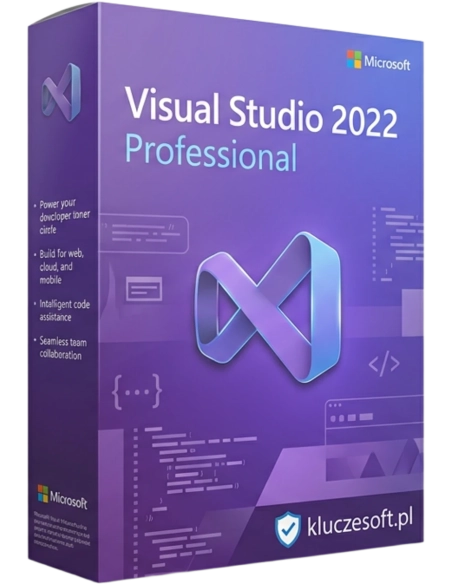
Microsoft Visual Studio 2022 Professional is the latest edition of the renowned development environment from Microsoft, designed with professional developers and programming teams in mind. This version brings a range of innovations and improvements aimed at increasing productivity, enhancing performance, and providing support for the latest technologies and programming standards. Visual Studio 2022 Professional offers comprehensive tools for creating applications on various platforms, including Windows, Linux, iOS, Android, as well as web and cloud applications.
Dynamic internet user interfaces, fluidity in Windows systems, and the ability to collaborate at every stage are just some of the features of Microsoft Visual Studio 2022 Professional. This program is the latest installment of the renowned development environment from Microsoft. It is designed with the needs of professional developers and programming teams in mind. This edition introduces a range of innovations and improvements that focus on increasing user productivity, improving performance, and supporting the latest technologies and standards in the programming industry.
The Visual Studio 2022 Professional environment features a highly integrated set of tools that enable the creation of applications for multiple platforms, including Windows, Linux, iOS, Android, as well as web and cloud applications. This allows developers to easily migrate and scale their projects across different operating systems and runtime environments.
You can not only configure but also debug, create packages, and deploy applications on the Microsoft Azure platform directly from the Visual Studio Professional 2022 program. There is no need to leave the integrated development environment (IDE).
Let's look at productivity improvements. Visual Studio 2022 Professional offers advanced features, including support for concurrent programming, better debugging tools, and an improved code editing environment that helps developers create code faster and more efficiently. Additionally, integration with the latest frameworks and libraries ensures that developers have access to the latest tools and technologies, which is crucial in the rapidly evolving tech industry.
Visual Studio 2022 Professional is also equipped with features that increase performance – better memory management and support for new processor standards, allowing for faster compilations and smoother application operation. This is crucial for developers working on large and complex projects, where optimizing work time and resources has a direct impact on the project's success.
The CodeLens feature in Visual Studio Professional 2022 is one of the elements that increase the efficiency of programming teams. This advanced functionality allows developers to quickly understand the context and history of the code without leaving their current workplace in the code editor.
CodeLens displays references to methods, classes, or other elements directly in the code, allowing developers to see how often and where a specific code fragment is used. This helps understand dependencies in the project and avoid errors when modifying the code. Additionally, there is the option for automatic code completion – all to make work much more efficient.
You can use a GitHub account, conduct platform application testing with Linux, or explore the code execution path. However, that's not all Microsoft Visual Studio 2022 has to offer.
64-bit Support – Visual Studio 2022 is the first version to run fully in a 64-bit environment, allowing for more efficient work with large projects and solutions, eliminating memory limitations present in previous versions.
Modernized User Interface – an improved and more intuitive user interface makes it easier to navigate and customize the environment to the individual needs of developers, increasing their comfort at work.
Hot Reload – the Hot Reload feature for .NET and C++ allows developers to make live code changes without needing to restart the application.
Advanced Debugging and Diagnostics Tools – Visual Studio 2022 Professional offers extensive debugging and diagnostics tools that help quickly identify and resolve code issues, increasing the quality of created applications.
Support for the Latest Technologies – the environment is integrated with the latest versions of .NET, ASP.NET, .NET Core, C#, VB.NET, F#, JavaScript, TypeScript, and also offers support for creating mobile applications using Xamarin and web applications with Blazor.
Integration with Azure – seamless integration with Microsoft Azure services allows for easy creation, testing, and deployment of cloud applications, leveraging computational power and a wide range of Azure services.
Support for Teamwork – team collaboration tools, such as Git and GitHub, are deeply integrated with Visual Studio 2022, enabling effective group work on shared projects.
Microsoft Visual Studio 2022 Professional is the ideal solution for professional developers and programming teams seeking an advanced environment for efficiently creating modern applications. With support for the latest technologies, advanced tools, and increased performance and productivity, Visual Studio 2022 Professional enables the realization of even the most ambitious programming projects.

Data sheet
Specific References
Microsoft Visual Studio 2022 Professional is the latest edition of the renowned development environment from Microsoft, designed with professional developers and programming teams in mind. This version brings a range of innovations and improvements aimed at increasing productivity, enhancing performance, and providing support for the latest technologies and programming standards. Visual Studio 2022 Professional offers comprehensive tools for creating applications on various platforms, including Windows, Linux, iOS, Android, as well as web and cloud applications.