Microsoft Word 2019 — kompletny przewodnik kupującego 2026
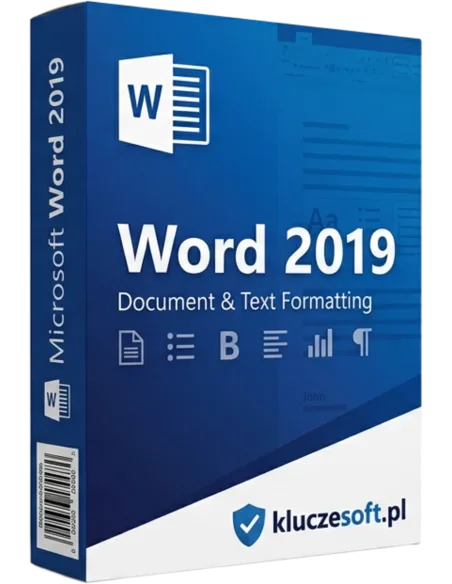
Microsoft Word 2019 to jedna z najpopularniejszych i najbardziej rozpoznawalnych aplikacji do edycji tekstu na świecie. Stanowi część pakietu Microsoft Office 2019 i oferuje zaawansowane narzędzia dla profesjonalistów, studentów, nauczycieli, freelancerów oraz wszystkich, którzy potrzebują niezawodnego edytora dokumentów. W przeciwieństwie do subskrypcyjnego modelu Microsoft 365, wersja 2019 jest jednorazowym zakupem — płacisz raz i korzystasz bezterminowo, bez comiesięcznych opłat. To szczególnie atrakcyjna opcja dla osób ceniących przewidywalność wydatków i niepotrzebujących stałych aktualizacji do najnowszych funkcji chmurowych.
Dla kogo przeznaczony jest Microsoft Word 2019? Przede wszystkim dla użytkowników indywidualnych i małych firm, które potrzebują stabilnego, sprawdzonego narzędzia do tworzenia umów, raportów, korespondencji handlowej, prac dyplomowych i artykułów. Sprawdzi się także w biurach rachunkowych, kancelariach prawnych, szkołach oraz instytucjach publicznych, gdzie kluczowa jest kompatybilność i brak zależności od stałego dostępu do internetu. Program działa w pełni offline, co zapewnia ciągłość pracy nawet przy braku łącza sieciowego.
Dlaczego warto kupić Microsoft Word 2019 właśnie w KluczeSoft? Od ponad dekady dostarczamy oryginalne klucze licencyjne Microsoft, oferując przy tym pełną fakturę VAT (23%), wsparcie w języku polskim oraz dostawę elektroniczną w ciągu 1–3 minut od zaksięgowania wpłaty. Każdy klucz pochodzi z legalnej dystrybucji, co oznacza, że otrzymujesz produkt identyczny jak w oficjalnym sklepie Microsoft — tylko w znacznie niższej cenie. Nasz sklep zdobył ocenę 4,9/5 na podstawie 1384 opinii zadowolonych klientów, a nasz zespół wsparcia technicznego służy pomocą na każdym etapie instalacji i aktywacji.
Co zawiera licencja Microsoft Word 2019?
Microsoft Word 2019 zawiera edytor tekstu Word oraz cyfrowy klucz aktywacyjny Microsoft. Licencja obejmuje jedno stanowisko, dostawę e-mail, instrukcję aktywacji i fakturę VAT. Cena w KluczeSoft wynosi 179,90 zł, bez abonamentu i bez wersji testowej.
- Licencja dożywotnia (perpetual license) — bezterminowe prawo do użytkowania programu bez żadnych dodatkowych opłat. Aktywujesz raz i korzystasz przez cały okres eksploatacji komputera.
- Oryginalny klucz Microsoft — certyfikowany klucz produktu, który przechodzi pełną walidację na serwerach aktywacyjnych Microsoft, identyczny jak klucz z pudełkowej wersji detalicznej.
- Pełna faktura VAT 23% — faktura imienna wystawiana automatycznie po zakupie, idealna do kosztów firmowych, odliczeń podatkowych oraz rozliczeń księgowych.
- Dostawa e-mail w 1–3 minuty — klucz wraz z instrukcją aktywacji wysyłamy w osobnym e-mailu natychmiast po zaksięgowaniu płatności (płatności online — błyskawicznie; przelewy tradycyjne — do kilkunastu minut).
- Instrukcja krok po kroku w języku polskim — szczegółowy poradnik pobierania, instalacji i aktywacji ze zrzutami ekranu.
- Możliwość ponownej instalacji — klucz można użyć ponownie na tym samym komputerze po reinstalacji systemu Windows/macOS.
- Obsługa wszystkich języków — licencja obejmuje pełną polską wersję językową interfejsu oraz narzędzi sprawdzania pisowni i gramatyki.
- Gwarancja zwrotu 14 dni — jeśli klucz z jakiegoś powodu nie zadziała, zwracamy 100% pieniędzy bez zbędnych formalności.
Wymagania systemowe Microsoft Word 2019
Przed zakupem warto upewnić się, że Twój komputer spełnia minimalne wymagania techniczne. Poniżej oficjalne specyfikacje Microsoft dla wersji 2019:
| Komponent | Windows | macOS |
|---|
| System operacyjny | Windows 10, Windows 11, Windows Server 2019/2022 | macOS 10.14 (Mojave) lub nowszy; w tym Apple Silicon (M1/M2/M3/M4) |
| Procesor | 1,6 GHz, 2-rdzeniowy (zalecany i3/i5/i7/i9 lub AMD Ryzen) | Intel lub Apple Silicon |
| Pamięć RAM | 4 GB (zalecane 8 GB dla wielu dużych dokumentów) | 4 GB (zalecane 8 GB) |
| Miejsce na dysku | 4 GB wolnego miejsca | 10 GB wolnego miejsca |
| Rozdzielczość ekranu | 1024 × 768 pikseli (zalecane 1280 × 768 lub wyższa) | 1280 × 800 pikseli |
| Karta graficzna | DirectX 10 lub nowszy | Metal (wbudowana) |
| Inne | Konto Microsoft (do aktywacji); Internet Explorer 11 lub Edge do pobrania | Konto Microsoft do pobrania i aktywacji |
Uwaga: Microsoft Word 2019 nie jest kompatybilny z systemami Windows 7, Windows 8 ani Windows 8.1. W przypadku starszych systemów zalecamy rozważenie wersji pakietu Office 2016 lub przejście na Windows 10/11.
Czy klucz jest dożywotni? Informacje o fakturze VAT
Tak — Microsoft Word 2019 to licencja wieczysta, kupowana jednorazowo bez miesięcznego abonamentu. Po aktywacji korzystasz z produktu bez limitu czasu na jednym stanowisku. Cena w KluczeSoft wynosi 179,90 zł, a zakup obejmuje fakturę VAT.
Każdy zakup w KluczeSoft jest w pełni udokumentowany. Faktura VAT 23% wystawiana jest automatycznie i zawiera wszystkie dane niezbędne do rozliczenia podatkowego — numer NIP, nazwę firmy, datę sprzedaży, wartość netto i brutto. Fakturę otrzymujesz w formacie PDF na adres e-mail podany podczas składania zamówienia. Jesteśmy zarejestrowanym podmiotem gospodarczym z ponad 10-letnim stażem na rynku dystrybucji oprogramowania, co potwierdzają liczne opinie naszych klientów oraz transparentność warunków sprzedaży.
Gwarancja zwrotu: jeśli klucz z jakichkolwiek przyczyn nie zostanie zaakceptowany przez serwery Microsoft, oferujemy bezwarunkowy zwrot pieniędzy w ciągu 14 dni od zakupu. Wystarczy skontaktować się z naszym działem obsługi klienta — odpowiadamy w języku polskim, zazwyczaj w ciągu kilku godzin.
Jak aktywować Microsoft Word 2019?
Microsoft Word 2019 aktywujesz po pobraniu właściwego instalatora i wpisaniu klucza produktu podczas instalacji lub w ustawieniach aplikacji. Jeśli aktywacja nie przejdzie online, zgłoś sprawę na pomoc.kluczesoft.pl. Cena licencji wynosi 179,90 zł.
- Odbierz e-mail z kluczem. Po dokonaniu płatności na podany adres e-mail otrzymasz wiadomość zawierającą 25-znakowy klucz produktu oraz link do oficjalnej strony pobierania Microsoft.
- Pobierz instalator. Kliknij w link i zaloguj się na swoje konto Microsoft (lub utwórz bezpłatne konto, jeśli jeszcze go nie masz). Następnie pobierz plik instalacyjny — w przypadku Windows będzie to plik wykonywalny (.exe), dla macOS — obraz dysku (.dmg).
- Uruchom instalator. Dwukrotnie kliknij pobrany plik i postępuj zgodnie z kreatorem instalacji. Proces trwa zazwyczaj od 5 do 15 minut w zależności od szybkości łącza i komputera.
- Wprowadź klucz produktu. Po zakończeniu instalacji uruchom Microsoft Word. Pojawi się okno aktywacji — wpisz 25-znakowy klucz dokładnie tak, jak widnieje w e-mailu (myślniki zostaną dodane automatycznie).
- Potwierdź aktywację online. Kliknij przycisk Aktywuj. Program połączy się z serwerami Microsoft i w ciągu kilku sekund zweryfikuje klucz. Po pomyślnej weryfikacji Word zostanie w pełni odblokowany.
- Sprawdź stan aktywacji. Przejdź do menu Plik → Konto, gdzie zobaczysz informację Produkt aktywowany oraz nazwę produktu Microsoft Word 2019.
- Opcjonalnie: powiąż klucz z kontem Microsoft. W tym samym oknie możesz zalogować się na swoje konto Microsoft — wówczas klucz zostanie trwale przypisany do Twojego konta, co ułatwi ponowną instalację w przyszłości.
Wskazówka: jeśli podczas aktywacji pojawi się komunikat o błędzie, upewnij się, że wpisujesz klucz bez dodatkowych spacji na początku i końcu oraz że używasz właściwych znaków. W razie problemów nasz zespół wsparcia jest dostępny pod adresem e-mail i służy pomocą w języku polskim.
Porównanie Microsoft Word 2019 z innymi edycjami
Wybór odpowiedniej wersji programu Word może być trudny ze względu na mnogość dostępnych opcji. Poniższa tabela przedstawia najważniejsze różnice między Word 2019 a głównymi alternatywami, co ułatwi podjęcie świadomej decyzji zakupowej:
| Funkcja / Cecha | Microsoft Word 2019 | Microsoft 365 (Word) | Microsoft Word 2016 | LibreOffice Writer |
|---|
| Model licencjonowania | Jednorazowy zakup, licencja dożywotnia | Subskrypcja roczna / miesięczna | Jednorazowy zakup, licencja dożywotnia | Otwarte oprogramowanie (darmowe) |
| Cena | ~150–350 PLN (jednorazowo) | ~299–429 PLN / rok | ~100–250 PLN (jednorazowo) | 0 PLN |
| Aktualizacje funkcji | Tylko poprawki zabezpieczeń | Ciągłe aktualizacje o nowe funkcje | Tylko poprawki zabezpieczeń | Aktualizacje wspólnotowe |
| Obsługa chmury OneDrive | Podstawowa (zapisywanie) | Pełna integracja, współpraca w czasie rzeczywistym | Podstawowa (zapisywanie) | Brak wbudowanej |
| Tryb ciemny (Dark Mode) | Tak | Tak | Brak | Częściowy |
| Funkcja Dyktowanie (Speech-to-Text) | Tak | Tak, ulepszona AI | Brak | Brak |
| Narzędzia do nauki (Learning Tools) | Tak | Tak | Brak | Brak |
| Tłumacz dokumentów | Tak (fragmenty, całe dokumenty) | Tak, zaawansowany AI Translator | Brak | Brak |
| Edytor zaawansowany (Editor) | Tak (gramatyka + styl) | Tak, Microsoft Editor z sugestiami AI | Sprawdzanie pisowni | Sprawdzanie pisowni |
| Szablony i motywy | Bogata biblioteka, bez dodatkowych opłat | Premium szablony | Podstawowa biblioteka | Ograniczona liczba |
| Wsparcie dla formatów | DOCX, DOC, PDF, ODT, HTML i inne | DOCX, DOC, PDF, ODT, HTML i inne | DOCX, DOC, PDF, ODT | ODT, DOCX, DOC (częściowo), PDF |
| Kompatybilność z makrami VBA | Pełna | Pełna | Pełna | Brak (inny język skryptowy) |
| 1 TB miejsca OneDrive | Brak | Tak (w planie Personal/Family) | Brak | Brak |
| Dostęp offline | Tak, pełna funkcjonalność | Tak | Tak, pełna funkcjonalność | Tak |
Podsumowując: Microsoft Word 2019 to optymalny wybór, jeśli szukasz stabilnego, przewidywalnego kosztowo narzędzia bez konieczności ponoszenia stałych opłat. W porównaniu do starszej wersji 2016 oferuje szereg ulepszeń — tryb ciemny, narzędzia do nauki, dyktowanie oraz ulepszony edytor tekstu. Względem Microsoft 365 traci jedynie funkcje chmurowe i ciągłe aktualizacje, ale zyskuje przewidywalność budżetową i brak uzależnienia od subskrypcji. To rozsądna inwestycja dla osób, które nie potrzebują najnowszych innowacji na bieżąco, a chcą solidnego programu do pracy z dokumentami.
Często zadawane pytania (FAQ)
Czy ten klucz działa z polską wersją językową Microsoft Word 2019?
Tak, klucz jest w pełni kompatybilny z polską wersją językową. Podczas instalacji możesz wybrać język polski jako domyślny interfejs użytkownika. Pakiet językowy zawiera także polskie narzędzia sprawdzania pisowni, gramatyki, tezaurus oraz słownik synonimów. Język interfejsu można w każdej chwili zmienić w ustawieniach programu.
Czy mogę przenieść licencję na inny komputer?
Licencję Microsoft Word 2019 można ponownie aktywować po reinstalacji lub zmianie sprzętu zgodnie z warunkami Microsoft i typem klucza. Najpierw usuń produkt ze starego urządzenia. W razie blokady aktywacji KluczeSoft pomaga przez pomoc.kluczesoft.pl.
Czy faktura VAT jest wystawiana automatycznie? Czy mogę ją odliczyć?
Tak — do zakupu Microsoft Word 2019 otrzymujesz fakturę VAT 23% w formacie PDF. Dokument jest wysyłany e-mailem po zaksięgowaniu płatności i może być użyty w rozliczeniach firmowych. Cena licencji w KluczeSoft wynosi 179,90 zł.
Co jeśli klucz nie działa? Jaki jest proces reklamacji?
Microsoft Word 2019 aktywujesz po pobraniu właściwego instalatora i wpisaniu klucza produktu podczas instalacji lub w ustawieniach aplikacji. Jeśli aktywacja nie przejdzie online, zgłoś sprawę na pomoc.kluczesoft.pl. Cena licencji wynosi 179,90 zł.
Czy Microsoft Word 2019 będzie działał z moimi starymi dokumentami (DOC, DOCX)?
Tak, Microsoft Word 2019 zachowuje pełną kompatybilność wsteczną ze wszystkimi formatami plików Microsoft Word, począwszy wersji 97 aż po najnowszy format DOCX. Cena w KluczeSoft wynosi 179,90 zł, a zamówienie obejmuje dostawę e-mail, fakturę VAT i pomoc przy aktywacji.
Jak długo Microsoft będzie wspierał Word 2019?
Microsoft Word 2019 działa po aktywacji bez abonamentu, ale aktualizacje zależą cyklu życia Microsoft dla danej wersji. Po zakończeniu wsparcia program nadal działa, lecz nie otrzymuje standardowych poprawek bezpieczeństwa. Cena licencji wynosi 179,90 zł.
Dlaczego KluczeSoft?
KluczeSoft to zaufany dystrybutor oryginalnego oprogramowania Microsoft z ponad 10-letnim doświadczeniem na rynku. Nasza wizytówka to ocena 4,9/5 na podstawie 1384 zweryfikowanych opinii — każda z nich pochodzi realnych klientów, którzy zakupili u nas klucze licencyjne i mieli okazję przekonać się o jakości obsługi.
Każdy klucz sprzedawany przez KluczeSoft pochodzi z oficjalnej, legalnej dystrybucji. Nie handlujemy kluczami OEM wyjętymi ze sprzętu, kluczami edukacyjnymi o ograniczonej licencji ani kluczami z niepewnych źródeł — wszystkie nasze produkty to oryginalne klucze detaliczne Microsoft, identyczne z tymi, które znajdują się w pudełkowych wydaniach w sklepach. Różnica polega wyłącznie na cenie — eliminujemy koszty fizycznej dystrybucji, opakowań i pośredników, a oszczędności przekazujemy Tobie.
Nasz polski dział wsparcia to prawdziwi pasjonaci technologii, którzy sami korzystają z oprogramowania Microsoft na co dzień. Odpowiadamy w języku polskim, bez automatycznych tłumaczeń i bez schematycznych odpowiedzi. Niezależnie od tego, czy potrzebujesz pomocy przy pierwszej instalacji, czy masz pytanie dotyczące odliczenia VAT, jesteśmy do Twojej dyspozycji telefonicznie oraz mailowo.
Podsumowując: kupując Microsoft Word 2019 w KluczeSoft, otrzymujesz dożywotnią licencję, oryginalny klucz Microsoft, fakturę VAT 23%, dostawę e-mail w ciągu kilku minut oraz polskojęzyczne wsparcie techniczne — wszystko w cenie niższej niż w oficjalnym sklepie Microsoft. Dołącz do grona 1384 zadowolonych klientów i zainwestuj w narzędzie, które posłuży Ci przez lata.
Microsoft Word 2019 2026 — cena, klucz aktywacyjny, licencja wieczysta
Szukasz odpowiedzi na pytanie ile kosztuje Microsoft Word 2019 w 2026 roku? W sklepie KluczeSoft kupisz Microsoft Word 2019 z natychmiastową dostawą pocztą elektroniczną — otrzymujesz oryginalny klucz aktywacyjny, licencję wieczystą (gdzie dotyczy) oraz fakturę VAT 23% wystawioną na firmę lub osobę prywatną. Każda transakcja objęta jest gwarancją zwrotu i wsparciem technicznym w języku polskim na pomoc.kluczesoft.pl.
Najczęściej wyszukiwane warianty produktu to klucz microsoft word 2019, kupić microsoft word 2019, tani microsoft word 2019, klucz aktywacyjny microsoft word 2019. Klienci pytają też o frazy takie jak: oryginalny microsoft word 2019, microsoft word 2019 cena, microsoft word 2019 klucz, microsoft word 2019 kupić, microsoft word 2019 oryginalny, microsoft word 2019 dożywotni. Wszystkie te warianty obsługujemy w jednym koszyku — wystarczy dodać produkt, opłacić zamówienie (Przelewy24, BLIK, karta) i odebrać klucz w wiadomości e-mail w ciągu kilku minut.
Dlaczego warto kupić Microsoft Word 2019 w KluczeSoft? Po pierwsze — legalne licencje ESD od autoryzowanego dystrybutora. Po drugie — cena hurtowa niższa niż w Microsoft Store i większości sklepów detalicznych. Po trzecie — pełna obsługa B2B: zamówienia hurtowe, faktura proforma, płatność przelewem 14 dni, kontakt z opiekunem klienta. Po czwarte — wszystkie nasze klucze są przed wysyłką testowane na fizycznych komputerach (Windows 10/11) co eliminuje ryzyko nieaktywujących się kodów. Sprawdź również nasze klucze Office, Microsoft 365, Windows 11.







 Edytor dokumentów
 Licencja wieczysta
 Natychmiastowa dostawa
 ️
️
