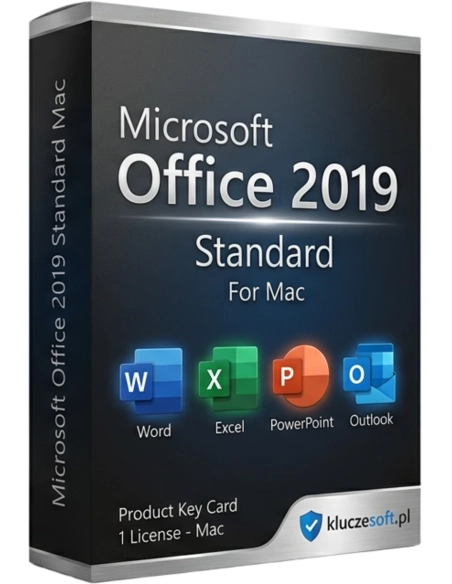




The Office 2019 suite for Mac computers consists of Microsoft applications that are redesigned from scratch, which you know and trust, brought to your beloved Apple Macintosh computers. Now you can have that perfect combination with the incredibly attractive purchase price of an activation key, which allows you to download and use the full version of the most popular office suite for life.
Microsoft Office 2019 Standard MAC works only with the MAC system, it is not compatible with Windows.
The Office suite for Mac computers is supported on the three latest versions of macOS.
Technical support for Office 2019 for Mac ended on October 10, 2023. You can be assured that all Office 2019 applications will continue to work — they will not disappear from your Mac, nor will you lose any data. However, Office may prompt you to upgrade to a newer version.
The Office 2019 suite for Mac computers consists of Microsoft applications designed from scratch that you know and trust, transferred to the Apple Macintosh computers you love. Now you can have this perfect combination with an incredibly attractive purchase price for an activation key that allows you to download and use the full version of the most popular office suite for a lifetime.
Unlike subscription licenses, after purchasing a license key, you will be able to use Microsoft Office 2019 software on Mac computers for as long as you want. All applications in the suite have a lifetime license.
The benefits of using Office 2019 include:
The license key allows for upgrading previous versions of Office (2011/2016) to version 2019. Simply follow the instructions to update via the official website. All created documents will be preserved, and program files will be updated. All new versions of Office are compatible with files from all previous generations.
By purchasing the Office 2019 Standard license key, you gain a complete office suite, which includes legendary and well-known applications for every computer user. For most business and home users, using a computer essentially means using one of the following applications.
A program where you create professional texts that look the same on different computers as they do on paper.
Includes many features and tools for creating grids of text, numbers, and formulas for calculations.
Includes many features for managing personal information and emails. Updated contact cards, message view, and details.
Helps you develop and disseminate visual information to a large audience.
All desktop applications are available offline. Office 2019 is a "perpetual" license that allows you to use the office suite as long as you want without worrying about recurring monthly fees. Buy this license and use it for the entire lifespan of your notebook or computer. Pay once and use forever!
The new version of Office offers many new features, such as Morph and Zoom. Enhanced handwriting features like the mobile pencil case, pressure sensitivity, and tilt effects allow for natural document creation on a MAC. Each program brings something new:
Focus mode will allow you to work without distractions. New tools: read aloud and text spacing help you engage with content in real-time.
Advanced data analysis features: new formulas and charts and improvements to PowerPivot. Now you can present data more effectively.
You can present ideas more effectively with new slide transitions, including a completely new, improved Animations task pane. Threaded comments next to slides make it easier to incorporate feedback into presentations. Features including presenter view show the current slide, next slide, speaker notes, and timer on your Mac, while only showing the presentation to the audience on a large screen.
The intelligent inbox pushes less important emails aside, allowing you to focus on business and prioritize your time. Easily manage email, calendar, contacts, and tasks with an all-new user interface. Push email support keeps your inbox up to date, allowing you to view conversations and group messages and calendars.

Data sheet
Specific References
The Office 2019 suite for Mac computers consists of Microsoft applications that are redesigned from scratch, which you know and trust, brought to your beloved Apple Macintosh computers. Now you can have that perfect combination with the incredibly attractive purchase price of an activation key, which allows you to download and use the full version of the most popular office suite for life.