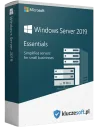
Microsoft Windows Server 2019 Essentials to wieczysta licencja systemu serwerowego dla małych firm — do 25 użytkowników i 50 urządzeń, bez kosztownych licencji CAL. Klucz Windows Server 2019 obsługuje serwer fizyczny lub maszynę wirtualną z maksymalnie dwoma procesorami (2CPU) i jest idealnym pierwszym serwerem dla biura, które potrzebuje Active Directory, udostępniania plików, kopii zapasowych i zdalnego dostępu przy przewidywalnym, jednorazowym koszcie licencji.
Cena, aktywacja i faktura VAT
- Typ licencji: wieczysta (perpetual), bez subskrypcji
- Edycja: Windows Server 2019 Essentials, do 2 procesorów fizycznych (2CPU)
- Limit: do 25 użytkowników i 50 urządzeń, bez licencji CAL
- Wdrożenie: serwer fizyczny lub maszyna wirtualna
- Dostawa: klucz cyfrowy e-mailem w kilka minut po zaksięgowaniu płatności
- Faktura VAT 23% do każdego zamówienia
Essentials 2019 vs Essentials 2016 vs Standard 2019 — co wybrać?
Windows Server 2019 Essentials nie wymaga licencji CAL i obsługuje do 25 użytkowników — to oszczędność rzędu 500–2000 zł względem Standard z CAL przy małym zespole. Jest to ostatnia pełna wersja Essentials z panelem Essentials Dashboard (w Server 2025 edycja Essentials została wycofana). Jeśli przekraczasz 25 użytkowników lub potrzebujesz wirtualizacji Hyper-V z wieloma maszynami, wybierz Windows Server 2019 Standard. Essentials 2016 to starsza generacja z krótszym wsparciem.
Dla kogo jest Windows Server 2019 Essentials?
- Małe firmy do 25 użytkowników — pierwszy serwer plików, AD i backupu bez kosztów CAL
- Działy IT standaryzujące infrastrukturę na stabilnej, wieczystej licencji
- Biura ceniące uproszczoną administrację przez Essentials Dashboard
Wymagania i instalacja
Wymagania: procesor 1,4 GHz x64, min. 2 GB RAM (zalecane więcej), 32 GB miejsca na dysku, dostęp do internetu do aktywacji.
- Pobierz obraz ISO Windows Server 2019 Essentials ze strony Microsoft
- Ustaw bootowanie z nośnika w BIOS/UEFI i zainstaluj system
- Wprowadź otrzymany klucz produktu podczas instalacji lub w Ustawieniach
- Skonfiguruj domenę, użytkowników, kopie zapasowe i zdalny dostęp w Essentials Dashboard
- Opcjonalnie skonfiguruj integrację z Azure i Microsoft 365
Aktywacja i najczęstsze błędy
Klucz możesz wpisać w Ustawieniach systemu lub poleceniem slmgr.vbs -ipk KLUCZ w wierszu poleceń jako administrator. Najczęstsze problemy:
- 0xC004F074 — serwer aktywacji niedostępny: sprawdź internet/zaporę i powtórz, ewentualnie użyj aktywacji telefonicznej.
- 0xC004C008 — limit aktywacji klucza: skontaktuj się z nami, wymienimy klucz w ramach gwarancji.
- Po zmianie płyty głównej lub procesora system może poprosić o ponowną aktywację — pomożemy bezpłatnie w ramach 365-dniowej gwarancji.
Co otrzymujesz
- Oryginalny klucz cyfrowy Microsoft Windows Server 2019 Essentials (2CPU)
- Instrukcja aktywacji w języku polskim
- Faktura VAT 23%
- Certyfikat legalności — Selected Supply Sp. z o.o. (NIP 7272834817, KRS 0000765817)
- 365-dniowa gwarancja poprawnej aktywacji i bezpłatne wsparcie techniczne
Najczęściej zadawane pytania
Czy klucz Windows Server 2019 Essentials jest legalny i oryginalny?
Tak. Klucze pochodzą z autoryzowanego kanału dystrybucji, są zgodne z programem licencjonowania Microsoft i przypisane do jednego użytkownika. Sprzedawcą jest Selected Supply Sp. z o.o. (NIP 7272834817, KRS 0000765817).
Czy Windows Server 2019 Essentials to licencja wieczysta czy subskrypcja?
To licencja wieczysta (perpetual). Po jednorazowej płatności korzystasz bezterminowo — klucz nie ma daty wygaśnięcia i nie wymaga przedłużania subskrypcji.
Czy otrzymam fakturę VAT 23% do zakupionego klucza?
Tak. Do każdego zamówienia wystawiamy fakturę VAT 23% z danymi Selected Supply Sp. z o.o. (NIP 7272834817, KRS 0000765817). Faktura jest generowana automatycznie i wysyłana e-mailem w kilka minut od zaksięgowania płatności; umożliwia zaliczenie wydatku do kosztów firmowych.
Jak szybko otrzymam klucz i w jakiej formie?
Dostawa jest w pełni elektroniczna — klucz, instrukcja i faktura VAT trafiają na e-mail w kilka minut od zaksięgowania płatności. Nie wysyłamy nośników fizycznych. W razie opóźnienia sprawdź folder SPAM lub skontaktuj się z obsługą.
Jak przebiega proces aktywacji Windows Server 2019 Essentials?
Po otrzymaniu klucza pobierasz obraz ISO ze strony Microsoft, instalujesz system i wpisujesz klucz podczas konfiguracji, w Ustawieniach lub poleceniem slmgr.vbs -ipk KLUCZ. System weryfikuje klucz na serwerach Microsoft w kilka minut.
Ilu użytkowników i urządzeń obsługuje Essentials i czy potrzebuję CAL?
Essentials obsługuje do 25 użytkowników i do 50 urządzeń w jednej domenie, na maksymalnie 2 procesorach fizycznych (2CPU). Nie wymaga dodatkowych licencji CAL, co czyni go bardzo ekonomicznym rozwiązaniem dla małych organizacji.
Czym różni się klucz MAK od wersji retail?
Klucz MAK to licencja wolumenowa umożliwiająca aktywację w ramach limitu licencyjnego (tu 2CPU), wersja retail to pojedyncza licencja pudełkowa. Oba typy są w pełni legalne i identyczne funkcjonalnie; klucze MAK są korzystniejsze cenowo.
Czy mogę aktywować klucz na serwerze wirtualnym i ponownie po zmianie sprzętu?
Tak. Klucz może być aktywowany na serwerze fizycznym lub wirtualnym zgodnie z polityką Microsoft. Po wymianie płyty głównej lub procesora system może wymagać ponownej aktywacji — 365-dniowa gwarancja KluczeSoft.pl obejmuje również takie przypadki.
Sprzedawca: Selected Supply Sp. z o.o. (NIP 7272834817, KRS 0000765817), właściciel marki KluczeSoft.pl. Ocena klientów 4,69/5.