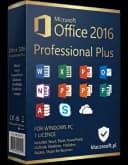
Jak zainstalować Microsoft Office 2016 Professional Plus — kompletna instrukcja na 2026 rok
Aktualizacja 26.09.2026: Microsoft wyłączył automatyczną aktywację telefoniczną 3 grudnia 2025 r. (także w Polsce). Jeśli aktywacja online nie działa, użyj Portalu aktywacji produktu Microsoft (aka.ms/aoh): identyfikator instalacji z
slmgr /dti(Windows) lubcscript ospp.vbs /dinstid(Office) wprowadź w portalu, a otrzymany identyfikator potwierdzenia wpisz poleceniemslmgr /atp <ID>lubcscript ospp.vbs /actcid:<ID>.
Zanim zaczniesz: czym jest Office 2016 Professional Plus i kiedy ma sens w 2026 roku
Microsoft Office 2016 Professional Plus to najpełniejsza edycja pakietu Office 2016 dla Windows. Zawiera Word, Excel, PowerPoint, Outlook, Access, Publisher, OneNote oraz Skype for Business. To rozwiązanie dla firm i wymagających użytkowników, którzy chcą jednorazowego zakupu zamiast abonamentu Microsoft 365.
W praktyce Office 2016 Professional Plus nadal bywa wybierany tam, gdzie liczy się przewidywalny koszt, klasyczny interfejs, zgodność z istniejącymi szablonami, makrami VBA, dodatkami COM albo starszymi systemami pracy. W 2026 roku nie jest to jednak produkt dla każdego. Microsoft rozwija przede wszystkim Microsoft 365, Office 2024 oraz usługi chmurowe z funkcjami M365 Copilot, dlatego przed instalacją warto świadomie ocenić, czy starszy pakiet jest właściwym wyborem.
Najważniejsza informacja dotyczy wsparcia. Podstawowe wsparcie dla Office 2016 zakończyło się 13 października 2020 r., a rozszerzone wsparcie bezpieczeństwa zakończyło się 14 października 2025 r. Oznacza to, że pakiet nadal może działać poprawnie, ale nie otrzymuje już nowych aktualizacji zabezpieczeń od Microsoft. W środowisku domowym może to być akceptowalne, jeśli komputer jest dobrze zabezpieczony i nie przetwarza wrażliwych danych. W firmie decyzja powinna uwzględniać politykę bezpieczeństwa, audyty, wymagania branżowe oraz zgodność z procedurami IT.
W 2026 roku Office 2016 należy traktować jako klasyczny, lokalny pakiet biurowy. Nie jest odpowiednikiem Microsoft 365, nie daje dostępu do funkcji subskrypcyjnych, nie zapewnia integracji z M365 Copilot i nie jest najnowszą wersją pakietu — nowszym rozwiązaniem wieczystym jest Office 2024. Office 2016 może być jednak wystarczający do tworzenia dokumentów, arkuszy kalkulacyjnych, prezentacji, prostych baz Access, publikacji w Publisherze i obsługi poczty w Outlooku, o ile użytkownik akceptuje ograniczenia wynikające z końca wsparcia.
Jeśli potrzebujesz legalnego klucza, cyfrowej dostawy, instrukcji instalacji, linku do pobrania oraz faktury VAT, sprawdź dostępne rozwiązania na stronie kluczesoft.pl/klucze-office. To dobry moment, aby od razu ustalić, czy zakup ma być rozliczony firmowo, ponieważ w Polsce istotne znaczenie ma faktura VAT 23%, poprawne dane nabywcy oraz przygotowanie dokumentów księgowych pod obieg firmowy, w tym procesy związane z KSeF.
W KluczeSoft klient otrzymuje cyfrową dostawę: klucz licencyjny, instrukcję instalacji, link do pobrania oraz fakturę VAT. W zależności od nośnika i źródła instalacji można spotkać dwa warianty wdrożenia: klasyczny instalator MSI albo Click-to-Run. Te dwie technologie instalacji różnią się sposobem wdrażania, aktualizacji i zgodnością z innymi wersjami Office, dlatego przed rozpoczęciem instalacji warto sprawdzić, z którą wersją masz do czynienia.
Wymagania systemowe i zgodność z Windows 11 24H2/25H2
Przed instalacją upewnij się, że komputer spełnia minimalne parametry techniczne. Office 2016 Professional Plus jest pakietem z epoki Windows 7/8.1/10, ale w praktyce może być instalowany również na Windows 11. Wymaga to jednak większej ostrożności, szczególnie na aktualnych wydaniach Windows 11 24H2 oraz 25H2, gdzie zmieniły się mechanizmy zabezpieczeń, sterowniki, ustawienia domyślne i polityki zgodności.
Minimalne wymagania techniczne są następujące:
| Element | Wymaganie minimalne |
|---|---|
| System operacyjny | Windows 7, 8.1, 10, 11 |
| Procesor | 1 GHz lub szybszy, x86/x64 |
| RAM | 2 GB dla 32-bit, 4 GB dla 64-bit |
| Miejsce na dysku | co najmniej 3 GB wolnego miejsca |
| Ekran | 1280 × 800 |
| Internet | wymagany do pobrania i aktywacji |
| Architektura | 32-bit lub 64-bit |
W 2026 roku największe znaczenie ma nie tylko spełnienie minimum, ale też realna wygoda pracy. Komputer z 4 GB RAM uruchomi Office, ale przy pracy z wieloma kartami przeglądarki, Teams, Outlookiem i dużymi arkuszami Excel będzie działał wolno. Dla komfortowej pracy lepiej założyć 8 GB RAM jako praktyczne minimum, a w firmie — 16 GB RAM, zwłaszcza jeśli użytkownik pracuje na dużych plikach XLSX, dodatkach księgowych, szablonach z makrami albo aplikacjach ERP.
W przypadku Windows 11 24H2 i 25H2 warto przed instalacją wykonać aktualizacje systemowe, uruchomić komputer ponownie i upewnić się, że konto użytkownika ma uprawnienia administratora. Jeśli komputer jest zarządzany przez firmowe zasady Intune, Active Directory, GPO albo oprogramowanie EDR, instalator może wymagać dodatkowych uprawnień lub czasowego zatwierdzenia przez administratora.
Wybór między wersją 32-bit i 64-bit jest ważniejszy, niż może się wydawać. Microsoft przez lata rekomendował wersję 32-bitową jako najbardziej zgodną z dodatkami COM i starszymi makrami. Wersja 64-bit lepiej radzi sobie z bardzo dużymi arkuszami Excela i dużą ilością pamięci, ale może powodować problemy ze starszymi dodatkami. Jeśli w firmie działają dodatki do programu Excel, integracje z systemem księgowym, makra VBA albo wtyczki do Outlooka, najpierw sprawdź ich zgodność.
| Kryterium | Office 2016 32-bit | Office 2016 64-bit |
|---|---|---|
| Zgodność ze starszymi dodatkami | Zwykle najlepsza | Może wymagać nowszych dodatków |
| Duże arkusze Excel | Ograniczona pamięcią procesu | Lepsza obsługa dużych plików |
| Starsze makra VBA | Często bezproblemowe | Czasem wymagają poprawek |
| Typowe użycie biurowe | Bardzo dobry wybór | Dobry wybór na nowszych komputerach |
| Rekomendacja dla firm ze starymi integracjami | Często 32-bit | Tylko po testach zgodności |
Jeśli instalujesz pakiet na pojedynczym komputerze do podstawowej pracy z dokumentami, obie architektury mogą być poprawne. Jeśli wdrażasz Office w firmie, wykonaj test na jednym stanowisku i sprawdź wszystkie kluczowe procesy: otwieranie szablonów, działanie makr, eksport z systemu księgowego, wysyłkę poczty z Outlooka, wydruki PDF oraz współpracę z podpisem elektronicznym.
Office 2016, Office 2024 i Microsoft 365 — co wybrać w praktyce
Office 2016 Professional Plus jest pakietem wieczystym, czyli kupowanym jednorazowo. Nie jest tym samym co Microsoft 365, który działa w modelu subskrypcyjnym i obejmuje stale rozwijane aplikacje oraz usługi chmurowe. W 2026 roku dochodzi jeszcze Office 2024 jako nowsza wersja klasycznego pakietu oraz Microsoft 365 z funkcjami M365 Copilot dla organizacji, które chcą korzystać z automatyzacji, pracy zespołowej i narzędzi AI.
Wybór zależy od potrzeb. Mała firma, która ma jedno stanowisko do faktur, pism i arkuszy, może nadal rozważyć klasyczny pakiet. Zespół pracujący na dokumentach współdzielonych, spotkaniach online, Teams, SharePoint i OneDrive zwykle lepiej odnajdzie się w Microsoft 365. Organizacja wymagająca nowej wersji wieczystej, ale bez subskrypcji, powinna porównać Office 2016 z Office 2024.
| Rozwiązanie | Model | Najlepsze dla | Najważniejsze ograniczenia |
|---|---|---|---|
| Office 2016 Professional Plus | Jednorazowy zakup | Użytkownicy klasycznych aplikacji, starsze środowiska, zgodność z makrami | Brak aktualizacji zabezpieczeń po 14 października 2025 r., brak funkcji M365 Copilot |
| Office 2024 | Jednorazowy zakup | Osoby chcące nowszy pakiet bez abonamentu | Brak pełnego modelu usług Microsoft 365 |
| Microsoft 365 | Subskrypcja | Firmy pracujące zespołowo, chmura, Teams, OneDrive, funkcje AI | Stały koszt abonamentowy |
| Microsoft 365 z Copilot | Subskrypcja i usługi AI | Organizacje automatyzujące pracę z dokumentami, analizą i komunikacją | Wymaga odpowiedniego środowiska Microsoft 365 i polityk danych |
Przykład pierwszy: jednoosobowa działalność gospodarcza prowadzi korespondencję z klientami, przygotowuje oferty w Wordzie i proste zestawienia w Excelu. Nie korzysta z pracy zespołowej w chmurze, nie potrzebuje Copilota i chce ująć zakup w kosztach na fakturze VAT 23%. W takim scenariuszu klasyczny Office może być ekonomicznie uzasadniony, pod warunkiem akceptacji końca wsparcia bezpieczeństwa.
Przykład drugi: biuro rachunkowe pracuje na dużej liczbie załączników, arkuszy, dokumentów klientów i systemów związanych z fakturowaniem oraz KSeF. Tutaj decyzja wymaga ostrożności. Sam Office 2016 może działać, ale ze względu na dane wrażliwe, cyberbezpieczeństwo i długoterminową zgodność lepiej rozważyć nowsze rozwiązanie, szczególnie jeśli komputery mają dostęp do poczty, bankowości i dokumentacji klientów.
Przykład trzeci: firma produkcyjna ma kilka starszych stanowisk z makrami VBA, które od lat współpracują z Access i Excelem. Migracja do nowego środowiska wymagałaby przepisania dodatków. W takim przypadku Office 2016 Professional Plus może być używany jako rozwiązanie przejściowe na wybranych komputerach, ale powinien zostać odizolowany od ryzykownych źródeł plików i objęty planem modernizacji.
Warto pamiętać także o poczcie. Outlook 2016 może działać w wielu konfiguracjach, ale środowiska serwerowe Microsoft również się zmieniają. W 2026 roku administratorzy planujący infrastrukturę pocztową powinni uwzględniać Exchange Subscription Edition, czyli Exchange SE, oraz wymagania zgodności klientów Outlook z serwerem. Jeśli firma korzysta z Exchange lokalnie albo hybrydowo, zgodność klienta pocztowego trzeba potwierdzić przed masowym wdrożeniem.
Pobieranie instalatora i przygotowanie komputera
Najbezpieczniej korzystać z instalatora wskazanego w wiadomości od sprzedawcy albo z oficjalnych narzędzi Microsoft. Przed pobraniem warto ustalić, czy kupiona licencja ma zostać zainstalowana jako MSI czy Click-to-Run. Nie należy pobierać przypadkowych obrazów ISO z forów, serwisów hostingowych ani nieznanych stron. Ryzyko obejmuje złośliwe oprogramowanie, zmodyfikowane instalatory, błędne wersje językowe, niezgodne edycje oraz problemy z aktywacją.
MSI to tradycyjny model instalacji, częsty w środowiskach firmowych i starszych wdrożeniach. Click-to-Run pobiera składniki strumieniowo i zwykle instaluje się szybciej. Najważniejsze jest, aby nie mieszać różnych technologii Office na tym samym komputerze bez wcześniejszego odinstalowania poprzedniej wersji. Konflikt pomiędzy instalacją MSI, Click-to-Run, starszym Office, nowszym Microsoft 365 Apps albo pozostałościami po wersji próbnej to jedna z najczęstszych przyczyn błędów.
Przed instalacją wykonaj kilka czynności porządkowych:
- Zapisz i zamknij wszystkie dokumenty Office.
- Zamknij Outlooka, Worda, Excela, PowerPointa, Accessa i Publishera.
- Sprawdź, czy na komputerze nie ma aktywnej wersji próbnej Microsoft 365.
- Odinstaluj starsze lub niezgodne pakiety Office, jeśli mogą powodować konflikt.
- Uruchom ponownie komputer.
- Zaloguj się na konto z uprawnieniami administratora.
- Wyłącz tymczasowo instalatory innych programów i aktualizacje wymagające restartu.
- Upewnij się, że połączenie internetowe jest stabilne.
W firmie dobrze jest przygotować prostą kartę wdrożenia: numer stanowiska, użytkownik, wersja systemu Windows, architektura 32/64-bit, typ instalatora, ostatnie 5 znaków klucza po aktywacji oraz informacja o fakturze VAT. Nie należy zapisywać pełnego klucza produktu w ogólnodostępnym arkuszu ani wysyłać go otwartym tekstem do wielu osób. Klucze licencyjne powinny być przechowywane w kontrolowanym miejscu, na przykład w firmowym systemie haseł lub dokumentacji IT z ograniczonym dostępem.
Jeśli instalujesz Office na Windows 11 24H2 lub 25H2, szczególnie na nowym komputerze, sprawdź także ustawienia zabezpieczeń Smart App Control, reputacji aplikacji i kontroli folderów. Niektóre mechanizmy ochronne mogą blokować uruchomienie starszego instalatora lub skryptów aktywacyjnych. Nie oznacza to automatycznie, że plik jest niebezpieczny, ale wymaga potwierdzenia źródła instalatora.
Instalacja krok po kroku: MSI oraz Click-to-Run
Instalację należy dopasować do typu nośnika i licencji. Nie przechodź od razu do wpisywania klucza, jeśli na komputerze widać pozostałości po innym pakiecie Office. Najpierw przygotuj środowisko, potem instaluj, a dopiero na końcu aktywuj.
Instalacja MSI
- Pobierz obraz lub instalator wskazany przez KluczeSoft.
- Rozpakuj pliki albo zamontuj obraz ISO.
- Uruchom
setup.exejako administrator. - Wybierz wersję 32-bit albo 64-bit zgodną z systemem i dodatkami COM, z których korzystasz.
- Poczekaj na zakończenie instalacji i uruchom dowolną aplikację pakietu, na przykład Word.
W instalatorze MSI możesz spotkać wybór składników. Jeśli nie potrzebujesz wszystkich aplikacji, można ograniczyć instalację, ale w edycji Professional Plus często instaluje się pełen zestaw: Word, Excel, PowerPoint, Outlook, Access, Publisher, OneNote oraz Skype for Business. W firmach warto zachować spójność między stanowiskami, bo ułatwia to wsparcie techniczne.
Jeśli instalator prosi o restart, wykonaj go przed aktywacją. Pominięcie restartu może spowodować, że usługi licencjonowania, integracje z powłoką systemową albo Outlook nie uruchomią się prawidłowo. Po restarcie otwórz Word lub Excel i sprawdź, czy program startuje bez komunikatów o błędzie.
Instalacja Click-to-Run
- Pobierz instalator przekazany po zakupie.
- Zamknij wszystkie programy Office oraz Outlook.
- Uruchom plik instalacyjny jako administrator.
- Poczekaj, aż składniki zostaną pobrane i zainstalowane.
- Po zakończeniu otwórz Word lub Excel i przejdź do aktywacji.
Click-to-Run pobiera składniki w tle, dlatego wymaga stabilnego internetu. Jeśli instalacja zatrzymuje się lub zwraca błąd, sprawdź połączenie, zaporę sieciową, filtr DNS, proxy firmowe oraz program antywirusowy. W sieciach firmowych administrator może blokować pobieranie instalatorów lub wykonywanie skryptów z katalogu użytkownika.
Ważna zasada: nie instaluj Office 2016 obok innej wersji Office bez sprawdzenia zgodności. Szczególnie problematyczne może być mieszanie Microsoft 365 Apps, Office 2024, Office 2019, Office 2021 i Office 2016 w różnych technologiach instalacji. Jeśli komputer miał wcześniej Microsoft 365, a teraz ma otrzymać Office 2016 Professional Plus, najczęściej najbezpieczniej jest odinstalować poprzedni pakiet, uruchomić ponownie komputer, usunąć pozostałości narzędziem Microsoft, a dopiero potem instalować właściwą wersję.
Po instalacji sprawdź menu Start. Powinny pojawić się aplikacje pakietu, między innymi Word 2016, Excel 2016, PowerPoint 2016, Outlook 2016, Access 2016, Publisher 2016, OneNote 2016 oraz Skype for Business. Następnie przejdź do aktywacji.
Aktywacja pakietu Office 2016 Professional Plus
Aktywacja potwierdza, że instalacja korzysta z prawidłowego klucza produktu. Można ją wykonać graficznie z poziomu programu albo przez wiersz polecenia. W przypadku pojedynczego stanowiska najprostsza jest aktywacja graficzna. W przypadku wsparcia technicznego, diagnostyki albo pracy zdalnej przydatna jest aktywacja przez CMD.
Aktywacja graficzna
- Otwórz Word albo Excel.
- Przejdź do
Plik > Konto. - Wybierz
Zmień klucz produktu. - Wpisz zakupiony klucz i zatwierdź.
- Jeśli aktywacja online się nie powiedzie, wybierz aktywację offline przez Portal aktywacji produktu.
Jeśli aktywacja online nie działa, użyj Portalu aktywacji produktu Microsoft: w wierszu poleceń uruchomionym jako administrator (w folderze Office) wpisz cscript ospp.vbs /dinstid, wyświetlony identyfikator instalacji wprowadź na stronie aka.ms/aoh (na dowolnym urządzeniu z internetem), a otrzymany identyfikator potwierdzenia wpisz poleceniem cscript ospp.vbs /actcid:<ID> — aktywację telefoniczną Microsoft wyłączył 3 grudnia 2025 r.
Podczas wpisywania klucza zwróć uwagę na podobne znaki, układ klawiatury i przypadkowe spacje. Najbezpieczniej skopiować klucz z wiadomości zakupowej, ale bez dodatkowych znaków na początku lub końcu. Jeśli aktywacja online nie powiedzie się za pierwszym razem, nie wpisuj od razu losowych komend znalezionych w internecie. Najpierw sprawdź połączenie internetowe, datę i godzinę systemową oraz to, czy zainstalowana edycja odpowiada posiadanemu kluczowi.
Aktywacja przez CMD
Dla Office używamy ospp.vbs /inpkey, a następnie ospp.vbs /act.
Wersja 64-bit:
cd /d "%ProgramFiles%\Microsoft Office\Office16"
cscript ospp.vbs /inpkey:XXXXX-XXXXX-XXXXX-XXXXX-XXXXX
cscript ospp.vbs /act
Wersja 32-bit na systemie 64-bit:
cd /d "%ProgramFiles(x86)%\Microsoft Office\Office16"
cscript ospp.vbs /inpkey:XXXXX-XXXXX-XXXXX-XXXXX-XXXXX
cscript ospp.vbs /act
Wiersz polecenia uruchom jako administrator. Najprościej kliknąć Start, wpisać cmd, wybrać „Uruchom jako administrator”, a następnie wkleić właściwe polecenia. Jeśli nie wiesz, czy Office jest 32-bit czy 64-bit, sprawdź oba katalogi: Program Files oraz Program Files (x86). Prawidłowy katalog powinien zawierać plik ospp.vbs.
Jeśli aktywacja online nie działa, użyj Portalu aktywacji produktu Microsoft: w wierszu poleceń uruchomionym jako administrator (w folderze Office) wpisz cscript ospp.vbs /dinstid, wyświetlony identyfikator instalacji wprowadź na stronie aka.ms/aoh (na dowolnym urządzeniu z internetem), a otrzymany identyfikator potwierdzenia wpisz poleceniem cscript ospp.vbs /actcid:<ID> — aktywację telefoniczną Microsoft wyłączył 3 grudnia 2025 r.
W środowisku firmowym warto po aktywacji zapisać wyłącznie bezpieczne dane administracyjne: datę aktywacji, nazwę komputera, użytkownika, wersję pakietu oraz ostatnie 5 znaków klucza widoczne w statusie licencji. Nie przechowuj pełnych kluczy w niezaszyfrowanych plikach Excel ani w publicznych kanałach komunikacji.
Weryfikacja aktywacji i pierwsza konfiguracja po instalacji
Stan licencji można sprawdzić w interfejsie programu: Plik > Konto. Poprawnie aktywowany pakiet zwykle pokazuje informację o aktywowanym produkcie. Jeśli nadal widzisz komunikat „Produkt bez licencji” lub „Unlicensed Product”, zamknij wszystkie aplikacje Office, uruchom komputer ponownie i sprawdź ponownie.
Można też użyć polecenia:
cscript ospp.vbs /dstatus
W wyniku należy szukać informacji o stanie licencji, ostatnich 5 znakach klucza i komunikacie potwierdzającym aktywację. To szczególnie pomocne, gdy na komputerze było wcześniej kilka wersji pakietu Office lub gdy interfejs graficzny pokazuje niejednoznaczny komunikat.
Po aktywacji wykonaj pierwszą konfigurację. Otwórz Worda i Excela, zaakceptuj ustawienia początkowe, wybierz domyślne formaty plików i sprawdź, czy dokumenty zapisują się poprawnie. W Outlooku skonfiguruj konto pocztowe i przetestuj wysyłkę oraz odbiór wiadomości. Jeśli firma korzysta z podpisów, archiwów PST, skrzynek Exchange, IMAP albo POP3, sprawdź każdy element przed przekazaniem komputera użytkownikowi.
W przypadku Excela przetestuj makra. Otwórz typowy plik używany w firmie, sprawdź komunikaty zabezpieczeń, działanie przycisków, połączenia z danymi i eksporty. Jeśli pliki pochodzą z internetu, Windows może oznaczyć je jako pobrane z niezaufanego źródła. W 2026 roku ustawienia bezpieczeństwa makr są bardziej restrykcyjne niż w czasach premiery Office 2016, dlatego nie należy masowo obniżać poziomu zabezpieczeń. Lepszym rozwiązaniem jest podpisywanie makr, zaufane lokalizacje i uporządkowana polityka plików.
W firmach działających w Polsce ważny jest też obieg dokumentów. Jeśli Office jest używany do przygotowywania faktur, zestawień do księgowości, eksportów JPK, danych do KSeF albo korespondencji z kontrahentami, sprawdź, czy szablony mają aktualne dane firmy, NIP, stawki VAT i poprawne stopki. Sam pakiet Office nie zastępuje systemu księgowego ani KSeF, ale często jest narzędziem pomocniczym do przygotowywania zestawień i dokumentów.
Dla dokumentacji księgowej zakupu zachowaj fakturę VAT 23%, potwierdzenie zamówienia i informację o licencji. Cena powinna być ujęta w PLN zgodnie z dokumentem sprzedaży. Jeśli firma korzysta z elektronicznego obiegu dokumentów albo przygotowuje się do KSeF, faktura powinna trafić do właściwego procesu akceptacji, a nie pozostać wyłącznie w skrzynce e-mail osoby kupującej.
Rozwiązywanie problemów z instalacją i aktywacją
Problemy z Office 2016 najczęściej wynikają z konfliktu wersji, pozostałości po wcześniejszej instalacji, błędnej ścieżki do pliku ospp.vbs, niezgodnego klucza, blokad sieciowych albo uszkodzonych składników Click-to-Run. Poniżej znajdziesz najczęstsze sytuacje i praktyczne kroki naprawcze.
Błąd: ospp.vbs nie został odnaleziony
Najczęściej oznacza to złą ścieżkę. Sprawdź, czy Office jest w Program Files czy Program Files (x86) i użyj właściwego katalogu Office16. Dla wersji 64-bit typowa ścieżka to:
cd /d "%ProgramFiles%\Microsoft Office\Office16"
Dla wersji 32-bit na systemie 64-bit typowa ścieżka to:
cd /d "%ProgramFiles(x86)%\Microsoft Office\Office16"
Jeśli żadna z tych lokalizacji nie działa, możliwe, że pakiet nie został poprawnie zainstalowany albo używasz innej technologii instalacji. Wyszukaj plik ospp.vbs w katalogu Microsoft Office lub wykonaj naprawę instalacji z Panelu sterowania.
Błąd: 0xC004F074
Zwykle pojawia się przy nieprawidłowym typie klucza albo problemie z usługą aktywacji. Wprowadź klucz ponownie poleceniem /inpkey, uruchom /act, a jeśli nadal nie działa, wybierz aktywację offline przez Portal aktywacji produktu. Sprawdź również datę, godzinę i strefę czasową systemu, ponieważ błędne ustawienia mogą zakłócać komunikację z usługami aktywacji.
Jeśli komputer jest w domenie firmowej, skonsultuj błąd z administratorem. Kod 0xC004F074 bywa kojarzony z problemami aktywacji wolumenowej lub komunikacją z usługą KMS, dlatego typ klucza i metoda aktywacji muszą pasować do posiadanej licencji.
Komunikat: Unlicensed Product lub Produkt bez licencji
Często pomaga zamknięcie wszystkich aplikacji Office, ponowne uruchomienie komputera i wykonanie aktywacji z uprawnieniami administratora. Warto też usunąć starsze, niezgodne wersje pakietu. Jeśli na komputerze było wcześniej Microsoft 365, Office może próbować korzystać z konta Microsoft lub subskrypcji zamiast z klucza produktu. Wtedy należy wylogować konto w aplikacjach Office, usunąć stare poświadczenia z Menedżera poświadczeń Windows i ponownie wprowadzić klucz.
Błąd instalacji 30125-1011 lub podobny
Najczęściej przyczyną jest konflikt z wcześniejszą instalacją Office lub uszkodzone składniki Click-to-Run. Odinstaluj poprzedni Office, uruchom komputer ponownie i ponów instalację. Jeśli problem wraca, użyj oficjalnego narzędzia Microsoft do usuwania pozostałości Office, sprawdź połączenie internetowe oraz upewnij się, że zapora sieciowa lub proxy nie blokują pobierania składników.
Instalator zatrzymuje się lub znika bez komunikatu
Uruchom instalator jako administrator, przenieś go do prostego katalogu, na przykład C:\Temp, i sprawdź, czy nazwa ścieżki nie zawiera nietypowych znaków. Wyłącz uruchomione instalacje Windows Update wymagające restartu. Sprawdź też, czy antywirus nie przeniósł pliku do kwarantanny.
Outlook nie łączy się z pocztą
Najpierw sprawdź, czy problem dotyczy samego Outlooka, czy konta pocztowego. Zaloguj się do poczty przez przeglądarkę, sprawdź hasło i ustawienia uwierzytelniania. W środowiskach Exchange upewnij się, że wersja klienta Outlook jest zgodna z konfiguracją serwera, szczególnie jeśli organizacja planuje lub wdraża Exchange SE. Starszy Outlook może nie obsługiwać wszystkich nowoczesnych wymagań zabezpieczeń.
Makra i dodatki przestały działać
Sprawdź, czy zainstalowana architektura Office odpowiada dodatkom. Dodatek 32-bit może nie działać w Office 64-bit. Sprawdź też ustawienia Centrum zaufania, zaufane lokalizacje i podpisy cyfrowe makr. Nie zaleca się globalnego włączania wszystkich makr, ponieważ zwiększa to ryzyko infekcji dokumentami z poczty.
Częste pytania
Czy Office 2016 Professional Plus działa na Windows 11?
Tak, Office 2016 może działać na Windows 11, w tym na nowszych wydaniach takich jak Windows 11 24H2 i 25H2. Trzeba jednak pamiętać, że pakiet nie otrzymuje już aktualizacji zabezpieczeń po 14 października 2025 r., więc w firmie należy ocenić ryzyko i zgodność z polityką IT.
Czy lepiej zainstalować wersję 32-bit czy 64-bit?
Wersja 32-bit jest często bezpieczniejszym wyborem, jeśli używasz starszych dodatków COM, makr VBA lub integracji z systemami firmowymi. Wersja 64-bit ma sens przy bardzo dużych arkuszach Excel i nowszych dodatkach, ale przed wdrożeniem w firmie warto wykonać test zgodności.
Czy Office 2016 Professional Plus ma Word, Excel i Outlook?
Tak. Microsoft Office 2016 Professional Plus zawiera Word, Excel, PowerPoint, Outlook, Access, Publisher, OneNote oraz Skype for Business. To najpełniejsza edycja pakietu Office 2016 dla Windows.
Co oznacza koniec wsparcia Office 2016?
Podstawowe wsparcie zakończyło się 13 października 2020 r., a rozszerzone wsparcie bezpieczeństwa zakończyło się 14 października 2025 r. Pakiet może nadal działać, ale Microsoft nie dostarcza już nowych aktualizacji zabezpieczeń dla tej wersji.
Czy Office 2016 ma M365 Copilot?
Nie. M365 Copilot jest związany z nowoczesnym środowiskiem Microsoft 365 i usługami chmurowymi, a nie z klasycznym Office 2016 Professional Plus. Jeśli zależy Ci na funkcjach AI, automatyzacji pracy z dokumentami i integracji z Microsoft 365, trzeba rozważyć nowsze rozwiązania.
Co zrobić, gdy aktywacja online nie działa?
Najpierw sprawdź połączenie internetowe, poprawność klucza, datę i godzinę systemu oraz zgodność edycji. Jeśli aktywacja online nie działa, użyj Portalu aktywacji produktu Microsoft: w wierszu poleceń uruchomionym jako administrator (w folderze Office) wpisz cscript ospp.vbs /dinstid, wyświetlony identyfikator instalacji wprowadź na stronie aka.ms/aoh (na dowolnym urządzeniu z internetem), a otrzymany identyfikator potwierdzenia wpisz poleceniem cscript ospp.vbs /actcid:<ID> — aktywację telefoniczną Microsoft wyłączył 3 grudnia 2025 r.
Czy mogę mieć jednocześnie Office 2016 i Microsoft 365?
Nie jest to zalecane bez dokładnego sprawdzenia zgodności. Mieszanie różnych wersji i technologii instalacji, zwłaszcza MSI oraz Click-to-Run, często prowadzi do konfliktów, błędów instalacji i problemów z aktywacją. Najbezpieczniej odinstalować poprzedni pakiet przed instalacją Office 2016.
Czy zakup można rozliczyć na firmę?
Tak, przy zakupie firmowym znaczenie ma faktura VAT 23%, dane nabywcy i cena w PLN widoczna na dokumencie sprzedaży. W firmach warto przekazać fakturę do księgowości lub systemu obiegu dokumentów, szczególnie jeśli organizacja przygotowuje procesy pod KSeF.
Czy Office 2016 będzie dobry do KSeF?
Office 2016 może służyć do przygotowywania zestawień, dokumentów, eksportów i pracy pomocniczej wokół procesów księgowych, ale nie zastępuje systemu księgowego ani integracji z KSeF. Jeśli firma przetwarza dane finansowe i dokumenty klientów, należy dodatkowo uwzględnić bezpieczeństwo, kopie zapasowe i zgodność używanego oprogramowania.
Kiedy lepiej wybrać Office 2024 albo Microsoft 365?
Office 2024 będzie lepszym wyborem, jeśli chcesz nowszy pakiet wieczysty bez abonamentu. Microsoft 365 sprawdzi się lepiej, gdy firma potrzebuje pracy zespołowej, OneDrive, SharePoint, Teams, częstszych aktualizacji oraz funkcji związanych z M365 Copilot. Office 2016 ma sens głównie tam, gdzie priorytetem jest klasyczny model pracy i zgodność ze starszym środowiskiem.
<!-- IL-V1 -->Powiązane artykuły
- Jak zainstalować Microsoft Office 2016 Professional — kompletna instrukcja — Office 2016 Professional — Word, Excel, PPT, Outlook, Access, Publisher.
- Jak zainstalować Microsoft Office 2024 Professional Plus — kompletna instrukcja — Jak zainstalować Microsoft Office 2024 Professional Plus?.
- Jak zainstalować Microsoft Office 2019 Professional Plus — kompletna instrukcja — Instalacja Microsoft Office 2019 Professional Plus krok po kroku.
- Jak zainstalować Microsoft Office 2021 Professional Plus — kompletna instrukcja — Instalacja Microsoft Office 2021 Professional Plus — montowanie ISO, aktywacja kluczem (GUI, CMD, telefon), rozwiązywanie problemów.
- Jak zainstalować Microsoft Visio 2016 Professional — kompletna instrukcja — Kompletny przewodnik po Microsoft Visio 2016 Professional — wymagania, instalacja MSI, aktywacja GUI/CMD/offline, rozwiązywanie problemów.
Powiązane produkty
- Microsoft Office 2016 Professional Plus klucz licencyjny — sprawdź dostępność i cenę w naszym sklepie
- Zobacz wszystkie office 2016 — pełna oferta w kategorii