 Dostawa w 1 min
 100% Oryginalne
 TrustedShops 4.81 · 3 783 opinii


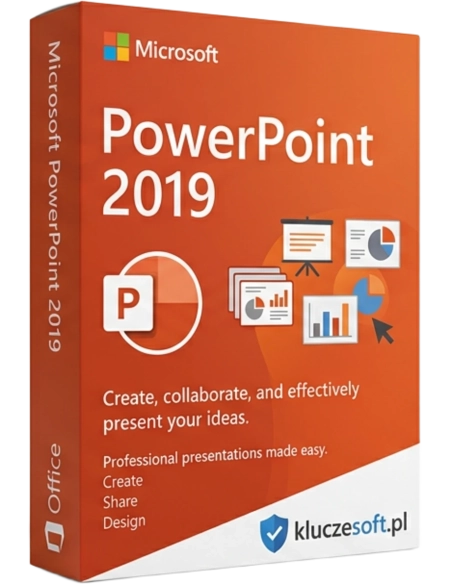
PowerPoint is a program for creating high-quality multimedia presentations. It allows you to build not only slides but also entire templates that can be customized to individual needs. During slide editing, you can add many animations and actions for selected objects on the slides, making them more interesting for the viewer.
This is a standalone application that cannot be combined with other standalone applications and packages. Microsoft Office.
Office 2019 does not support Windows 7 or Windows 8. 8.1. It is only compatible with the latest version of the Windows operating system, which is Windows 10 and Windows 11.
Are you a lecturer, manager, salesperson, student, or pupil who wants to present your research results in an interesting way? Or perhaps you have a completely different profession, but sometimes want to showcase your work results in a visual format? In any of these situations, you need an excellent tool that will make your presentations stand out and highlight your offer. You need a program Microsoft PowerPoint 2019 - the new version of the most popular tool for creating and displaying great presentations.
Microsoft PowerPoint is a program for presentations., used for visualizing and displaying information in the form of a slideshow. It has three main functions that you can use to create professional and visually appealing presentations.
Advanced editor you can use it for text formatting, , modifying images and inserting other media, such as movies, 3D models, and charts. Apply visual effects, create smooth animations for your elements or between slides, and deliver high-quality multimedia presentations.
PowerPoint is a product that is part of a suite of programs. Microsoft Office 2019. They are designed in a way that provides a perfectly integrated environment, exceptionally convenient to use for both those who have been using it for many years and for those just starting their adventure with Microsoft PowerPoint 2019 and the entire suite.
The PowerPoint application can be used together with other applications such as Word or Excel to import or export data. The level of integration and data exchange capabilities between suite elements is unmatched by other multimedia presentation programs.
Follow the best in your industry and make it so that the presentations you created were organized, simple, vibrant, and clear for the audience thanks to Microsoft PowerPoint 2019. Allow your creativity and ideas to come to life without the need to spend endless hours trying out complicated applications.
Microsoft PowerPoint 2019 is easy to use, but it allows you to create multimedia presentations at a professional level, even if you are a beginner.
Despite being designed with businesses in mind, Microsoft PowerPoint 2019 has become more than just software for presenting projects and data for marketing purposes.. It is estimated that PowerPoint currently has 500 million users worldwide, as it provides a versatile set of tools for both business and home use.
Microsoft PowerPoint 2019 is much more than just bullet points, pasting images, and scrolling words on the screen.. It enables the creation of engaging and interesting multimedia presentations to present complex topics in an animated environment, display eye-catching photo albums, and showcase the history of life or the existence of a company.
Thank you Microsoft PowerPoint 2019 in a short time, without special preparatory courses and boring training sessions create interesting quizzes, animations, digital or multimedia CVs and much more.
Tools and features provided by Microsoft PowerPoint 2019 is innovative and easy to use. Creating infographics and sharing information in an accessible format has never been easier than with the SmartArt feature.
The new edition of the classic program offers new possibilities and features, which have largely made this application similar to its subscription version. Company Microsoft listens to its customers and in the new version of the multimedia presentation creation program, features that previously appeared in the text editor and spreadsheet have been introduced. Here is a brief overview of the new features:
The function known from Microsoft Word. It allows you to highlight important texts by changing the color around them.
An advanced way of presenting trends, funnel charts can help illustrate how data has changed at different dependent stages of a project.
Modern method of visualization through dynamic change of graphic content.
A great feature that's always worth having nearby to take care of the details.
Modern presentations require modern methods of displaying even traditional content.
You can now add live or online video to your slides without leaving the presentation.
After saving the presentation, you can now easily convert it into a high-resolution video format and share it, for example, on YouTube.
The new PowerPoint 2019 is an incredibly inventive and flexible program that guarantees a unique experience, whether you're presenting your work to potential investors, during a lecture, or simply sharing your ideas with colleagues.
Convey your thoughts and ideas with aesthetic visual design, animations, smooth motion, cinematic transitions, 3D models, symbols, and much more. Let clever innovations breathe life into your presentations.
Add to cart, install, and in just a few minutes, you can become a master of creating multimedia presentations with the program. Microsoft PowerPoint 2019

Data sheet
PowerPoint is a program for creating high-quality multimedia presentations. It allows you to build not only slides but also entire templates that can be customized to individual needs. During slide editing, you can add many animations and actions for selected objects on the slides, making them more interesting for the viewer.