 Dostawa w 1 min
 100% Oryginalne
 TrustedShops 4.81 · 3 783 opinii



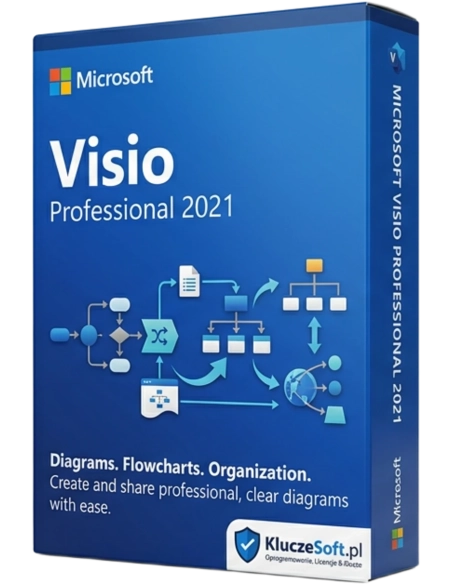
Show complex ideas in clear visualizations. Work as a team to easily create and share data-linked diagrams and bring your ideas to life. Get a quick start with ready-made templates and thousands of customizable shapes. Collaborate with others and seamlessly share diagrams. Connect diagrams with real-time data to gain valuable insights and make decisions quickly.
Do you need a clear tool for designing complex processes, illustrating diagrams, workflow charts, sales histories and projections, and business relationships? Microsoft Visio 2021 Professional is perfect for this role. The updated, extended, and even more secure version comes with a set of tools that allow you to plan everything from the conceptual outline to the project finishing details and create clear visual presentations for any project.
With Microsoft Visio 2021 Professional, you can communicate and share your ideas using complex flowcharts, timelines, maps, organizational structures, IT architectures, or sales and company progress data. You can use the browser with Visio services and connect Visio shapes with multiple data sources, including Microsoft Excel, Microsoft Excel Services, Active Directory, Microsoft SQL Server, Microsoft SQL Azure, and Microsoft SharePoint lists and business connectivity services. As data refreshes, diagrams are immediately updated in the browser. This means you can work together as a team on the same diagram and easily view comments in Visio services.
An equally important feature of Microsoft Visio 2021 Professional is the higher security of stored and shared collaborative data compared to the Standard version.
Microsoft Visio Professional 2021 is extremely easy to use for everyone – from IT specialists to customers with a completely basic level of preparation. Features known from other programs, such as drag and drop, resource or text alignment, and automatic connection of shapes and other elements make diagram creation much more efficient and faster. Give your work a more professional, visually appealing look with ready-made templates, effects, and shapes. To access your data anywhere, use the Visio Online app, which allows you to view all data from anywhere and whenever you need it.
The versatile templates and thousands of shapes in Microsoft Visio 2021 Professional increase the productivity of teams planning the entire enterprise's work. Use visual cues to present metadata embedded in Visio shapes. Variable metadata, such as dimension changes, update visualization automatically. You have the option to import DWG files and add shapes to imported AutoCAD designs, simplifying or enhancing advanced visualizations on the fly.
Microsoft Visio 2021 Professional offers advanced tools, even better-suited functions, new templates and patterns, and innovative ways to capture your concepts. Simplify and convey complex information with data-connected diagrams you create in a few clicks. Microsoft Visio 2021 Professional makes diagram creation easier than ever before. Capture a flowchart you created on the board, map the IT network, build an organizational chart, plan a business process, or draw floor plans – Visio helps you work so that your team achieves the best results.
Change shapes in existing diagrams without losing the layout and shape connections, making it easier to adjust the diagram’s appearance without losing the work already done.
Microsoft Visio 2021 Professional supports Microsoft Excel workbooks, Microsoft Access databases, Microsoft SharePoint Foundation lists, Microsoft SQL Server databases, Microsoft Exchange Server directories, Azure Active Directory information, and other OLEDB or ODBC data sources.
See where co-authors are working on the canvas with a simple presence indicator for files saved in the cloud.
Automatically generate organizational charts from data sources like Excel, Exchange, or Azure Active Directory.
See who is working on which part of the diagram, receive notifications of changes, and choose when to merge those changes into the master file.
Ability to import DWG files, including support for the extended file format.
Free hard disk space – 4 GB
Processor – 1.6 GHz 2 cores
RAM – 2 GB (32-bit) or 4 GB (64-bit)
Operating system – Windows 10 and later or Microsoft Windows Server 2019 and later

Data sheet
Show complex ideas in clear visualizations. Work as a team to easily create and share data-linked diagrams and bring your ideas to life. Get a quick start with ready-made templates and thousands of customizable shapes. Collaborate with others and seamlessly share diagrams. Connect diagrams with real-time data to gain valuable insights and make decisions quickly.