 Dostawa w 1 min
 100% Oryginalne
 TrustedShops 4.81 · 3 783 opinii



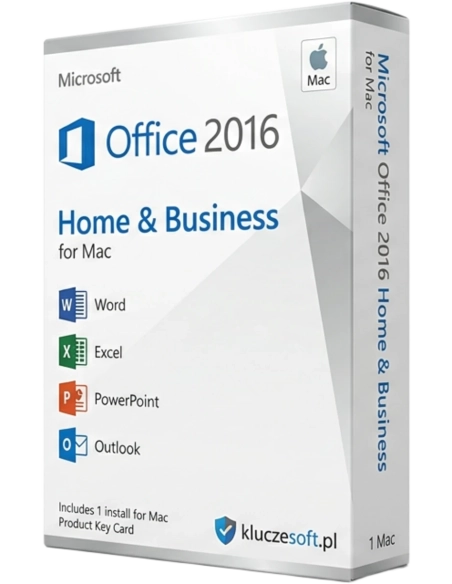
For all Mac enthusiasts—home users and entrepreneurs running small businesses—a special version of Microsoft Office 2016 for Home and Small Business for MAC has been prepared. These are the extremely popular programs that you have known and used for a long time and whose capabilities you intuitively trust. The package has been updated and tailored so you can make even better use of your Mac's latest features.
Microsoft Office 2016 for Home and Business for Macworks only with MAC system, not compatible with Windows system.
A macOS version 10.10 or newer is required.
Support for Office 2016 for Mac ended on October 13, 2020. You can be assured that all Office 2016 applications will continue to function — they will not disappear from your Mac, nor will you lose any data. However, Office may prompt you to upgrade to a newer version.
For all Mac enthusiasts – home users and entrepreneurs running small businesses, a special version of the suite has been prepared. Microsoft Office 2016 for Home and Business Users for MAC. These are extremely popular programs that you have known and used for a long time and whose capabilities you intuitively trust. The suite has been updated and tailored so you can make even better use of the latest features of your Mac.
New software version Microsoft Office 2016 for Home and Business Users for Mac is not about adapting programs to work with Apple computers. Each program included in the refreshed suite is equipped with new features that make working with applications, which have become symbols of word processing, spreadsheets, and presentation software for many users, much more convenient. Now you can fully take advantage of the technological innovations that have completely revolutionized the style of working on a computer and sharing its results both in a private and professional collaboration dimension in recent years. See what interesting features the programs, which will appear on your computer after installing the MS Office 2016 suite, have to offer.
Thanks to the ability to co-create documents in real-time, both you and your household members or colleagues will be able to immediately see the effects of transferring your creative ideas to the computer's memory. The ability to simultaneously save them in the cloud via OneDrive or SharePoint ensures that you don't have to worry about losing even the most fleeting thought.
The new version of the most powerful spreadsheet for Mac allows you to import data from databases and other documents, insert tables with numerical and alphanumeric values, and apply formulas and mathematical equations to perform operations. Now you can filter values in the table and organize data according to various criteria. You have access to a chart generation tool for visually presenting information and macro support for tasks that are performed repeatedly. Group work features have been added for multiple users working on the same file. Cloud synchronization via OneDrive allows you to access files from any device.
The latest version of the program has retained functions known from previous versions while adding the latest solutions for teamwork and connectivity. Therefore, in addition to using ready-made templates that speed up and facilitate work, text formatting functions, animation tools, and functions for attaching video, audio, and graphics, it is worth mentioning functions such as:
The main idea Microsoft OneNote allows you to manage notes as if they were stored in a folder. This enables sharing notes on the internet for teamwork, simply requiring synchronization. Microsoft OneNote allows you to attach images, handwritten drawings, recorded audio, and even video. All this information is indexed and searchable.
Among the new features of Outlook, it is worth highlighting:
These are just selected features of the package. Microsoft Office 2016 for Home and Small Business for Mac, combined with the attractive price we offer, makes our customers eager to download and install it.

Data sheet
Specific References
For all Mac enthusiasts—home users and entrepreneurs running small businesses—a special version of Microsoft Office 2016 for Home and Small Business for MAC has been prepared. These are the extremely popular programs that you have known and used for a long time and whose capabilities you intuitively trust. The package has been updated and tailored so you can make even better use of your Mac's latest features.