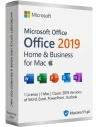
Microsoft Office 2019 Home and Business for Mac
    search
    • Microsoft Office 2019 Home and Business for Mac
    • Microsoft Office 2019 Home and Business for Mac
    • Microsoft Office 2019 Home and Business for Mac
    • Microsoft Office 2019 Home and Business for Mac

    Microsoft Office 2019 Home and Business for Mac

    499.90 zł
    Tax included
    Dostepny
    Natychmiastowa dostawa e-mail
    • Period of use: unlimited / indefinite
    • Number of devices: 1
    • Platform: PC
    • Operating system: Mac OS
    • License type: Lifetime
    • Downloading software: On the official Microsoft website

    Users and enthusiasts of Apple Mac computers can enjoy the new package of favorite Office applications for home users and small businesses. The next version of the locally installed package does not require a computer with Windows.

    Quantity

    Bezpieczna płatność
    Faktura VAT 23%
    Dostawa w 1 min
    Pomoc 7/7

    Microsoft Office 2019 for Home and Small Business Users for Mac works only with MAC systems, it is not compatible with Windows systems.

    The Office package for Mac computers is supported on the three latest versions of the macOS system.

    Support for Office 2019 for Mac computers ended on October 10, 2023. You can be assured that all Office 2019 applications will continue to work — they will not disappear from your Mac computer, nor will you lose any data. However, Office may prompt you to upgrade to a newer version.

    Apple Mac computer users and enthusiasts can enjoy the new package of favorite Office applications for home and small business users. The next version of the locally installed package does not require a Windows computer at all. The 2019 version introduced many improvements and modifications, primarily bringing ease of use important for educational institutions and changes in program interfaces targeted at demanding home users and small businesses working on a PC or Mac computer. The Office package includes well-known and loved applications:

    • word processor Word 2019,
    • spreadsheet Excel 2019,
    • email and calendar program Outlook 2019
    • presentation preparation and display system PowerPoint 2019,
    • effective note-taking tool OneNote 2019.

    Office package for businesses and home users — key information

    The version of Office offered here is intended for computers with the Mac OS operating system. Office for small businesses is intended for entrepreneurs with their business headquarters at home, using the computer for marketing, sales, preparing business presentations, and communicating with clients. This version of the package has been specially prepared for such usage. Home users are much less interested in advanced algorithms and complex enterprise management systems. They expect simple and efficient software that can meet all their needs without spending a fortune.

    What's new in the classic Office applications in the 2019 version

    The change in appearance and better presentation on Retina displays is just one of the reasons for releasing a new version of such an important software package. Each application has gained several new features and capabilities tailored to the requirements of modern ways of working for those running home businesses. Here are the most important enhancements:

    • Scalable vector graphics for Word, Excel, PowerPoint programs
    • Microsoft Translator in Word, Excel, PowerPoint
    • The ability to create mathematical equations with LaTeX function in Word
    • Creating smoother animations and motion with the Morph function in PowerPoint
    • A new navigation feature called Zoom for PowerPoint
    • Surface Pen support for navigating slides in PowerPoint
    • Exciting new features in Excel
    • More advanced handwriting features for the entire Office 2019 package

    New graphic and animation capabilities

    In Office 2019, you can now add scalable vector graphics (SVG) to Excel, Word, and PowerPoint documents. This type of graphics can be easily rotated, moved, colored, and resized without losing image quality. You can also find many icons on the Insert tab.

    • A new Icon Button, which provides access to various popular SVG icons. These icons can serve as an easy way to spice up emails or presentations or simply as a way to add some life to a dull document.
    • A new transition called Morph has been added to PowerPoint. This powerful transition will allow you to seamlessly move between one slide and the next in your presentation. Essentially, it's a simple way to create any animation in seconds. PowerPoint will do it for you.
    • Zoom adds a new dynamic navigation option to PowerPoint slide presentations. With the Zoom feature, you will have thumbnails of all slides on one page. You can then click on each slide individually, and a small transition animation will take you to that slide.

    Creating Professional Texts at an Even Higher Level

    One of the most common ways home users and small business owners use Office is to create texts. They will certainly be pleased with the introduction of new features that will allow them to prepare publications at an even higher linguistic and technical level:

    • Microsoft Translator is a new feature added to Word, Excel, and PowerPoint. To access it, open the Review tab in your document, then click on the new Translate and Language buttons. From there, you'll have the option to translate the entire document or translate a selected portion of the text.
    • Microsoft Translator has been around for some time, but seeing it integrated into Office is excellent. Translation services like Microsoft Translator are not perfect, but they are becoming more accurate over time.
    • Thanks to changes introduced in the Windows 10 Fall Creators Update, you can now use a Surface pen or a similar competing product to browse slides in a PowerPoint presentation. Your digital pen can wirelessly navigate slides up to 30 feet away.

    System Requirements

    Office 2019 for Mac is supported on the three latest versions of macOS. Once a new version of macOS is released, the operating system requirements for Office 2019 for Mac become the three latest versions at that time.

    KS-OFF19-MAC

    Data sheet

    Period of use
    unlimited / indefinite
    Number of devices
    1
    Platform
    PC
    Operating system
    Mac OS
    License type
    Lifetime
    Downloading software
    On the official Microsoft website
    Key type
    ESD/Retail
    Area of application
    Home / Business
    Devices
    1
    Product type
    electronic software distribution (ESD) license
    Language version
    Polish / Multilingual
    Architecture
    32/64 bit

    Specific References

    ean13
    0760947037735
    Reviews(2)/Q & A

    Product Reviews / Q&A

    Average rating

    5.0
    2 Reviews
    ★★★★★ Excellent 2
    ★★★★☆ Good 0
    ★★★☆☆ Medium 0
    ★★☆☆☆ Poor 0
    ★☆☆☆☆ Terrible 0

    • Reviews (2)
    • Questions & Answers (0)
    z VAT
    🛒 Do koszyka