




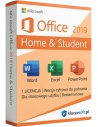
The new Microsoft Office Home & Student 2019 is a suite of office programs that will meet the needs of students, home users, and pupils. Microsoft Office 2019 Home & Student will also easily meet the requirements of office software that can be installed on one PC.
The new Microsoft Office Home & Student 2019 is a suite of office programs that meet the needs of students, home users, and pupils. Microsoft Office 2019 Home & Student will also easily meet the requirements of office software that can be installed on one PC.
language version: Polish
Detailed instructions Office 2019 Home & Student will not let you down, whether you want to create mail merges, labels or data tables, or presentations. The Office 2019 package for PCs is designed for every occasion. You will never lose access to your data again. With the help of Microsoft Office 2019 Home & Student, you are able to complete any task and achieve the best possible results. Let yourself be inspired by this new Office product!
The Office 2019 package differs from classic versions, e.g., with a new tool for handwriting, tools for translating texts and editing them, or even animated graphics available in MS Word, Excel, PowerPoint, and OneNote. Its advantages also include a clear interface, numerous accessibility improvements, and options for easy creation of animations. All this to help you perform your tasks even better. See what else Microsoft Office 2019 can surprise you with?
Do you want your documents to be more visually appealing? Simply add scalable vector graphics to your created sheets and presentations. Your tasks and presentations in a foreign language have never been easier to accomplish, thanks to the new Microsoft Translator feature. Forgot a word? Just enter it into Translator and get an instant response.
Additionally, you can simplify your work by enabling sound hints that will alert you to changes, errors, and tips. Are you working on a group project? Studying with other students? Office 2019 Home & Student works seamlessly with Microsoft Teams, allowing you to maintain constant contact and share files with whomever you want, without additional fees.
Office Home & Student 2019 has met the expectations of home users and students by adding LaTeX equation support to the program. This allows you to easily perform mathematical, physical calculations, and write chemical formulas. Learning and working have never been so simple!
One of the biggest changes is the ability to write text, formulas, or highlight text using your finger, pen, or mouse. This facilitates and accelerates the work of students, opening up a range of new possibilities for approaching tasks, problems, and daily learning.
Microsoft Office 2019 also introduced the Accessibility Checker function to all Office 2019 Home & Student files. This allows you to check if the content you want to share is readable for a person with disabilities before sending a file, document, or email.
In addition to the functions available for all 4 applications in the Microsoft Office package, new options have also been introduced in individual modules. Discover even more new features that will make learning and working at home and school easier for you.
In Word programs, you can easily share documents and edit them in real-time with other colleagues. Also, use the smart search feature to find information on the web without leaving the Word program. You can also use the text-to-speech feature. Simplicity that is unparalleled.
Microsoft Office 2019 introduced six new chart types to Excel. This allows for a significant simplification of visualizing even complex data. The addition of the "Recommended Charts" collection enables even more convenient data presentation. Meanwhile, the forecasting feature allows you to look into the future. Want to create better presentations? Now it will be possible, thanks to improved scaling features and other elements designed to identify your needs based on data. With visual Timeline charts, you can easily illustrate a chronology, e.g., of historical events.
Numerous new features make it easier to align objects and select colors. Additionally, creating animations and inserting 3D graphic objects has been simplified. You also have the ability to freely navigate between sections using a pen.
Before purchasing Office 2019 for home users, make sure your PC has Windows 10 or Windows 11. Only in such an environment will you be able to correctly install the MS Office 2019 package.
Also remember that Office 2019 Home & Student is different from Microsoft 360. You purchase a one-time license key for the offered package, whereas with Microsoft 360, you make a monthly subscription.
The installation of the Office Package is very simple. However, remember that purchasing a one-time package will allow you to install it on only one personal computer. Simply download the file and start its installation. When the message "Do you want to allow this app to make changes to your device?" appears, choose Yes. After the product is correctly installed, a message will display saying "All set! Office is now installed."
When you buy Office 2019 Home & Student from us, you will receive a set of instructions that will help you go through the installation and activation process of the license key.

Data sheet
Specific References
The new Microsoft Office Home & Student 2019 is a suite of office programs that will meet the needs of students, home users, and pupils. Microsoft Office 2019 Home & Student will also easily meet the requirements of office software that can be installed on one PC.