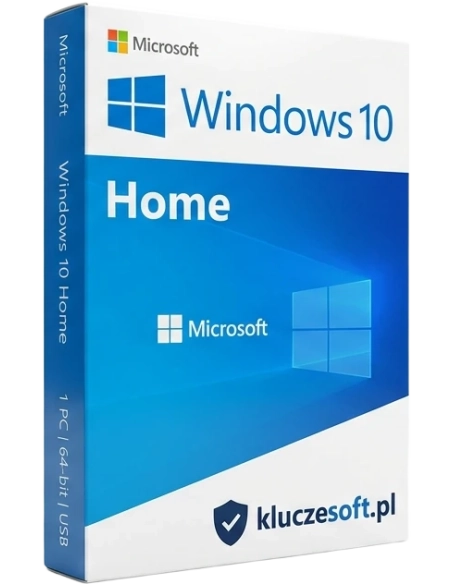




Windows 10 is the perfect partner for getting things done. You'll benefit from faster system startup, a familiar yet improved Start menu, and new ways to complete tasks more quickly - even across multiple devices.
After purchase, the received Windows 10 Home key can be used to activate an already installed version of Windows 10 Home or to perform a clean, new installation on a computer without an operating system (a USB drive or another medium, such as an 8 GB DVD, is required).
If you have an older system, such as Windows 7 or Windows 8, and want to upgrade it to Windows 10, it is usually possible, although older systems are no longer supported by Microsoft - for this reason, a clean installation may be required, including disk formatting - transitioning from an older system to Windows 10 while retaining files may be impossible.
A Windows 10 Home key will only work with the Home version. It will not work if the Windows 10 Pro version is already installed. In that case, a clean installation will be necessary.
Operating system Microsoft Windows 10 Home is designed for home users who use their computer for tasks such as browsing the internet, watching movies, or playing video games. With Windows 10 Home, you will benefit from faster system startup and a familiar but improved Start menu that makes it easier to get things done quickly.
The purchased product can be used for:
Package Microsoft Windows 10 Home includes instructions on how to install the system step by step. You can use it immediately after installation without any restrictions.
When you decide to purchase Windows 10 Home, you will receive an incredibly fast and responsive operating system. This will make it easier than ever to accomplish all your tasks. Windows 10 Home is an improved version of the previous Windows systems you are already familiar with. The operating system Microsoft Windows 10 Home allows you to customize the Start Menu to your own needs. Movable widgets make it easier to access the most important data and information for you, without having to launch applications.
The use of InstantGo1 technology in Windows 10 allows you to exceptionally efficiently start up and resume the system, which you will positively feel in the smoothness of your work on the computer. The Windows Home 10 operating system has also ensured a high level of data security by providing the user with many built-in protections that guarantee the computer's protection against malicious software.
One of the many advantages is multitasking. Microsoft Windows 10 Home. The price you have to pay for such high quality is very low. The operating system has the ability to quickly switch many elements on the screen. If you run out of space, you can easily create virtual desktops. This way, you can increase your workspace and choose which elements you want to work with at any given moment.
What else do you gain by purchasing Microsoft Windows 10 Home? You will surely be pleasantly surprised by the completely new browser. Microsoft Edge is designed to facilitate your navigation in the virtual space of the Internet. A simple, unified interface, free from unnecessary distracting elements, will allow you to focus on the truly important information. A revamped address bar will also assist you in efficiently surfing the Internet.
Operating systems from Windows prioritize user comfort, regardless of the hardware their users have. This is also true for Home 10. The program Microsoft Windows 10 has ensured smooth scaling of applications, regardless of the size of your device's screen. Additionally, screen features enable seamless navigation.
Do you like a personalized approach? Windows 10 Home PL will surprise you with the Windows Hello feature. When you turn on your computer, the device will greet you by your name. That's not all. After recognizing the user, Windows 10 Home series systems can also guide you through logging in without the need to enter a password.
If you are a fan of computer games, then by purchasing Microsoft With Windows 10 Home PL, you can use the best features of the Xbox One console on your PC, laptop, or tablet. Additionally, the Game DVR feature allows you to record your gameplay and share it with other players without leaving the game.
Windows 10 Home will be an ideal solution for home users, while Windows 10 Professional is particularly recommended for business clients and individual clients with greater needs, especially regarding data security.
Both operating systems have many similar features. These include, m.in. functions designed to secure the system. Windows Hello allows for password-free login using a PIN, camera, or fingerprint reader, which further reduces the likelihood of someone breaking into your computer. Both systems also offer encryption, which acts as a barrier against unwanted users. Noteworthy is also the firewall and protection against viruses and malware.
Staying on the topic of security, both Windows systems come with the integrated Windows Defender antivirus program, which operates based on artificial intelligence. Both Windows Home and Windows Professional are equipped with parental control features, secure boot, and battery saving options. The new browser Microsoft Edge has the same functions in both editions of Windows 10.
Another interesting solution available on both systems is Windows Ink, which allows you to create handwritten notes or drawings using a digital pen. A very functional feature is also the ability to access files located on mobile devices such as phones and tablets from your computer's desktop. By using the Your Phone app, you will have the ability to, m.in. sending text messages using a computer.
Compare Windows 10 Home and Pro editions:LINK
During installation, we have the option to choose between installing the 32-bit or 64-bit version. Before starting the installation of Windows 10 Home, you should have access to another computer with internet access and have a USB flash drive or a DVR disc.
Start the installation process by downloading the Windows 10 Home installer, then boot your computer from the USB or DVD and begin installing the system. During the installation of Windows 10, a message window will open asking for the product activation key. Enter the product key that you received in an email right after purchase. Confirm the key by pressing the Next button or Enter on your device's keyboard. After completing the installation of Windows 10 Home, you can enter the activation key at any time.

Data sheet
Specific References
Windows 10 is the perfect partner for getting things done. You'll benefit from faster system startup, a familiar yet improved Start menu, and new ways to complete tasks more quickly - even across multiple devices.