 Dostawa w 1 min
 100% Oryginalne
 TrustedShops 4.81 · 3 783 opinii
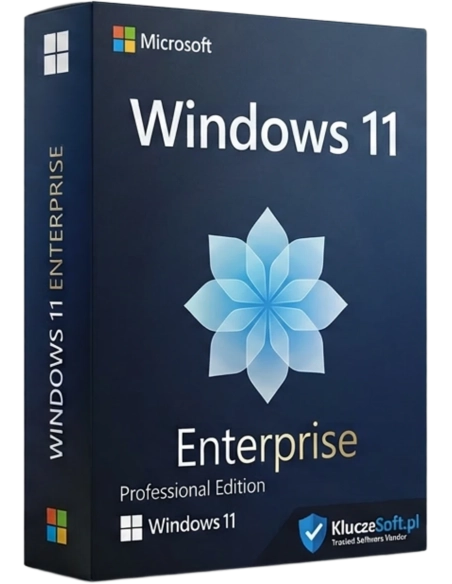
Windows 11 is the latest system from Microsoft. Completely new Start menu, new window appearance with an improved arrangement system, new Microsoft store, Widgets in Windows 11, new system themes, new system for switching between desktops and Android application windows are the changes many people have been waiting for. Buy Now!
Online collaboration, hybrid work from home and the office, and effective multitasking are increasingly becoming requirements for computer systems in businesses. To meet these demands, Microsoft developed a new version of the most popular operating system in history.
Key features of the new version Microsoft Windows 11 Enterprise aimed at businesses is:
An important feature of the new version of the operating system is the way it was designed. multitasking, allowing users to position windows in different locations and further customize how they work with multiple applications or documents simultaneously. This change in the multitasking function is directly related to the increase in productivity, which is reflected in the integration. Microsoft Teams is now natively available for messaging and video conferencing, surpassing Skype in these features.
The simplified yet more modern graphics allow you to focus on what matters most. With the Snap Assist feature, you can automatically arrange saved window layouts, and personalized widgets provide quick access to information such as calendars, weather forecasts, to-do lists, the latest news, and more.
Intelligent video conferencing facilitate connections and allow for quick adjustment of required multimedia, easier sharing of data and screens during meetings while maintaining access to the taskbar.
Microsoft Windows 11 Enterprise introduces many new security features. The increasing threat of Internet attacks is mitigated by effective solutions such as TPM features, hardware integrity protection, "zero trust" security, and more.
Virtualization support has never been so well handled as in Microsoft Windows 11 Enterprise particularly benefits hybrid work, as it now allows access to the same operating system from a home office and an office-located workstation running on a virtual machine. Thanks to virtualization, appropriate security systems operate in a protected environment and do not pose a threat to the company network.
The most noticeable change in the operating system Microsoft Windows 11 Enterprise is simplicity. It is known that simpler solutions provide greater efficiency and higher productivity. Easier screen sharing during video conferences and templates that allow for choosing the layout of several simultaneously open programs are just examples of the introduced enhancements that make daily work with the new system much more intuitive and require less preparation.
Microsoft Windows 11 Enterprise is the most efficient and secure version of Windows. It supports hybrid work and takes it to the next level. The simplified and streamlined user interface with easy-to-organize Snap Layout and Snap Groups reduces the demands on employees and allows them to tailor their work style to their capabilities. Thanks to services Microsoft Azure companies have greater capabilities to integrate sales for customers.
You can continue to use all the applications purchased for Windows 10 in Windows 11. In the case of a system upgrade Microsoft Windows 11 Enterprise has the same set of application compatibility requirements as Windows 10. This allows for a smooth transition to the new, more secure, and efficient system software without the need to incur expenses for purchasing a new version of the existing software.
Remember that the key received after purchasing Windows 11 Enterprise is essential for the complete activation of the system, both on a computer without software and on hardware with older versions.

Data sheet
Specific References
Windows 11 is the latest system from Microsoft. Completely new Start menu, new window appearance with an improved arrangement system, new Microsoft store, Widgets in Windows 11, new system themes, new system for switching between desktops and Android application windows are the changes many people have been waiting for. Buy Now!