 Dostawa w 1 min
 100% Oryginalne
 TrustedShops 4.81 · 3 783 opinii
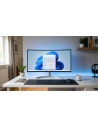
Windows 11 is the latest system from Microsoft. Completely new Start menu, new window appearance with an improved arrangement system, new Microsoft store, Widgets in Windows 11, new system themes, new system for switching between desktops and Android application windows are the changes many people have been waiting for. Buy Now!
Prettier, more powerful, and significantly safer, yet so familiar as if it has been with you for years. Now you can purchase the latest operating system Microsoft Windows 11 Home. Windows users have received a more intuitive and easier-to-use system that offers significantly more possibilities and many new features, surpassing solutions from Apple and Google.
The Microsoft Windows 11 Home system does not require powerful hardware to operate correctly, but it should be modern. Requirements include:
In addition to proper hardware, a certified and valid Windows 11 Home key is also necessary. Remember, without it, you won't be able to fully activate the system.
The new Microsoft Windows 11 Home looks familiar because most of the interface has been redesigned rather than created from scratch. It has improved window management and multitasking. Many elements of the new layout bring the desired smoothness and consistency to the interface of the new Windows 11 Home system.
The Start button in Microsoft Windows 11 Home has been moved to the center. The entire taskbar and start menu have also been thoroughly changed. Pinned application buttons (larger than icons but smaller than Windows 10 tiles) are located at the top of the panel. The latest and most frequently used apps and documents are in the section below.
The File Explorer is part of the new look of Windows 11 Home: the ribbon at the top is much less cluttered and distracting than before, and right-click context menus are shorter, smarter, and clearer, showing only the most frequently needed options.
Microsoft has split the Windows 10 Action Center into two separate panels and targets. Touch users can swipe from the right side to display the notification panel.
The Quick Settings panel opens when you click or tap the Wi-Fi, speaker, or battery icon. By default, it displays buttons for Wi-Fi, Bluetooth, airplane mode, battery saver, focus assist, and accessibility, as well as sound volume and screen brightness sliders. The pencil icon allows you to customize the displayed buttons. New is the ability to set different desktop backgrounds (so-called wallpapers) for each desktop.
The chat and video conferencing app Microsoft Teams is by default visible in the center of the taskbar. Now just click the chat icon to start a meeting. The welcome environment will ask you to grant the app access to your Microsoft account and its contacts. When you later tap the icon after initial setup, you'll see a list of all your contacts. Click one to start a chat.
The Microsoft Store app (app store for Microsoft Windows 11 Home) has been refreshed. In addition to apps, the Store offers movies and TV shows, as well as games. Now Windows 11 has the ability to run Android apps, (they need to be installed through the Amazon Appstore operating in the Microsoft Store Windows or as sideloaded APKs). Developers no longer need to code with the attached UWP platform app type. Progressive web apps, which are essentially websites with additional code that gives app-like features, will also make their way to the store.
The Xbox app built into Windows 11 offers access to the Xbox Game Pass video game collection. This includes titles such as Halo Infinite, Twelve Minutes, and Age of Empires IV. The app also enables Xbox Cloud Gaming, a streaming game platform from Microsoft. Essentially, it puts PCs on par with Xbox consoles, but users control how much hardware power they want to utilize in their games. Microsoft Windows 11 Home expands the color space to provide excellent clarity even in games that do not support HDR. New technologies accelerate game loading by bypassing the processor and allowing direct loading to the graphics memory.
Explore the new features and improvements introduced in the new version of the most popular operating system on your own. Buy now and work, learn, and play more conveniently and better with the new Microsoft Windows 11 Home. The activation key will give you access to the full capabilities of this version of the system, all updates, and technical support.
Feature | Windows 11 Home | Windows 11 Pro |
Configuration with a local account | No | Yes |
Joining Active Directory/Azure AD | No | Yes ```html |
Hyper-V Function | No | Yes |
Windows Sandbox | No | Yes |
Microsoft Remote Desktop | Client only | Yes |
Windows Hello | Yes | Yes |
Device Encryption | Yes ``````html | Yes |
Firewall and network protection | Yes | Yes |
Internet protection | Yes | Yes |
Parental control/protection | Yes | Yes |
Secure boot | Yes | Yes |
Windows Defender Antivirus ``````html | Yes | Yes |
Device encryption with BitLocker function | No | Yes |
Information protection in Windows | No | Yes |
Mobile Device Management (MDM) | No | Yes |
Group Policy | No | Yes ``````html |
Mobile access to Enterprise State version with Azure platform | No | Yes |
Assigned access | No | Yes |
Dynamic sharing environment | No | Yes |
Windows Update for Business | No | Yes |
Kiosk mode | No ``````html | Yes |
Maximum amount of RAM | 128 GB | 2 TB |
Maximum number of processors | 1 | 2 |
Maximum number of processor cores | 64 | 128 |
```

Data sheet
Specific References
Windows 11 is the latest system from Microsoft. Completely new Start menu, new window appearance with an improved arrangement system, new Microsoft store, Widgets in Windows 11, new system themes, new system for switching between desktops and Android application windows are the changes many people have been waiting for. Buy Now!